> ## Documentation Index
> Fetch the complete documentation index at: https://docs.kinemation.xyz/llms.txt
> Use this file to discover all available pages before exploring further.
# 🔸Animations
> This page explains how animations work in the CAS demo.
## Animator Controller
The base animator controller is included in the CAS package:
 It's supposed to be used as a template, as it only contains empty animation states — placeholders that can be overriddent with Override Animator Controller feature.
**Generic** and **Humanoid** versions can be found in **Assets ▸ CAS Demo ▸ Animations ▸ Generic or Humanoid.**
**Note**: Generic animations are only compatible with the Kinemation Mannequin (**KINEMATION ▸ Shared ▸ Character**).
It's supposed to be used as a template, as it only contains empty animation states — placeholders that can be overriddent with Override Animator Controller feature.
**Generic** and **Humanoid** versions can be found in **Assets ▸ CAS Demo ▸ Animations ▸ Generic or Humanoid.**
**Note**: Generic animations are only compatible with the Kinemation Mannequin (**KINEMATION ▸ Shared ▸ Character**).
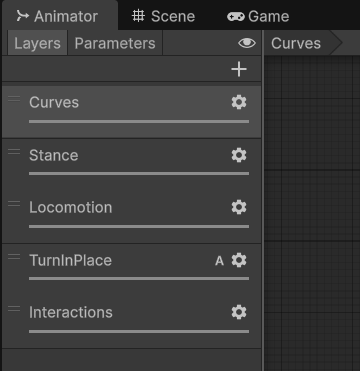 The controller consists of 5 main animation layers.
#### Curves
This layer sets curve blending properties to default values:
The controller consists of 5 main animation layers.
#### Curves
This layer sets curve blending properties to default values:
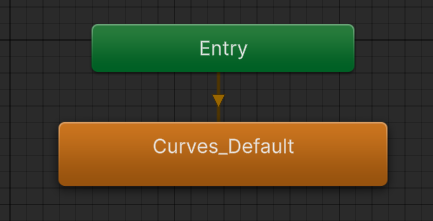 It contains only a single state — **Curves\_Default**. This Animation Clip contains bindings for all blending parameters, which are set to zeroes by default:
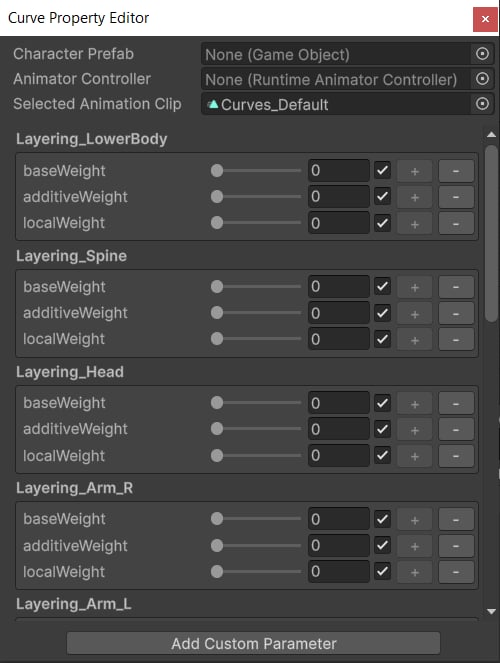 **Tip**: This layer is crucial to avoid lingering blending properties at runtime, which may result in jittering issues. Read more about it [here](/cas/core/layered-blending#blending-parameters).
#### Stance
This layer blends between standing and crouching states.
**Tip**: This layer is crucial to avoid lingering blending properties at runtime, which may result in jittering issues. Read more about it [here](/cas/core/layered-blending#blending-parameters).
#### Stance
This layer blends between standing and crouching states.
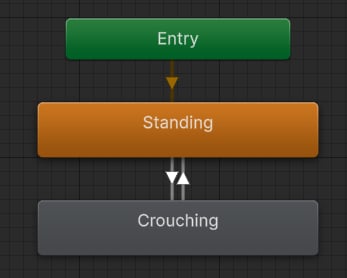 These are empty states, which are only used to animate the **CrouchWeight** value using the [**SetFloat**](/cas/modifiers/state-behaviours#set-float) component.
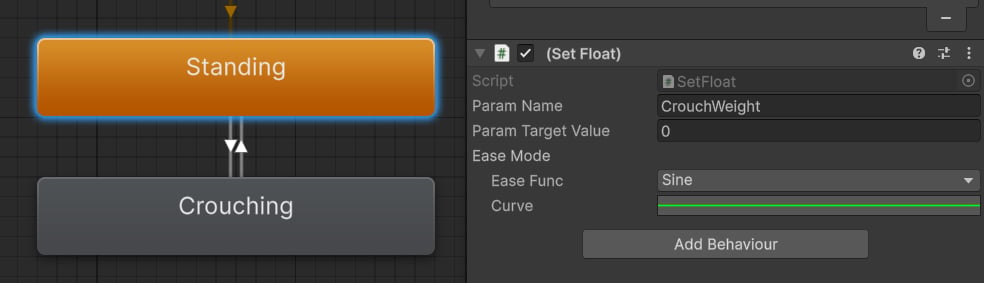 **Tip**: The **CrouchWeight** is an Animator float parameter that is used to blend between standing and crouched character movement.
#### Locomotion
This layer applies full-body animations, like idle, jogging, sprinting and jumping.
**Tip**: The **CrouchWeight** is an Animator float parameter that is used to blend between standing and crouched character movement.
#### Locomotion
This layer applies full-body animations, like idle, jogging, sprinting and jumping.
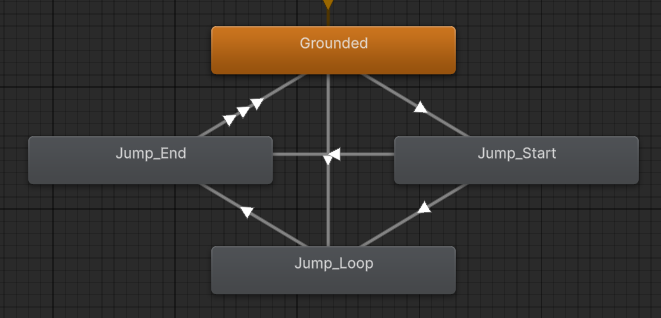 **Grounded** is a blend tree that blends between different stance and movement animations.
#### Turn In Place
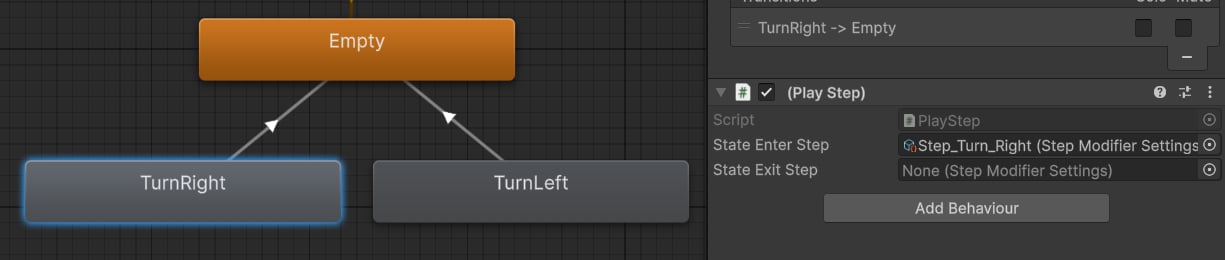
This layer triggered procedural steps when turning left or right.
**Grounded** is a blend tree that blends between different stance and movement animations.
#### Turn In Place
This layer triggered procedural steps when turning left or right.
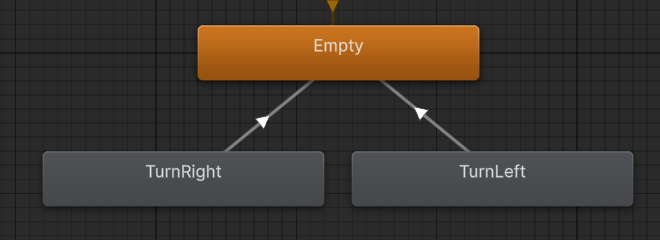 **TurnRight** and **TurnLeft** are empty states by default. It's possible to override them with turning animations. Instead, CAS uses [**Play Step**](/cas/modifiers/state-behaviours#play-step) behaviours to play procedural steps when turning:
 #### Interactions
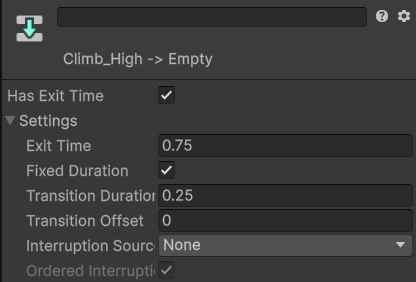
This last layer is reserved for full-body interaction animations, like climbing or pulling a lever:
#### Interactions
This last layer is reserved for full-body interaction animations, like climbing or pulling a lever:
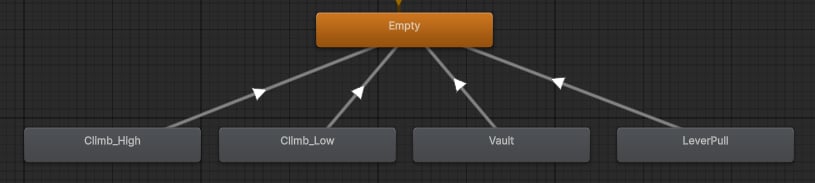 The default state is empty, because all interaction clips are triggered from code using the CrossFade function. Interactions automatically blend out to the empty state upon completion.