> ## Documentation Index
> Fetch the complete documentation index at: https://docs.kinemation.xyz/llms.txt
> Use this file to discover all available pages before exploring further.
# 🔹Player Prefab
> Documentation for 🔹Player Prefab.
## How to use it
Navigate to "**...\Integrations\FPSAnimationPack\Prefabs\Player**" and select one of the available game-ready prefabs:
 * **Player\_Arms** is the version made for the FPS arms model included with the FPS Animation Pack.
* **Player\_Fullbody** uses the Kinemation Mannequin character.
Drag and drop the selected prefab into the scene, then press Play.
* **Player\_Arms** is the version made for the FPS arms model included with the FPS Animation Pack.
* **Player\_Fullbody** uses the Kinemation Mannequin character.
Drag and drop the selected prefab into the scene, then press Play.
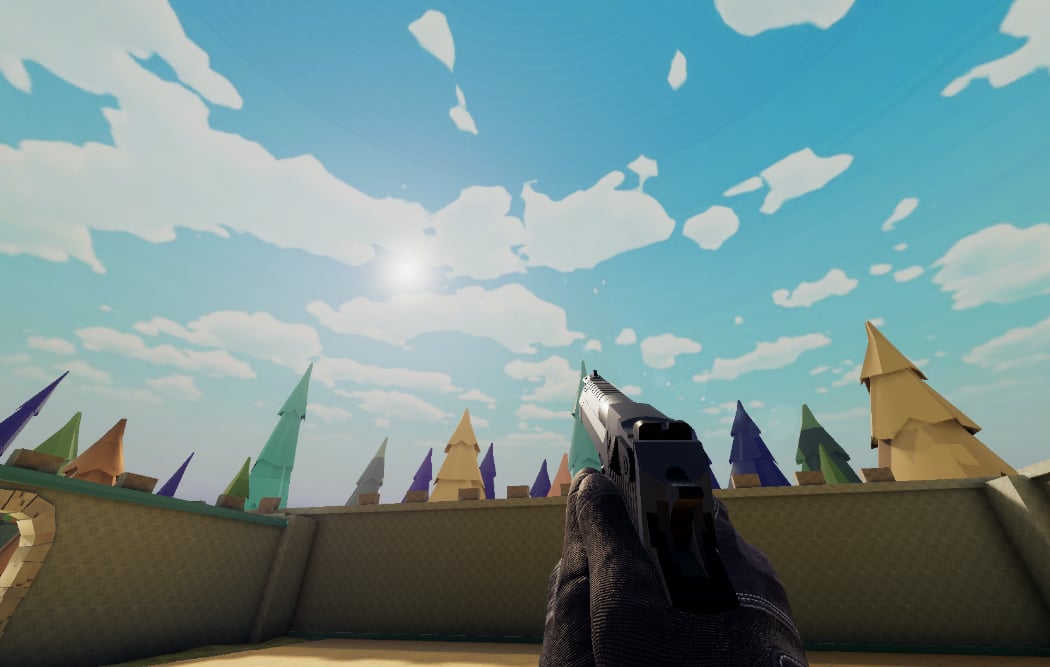 ## Prefab structure
### Character
Both prefabs consist of two layers — the prefab itself and a skeleton.
## Prefab structure
### Character
Both prefabs consist of two layers — the prefab itself and a skeleton.
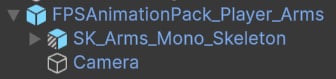 The prefab root has the following components:
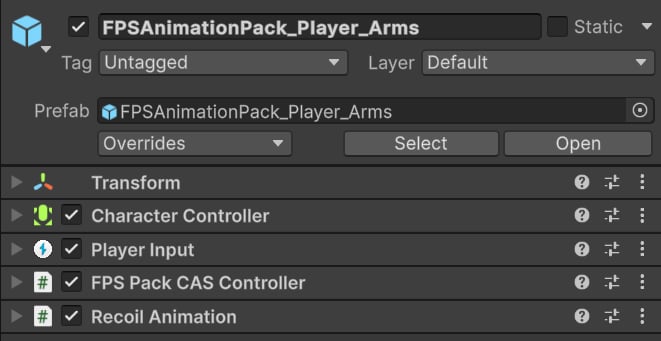 * **Character Controller** is used to move the player around.
* **Player Input** is used to handle input actions, such as reload, aim, and more.
* **FPS Pack CAS Controller** is the main player controller class. It's derived from [CharacterExampleController](/cas/core/example-content/example-controller) and includes the same properties.
* [**Recoil Animation**](/cas/fps/recoil-animation) is used to generate smooth, dynamic recoil.
The "\_Skeleton" prefab is the character model itself. It contains all essential CAS components, such as:
* **Character Controller** is used to move the player around.
* **Player Input** is used to handle input actions, such as reload, aim, and more.
* **FPS Pack CAS Controller** is the main player controller class. It's derived from [CharacterExampleController](/cas/core/example-content/example-controller) and includes the same properties.
* [**Recoil Animation**](/cas/fps/recoil-animation) is used to generate smooth, dynamic recoil.
The "\_Skeleton" prefab is the character model itself. It contains all essential CAS components, such as:
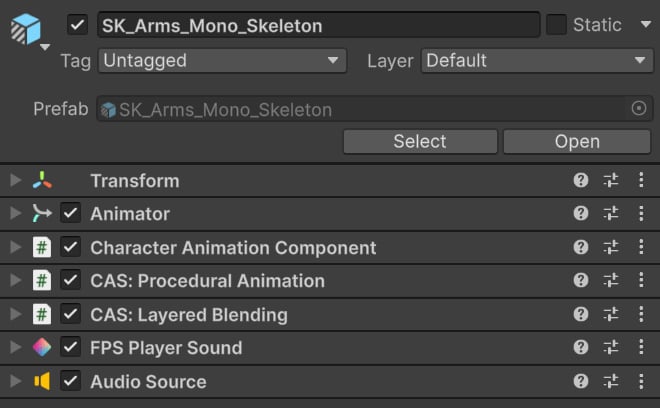 * **Animator** handles general locomotion, such as idle, crouch, walk, sprint, and more.
* [**Character Animation** **Component**](/cas/core/character-animation-component) is the main component in CAS.
* [**Procedural Animation**](/cas/core/procedural-animation) applies IK features.
* [**Layered Blending**](/cas/core/layered-blending) naturally blends weapon overlays with the Animator. It is only used in the fullbody prefab.
* **FPS Player Sound** plays general sound effects, such as footsteps, equip, and unequip.
### Weapons
All guns are parented to IK weapon\_bone — an IK bone attached to the character's head.
* **Animator** handles general locomotion, such as idle, crouch, walk, sprint, and more.
* [**Character Animation** **Component**](/cas/core/character-animation-component) is the main component in CAS.
* [**Procedural Animation**](/cas/core/procedural-animation) applies IK features.
* [**Layered Blending**](/cas/core/layered-blending) naturally blends weapon overlays with the Animator. It is only used in the fullbody prefab.
* **FPS Player Sound** plays general sound effects, such as footsteps, equip, and unequip.
### Weapons
All guns are parented to IK weapon\_bone — an IK bone attached to the character's head.
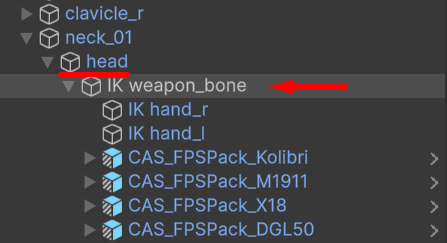 **Tip**: With this setup, weapons follow the head rotation when looking up or down.
When the game starts, the **FPS Pack CAS Controller** will try to find all weapons in the hierarchy and equip the first weapon it finds.
**Tip**: With this setup, weapons follow the head rotation when looking up or down.
When the game starts, the **FPS Pack CAS Controller** will try to find all weapons in the hierarchy and equip the first weapon it finds.