> ## Documentation Index
> Fetch the complete documentation index at: https://docs.kinemation.xyz/llms.txt
> Use this file to discover all available pages before exploring further.
# 🔉Sound Effects
> Documentation for 🔉Sound Effects.
## Overview
All sound effects are played via the **Audio Source** component attached to the character:
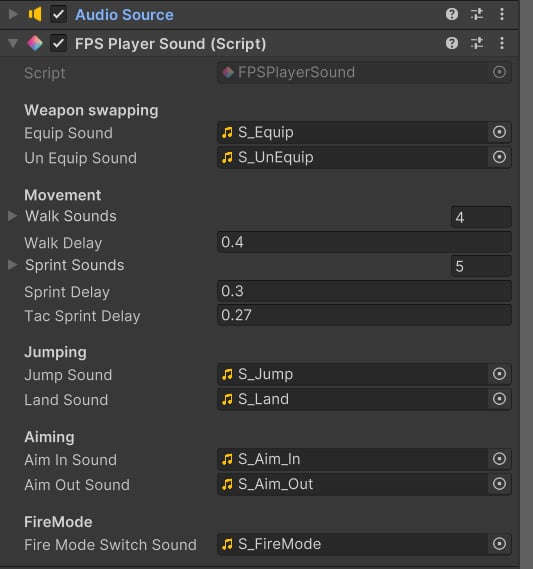 **FPS Player Sound** component is used to play general sounds, not specific to any weapon. Other sounds, like reloads or firing, are played by the weapons - they access the character's Audio Source and play the target sound effect.
## Animation Events
Many sounds, like reloads, aiming, walking, or fire mode switching are played via animation events. Events are added directly to the *Animation Clip* and then are automatically triggered in runtime. There are 2 types of animation events.
### PlayPlayerSound
**FPS Player Sound** component is used to play general sounds, not specific to any weapon. Other sounds, like reloads or firing, are played by the weapons - they access the character's Audio Source and play the target sound effect.
## Animation Events
Many sounds, like reloads, aiming, walking, or fire mode switching are played via animation events. Events are added directly to the *Animation Clip* and then are automatically triggered in runtime. There are 2 types of animation events.
### PlayPlayerSound
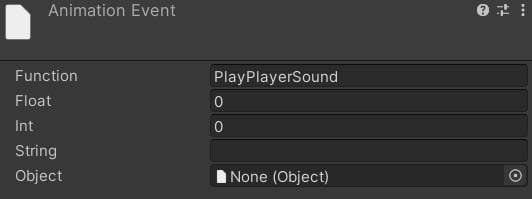 This event has an input index parameter, which defines the index of the target sound. In this case, sounds will be selected from this list:
 ### PlayWeaponSound
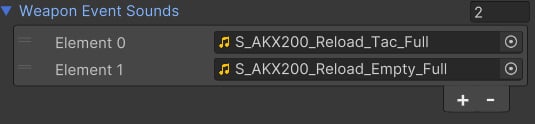
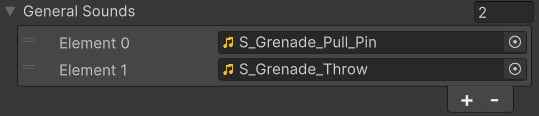
This event is added to reloading animations. Sounds are selected from:
### PlayWeaponSound
This event is added to reloading animations. Sounds are selected from: