> ## Documentation Index
> Fetch the complete documentation index at: https://docs.kinemation.xyz/llms.txt
> Use this file to discover all available pages before exploring further.
# 🌌Overview
> In this page we will cover the basics of the FPS Animation Pack.
## Content
All the plugin's content (animations, weapons, sounds, and Blueprints) is located in the *"Plugins"* folder:
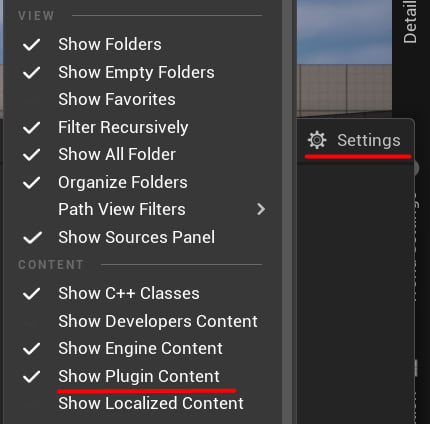
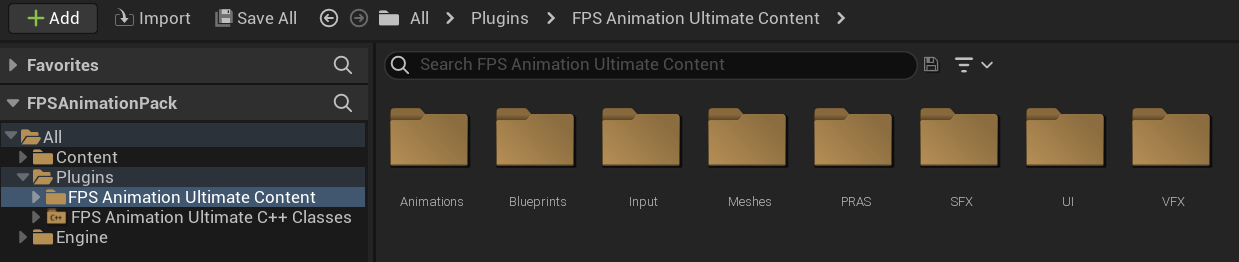 If you don't see the *"Plugins"* directory, make sure to adjust the content filters:
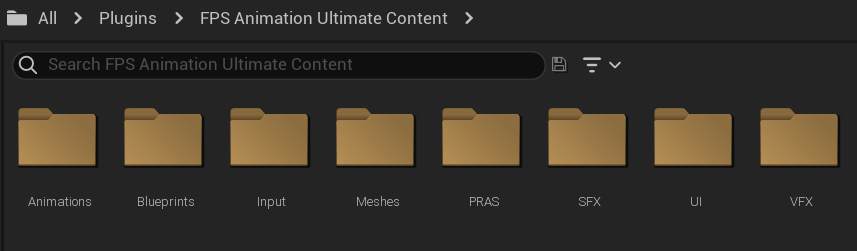
 The **FPS Animation Pack** consists of 8 main directories:
 Let's break down each folder to determine what content you can find there.
### Animations
This folder contains camera, character, and weapon animations, including Animation Blueprints. You will character animations for both UE4 and UE5 skeletons:
Let's break down each folder to determine what content you can find there.
### Animations
This folder contains camera, character, and weapon animations, including Animation Blueprints. You will character animations for both UE4 and UE5 skeletons:
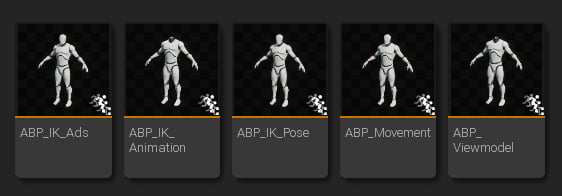 The main Animation Blueprint in the **FPS Animation Pack** is the **ABP\_Viewmodel**. The package uses a modular structure, so the main blueprint consists of these parts:
* **ABP\_IK\_Pose** controls IK offsets for arms and weapons.
* **ABP\_IK\_Ads** controls procedural aiming.
* **ABP\_IK\_Animation** controls procedural movement animations (e.g. idle, walking, sprinting).
* **ABP\_Movement** controls locomotion, such as idle, jump, or tactical sprint.
All animation blueprints are "atomic" - they do not depend on any components, and all their properties are fully exposed:
The main Animation Blueprint in the **FPS Animation Pack** is the **ABP\_Viewmodel**. The package uses a modular structure, so the main blueprint consists of these parts:
* **ABP\_IK\_Pose** controls IK offsets for arms and weapons.
* **ABP\_IK\_Ads** controls procedural aiming.
* **ABP\_IK\_Animation** controls procedural movement animations (e.g. idle, walking, sprinting).
* **ABP\_Movement** controls locomotion, such as idle, jump, or tactical sprint.
All animation blueprints are "atomic" - they do not depend on any components, and all their properties are fully exposed:
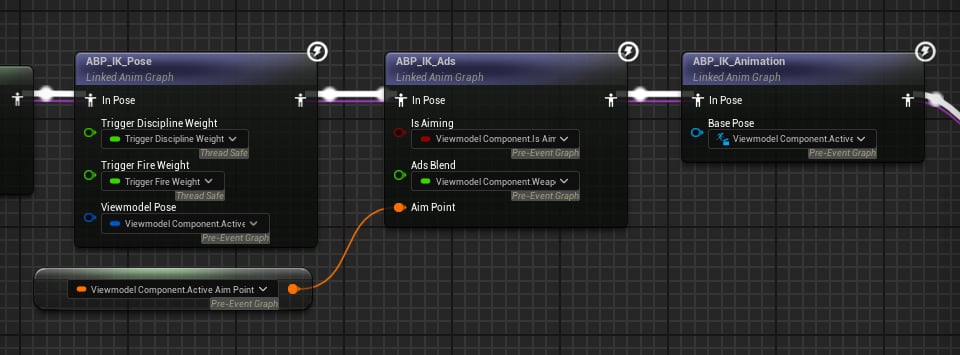 **Tip**: you can plug your custom parameters here.
### Blueprints
You can find here gameplay logic, tools,and prepared weapon settings:
**Tip**: you can plug your custom parameters here.
### Blueprints
You can find here gameplay logic, tools,and prepared weapon settings:
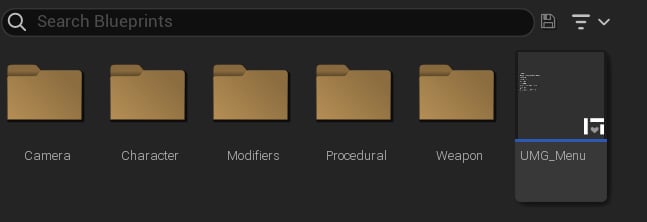 Here is what content you can find in each sub-folders:
* **Camera**: Recoil Shakes presets for different weapon types.
* **Character**: All blueprint types used in the project.
* **Modifiers**: Animation Modifiers
* **Procedural**: IK animations, like the "boop" motion when aiming.
* **Weapon**: settings for each weapon, as well as main Blueprint types.
### Input
This directory contains all Input Actions, as well as Input Mapping Context used in the demo level.
### Meshes
This folder contains character and weapon meshes, as well as textures and materials. You can find here the custom FPS Arms and UE5 Mannequin Skeletons.
### PRAS
Here you can find content related to the **Procedural Recoil Animation System** - it generates firing animations using curves.
### SFX
This folder contains all sound effects used in the package. This includes weapon-specific sounds, like firing and reloading, and general ones (e.g. walking, sprinting, jumping).
### UI
Here you can find the UI used by the Procedural Recoil Animation System to modify recoil parameters in runtime.
### VFX
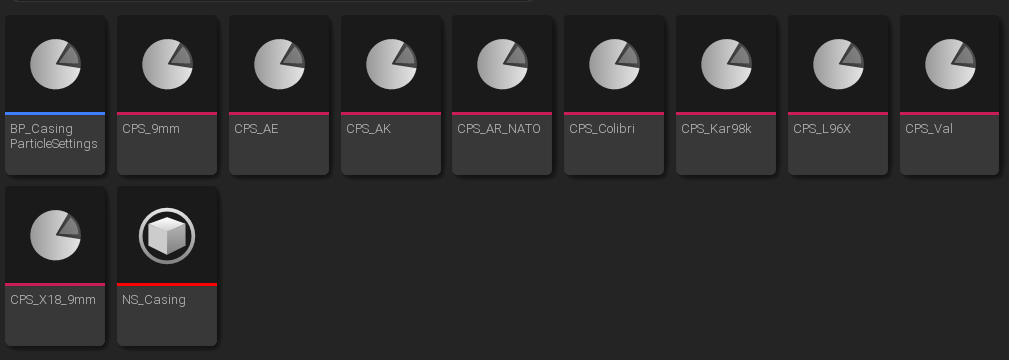
Here you can find a templated *Niagara System*, used for the empty casings effect when firing. You will also find presets for different weapons:
Here is what content you can find in each sub-folders:
* **Camera**: Recoil Shakes presets for different weapon types.
* **Character**: All blueprint types used in the project.
* **Modifiers**: Animation Modifiers
* **Procedural**: IK animations, like the "boop" motion when aiming.
* **Weapon**: settings for each weapon, as well as main Blueprint types.
### Input
This directory contains all Input Actions, as well as Input Mapping Context used in the demo level.
### Meshes
This folder contains character and weapon meshes, as well as textures and materials. You can find here the custom FPS Arms and UE5 Mannequin Skeletons.
### PRAS
Here you can find content related to the **Procedural Recoil Animation System** - it generates firing animations using curves.
### SFX
This folder contains all sound effects used in the package. This includes weapon-specific sounds, like firing and reloading, and general ones (e.g. walking, sprinting, jumping).
### UI
Here you can find the UI used by the Procedural Recoil Animation System to modify recoil parameters in runtime.
### VFX
Here you can find a templated *Niagara System*, used for the empty casings effect when firing. You will also find presets for different weapons: