> ## Documentation Index
> Fetch the complete documentation index at: https://docs.kinemation.xyz/llms.txt
> Use this file to discover all available pages before exploring further.
# Modify Avatar Mask
> Add custom weapon, IK, or attachment transforms to an Avatar Mask.
export const menuPath_0 = "Tools > KINEMATION"
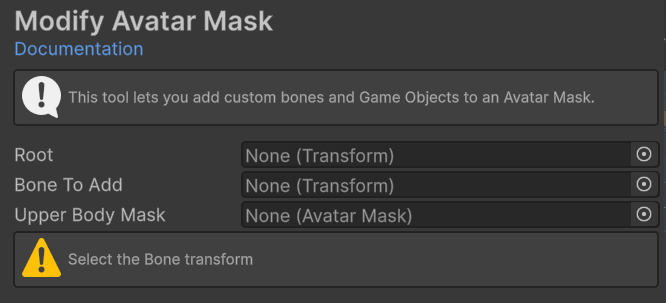
export const imageCaption_0 = "Modify Avatar Mask hierarchy, bone, and mask fields."
export const image_0 =
 ## Modify Avatar Mask
Use Modify Avatar Mask to add a custom transform path to an existing Unity
## Modify Avatar Mask
Use Modify Avatar Mask to add a custom transform path to an existing Unity AvatarMask. Use it when a layer must include a weapon bone, IK target, attachment, or other transform outside the standard humanoid mask.
Open **{menuPath_0}**, then select **Animation > Modify Avatar Mask**.
{image_0}
## Fields
| Field | Purpose |
| ------------------- | --------------------------------------------------------------------- |
| **Root** | Optional hierarchy root. The stored path starts below this transform. |
| **Bone To Add** | Transform that the mask should include. |
| **Upper Body Mask** | Existing AvatarMask modified by the operation. |
## Add a transform
Assign **Root** when the mask path should be relative to a specific skeleton or item root.
Drag the required transform into **Bone To Add**.
Drag the target AvatarMask into **Upper Body Mask**.
Click **Add Bone**, then inspect the mask's transform list.
The tool modifies the selected AvatarMask in place. It adds only the selected transform, not its children. Commit or duplicate a shared mask first.
If a path ending with the same bone name already exists, the tool leaves the mask unchanged.