> ## Documentation Index
> Fetch the complete documentation index at: https://docs.kinemation.xyz/llms.txt
> Use this file to discover all available pages before exploring further.
# Character and item runtime
> Understand the Gameplay Framework character, input, item, interface, and item-view lifecycle used by the Sci-Fi FPS Pack.
export const intro_0 = "The Sci-Fi FPS Pack character extends the shared Gameplay Framework with shooter input, item classes, and product weapon views."
export const characterLifecycleImages_0 =
<>
 export const characterInterfaceImages_0 =
<>
export const characterInterfaceImages_0 =
<>
 export const itemViewImage_0 =
 export const inputImages_0 =
<>
export const inputImages_0 =
<>
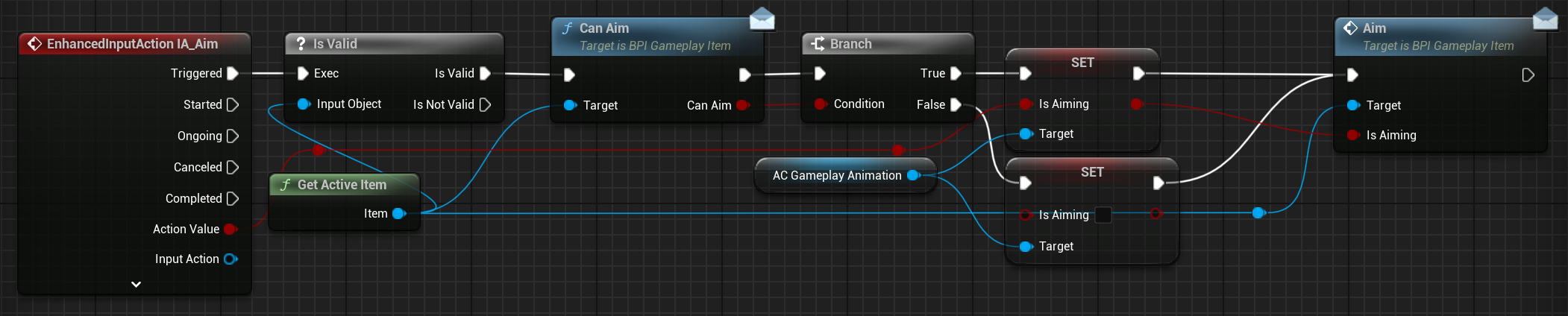
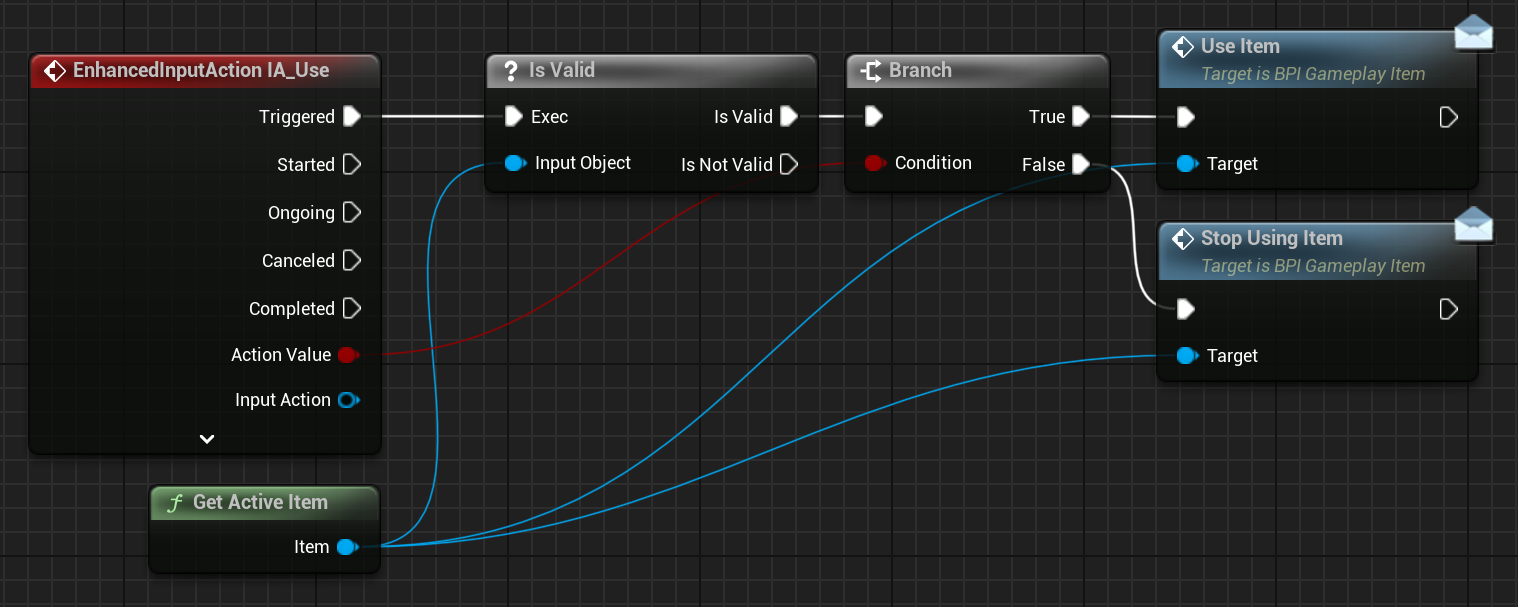
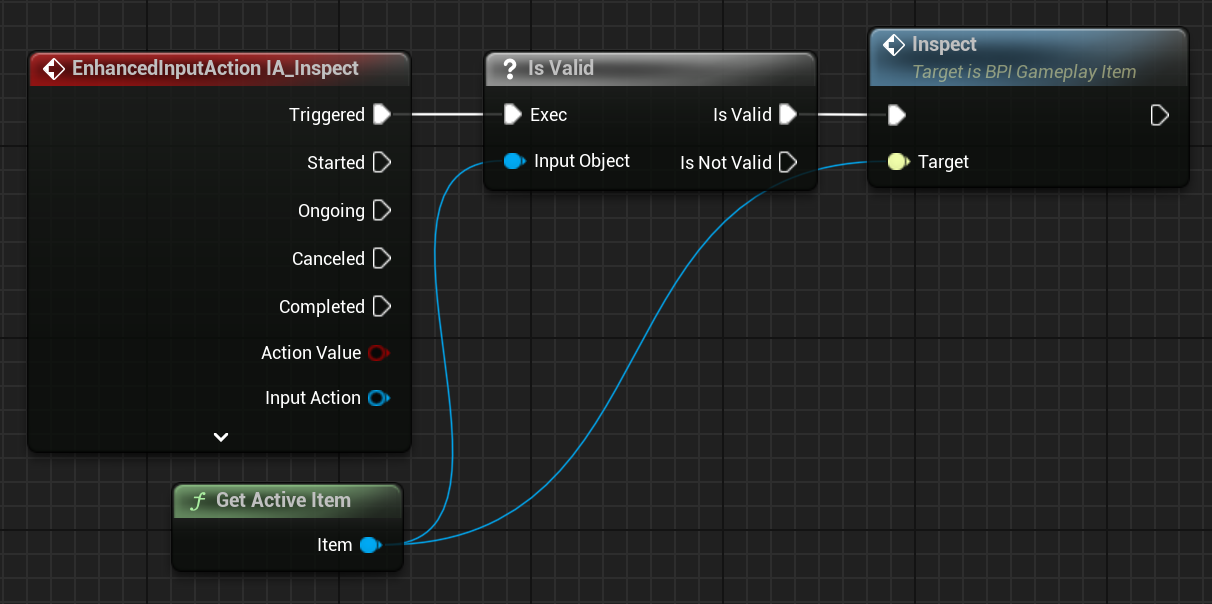
 The Sci-Fi character inherits the shared Gameplay Framework runtime through `BP_Shooter_Character`. Extend the product character or common interfaces instead of duplicating the base flow.
## Runtime model
{intro_0}
```text theme={null}
BP_Gameplay_Character (Character)
+ Camera
+ AC_FirstPersonCamera
+ AC_GameplayAnimation
+ AC_IKMotionPlayer
+ ItemClasses[] -> spawned Items[] -> active BP_Gameplay_Item
+ AC_ItemView
```
`BP_Gameplay_Character` owns generic movement, camera setup, item selection, sprint, and lean state. `BP_Shooter_Character` and product characters extend this base instead of rebuilding it.
| Entity | Responsibility |
| ---------------------------------------------------------------------------- | -------------------------------------------------------------------------------------------------------------------------------------------------------------------- |
| `/Game/KINEMATION/Common/GameplayFramework/Blueprints/BP_Gameplay_Character` | Base playable character. Configure `ItemClasses`; the class maintains `Items`, `ActiveItemIndex`, movement state, speed, gait, sprint intent, and mouse sensitivity. |
| `BPI_Gameplay_Character` | Stable cross-module access to the character mesh, animation component, equipped item, and first-person camera. |
| `E_MovementState` | Shared movement-state enum used by character and animation logic. |
| `AC_GameplayAnimation` | Animation settings, action state, montage playback, overrides, and leaning. |
### Character lifecycle
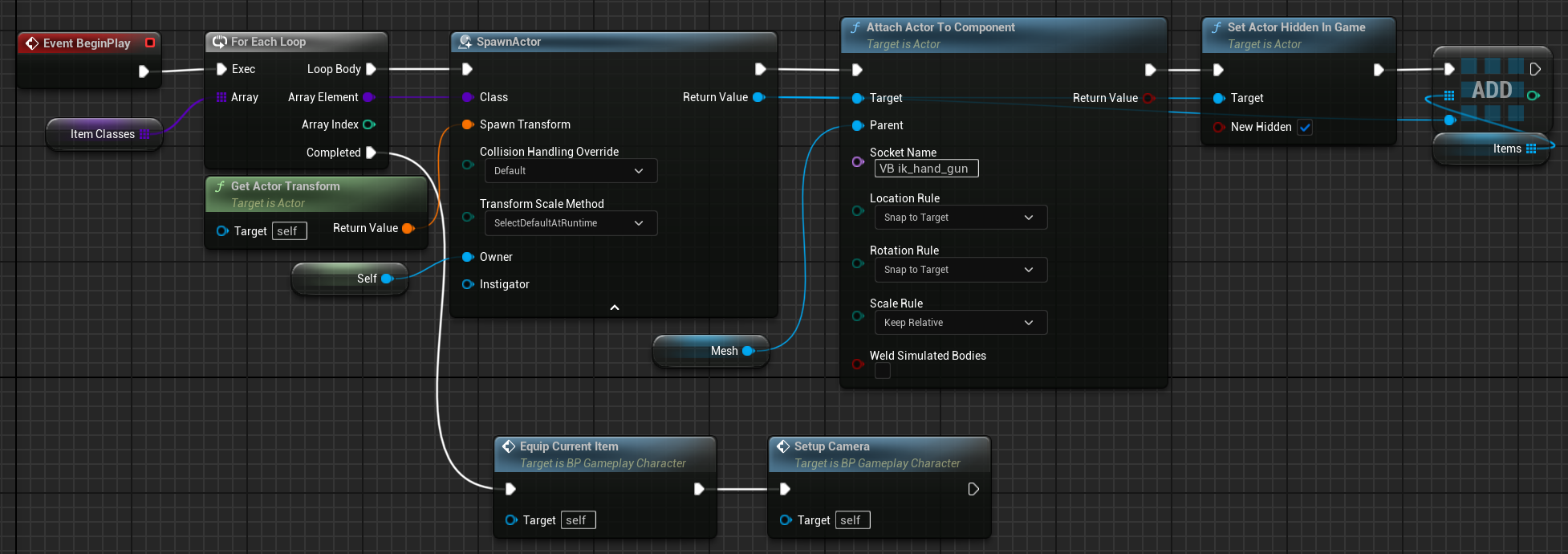
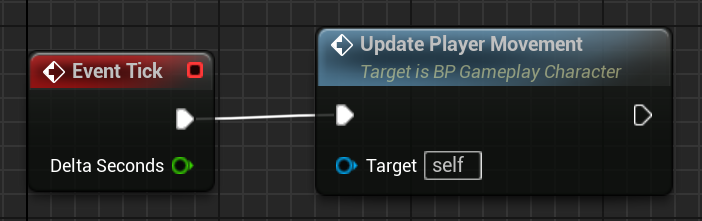
The base character exposes `UpdatePlayerMovement`, `GetActiveItem`, `SetupCamera`, `EquipCurrentItem`, and `UpdateLeaning`. Extend `OnPossessed` for possession-time project setup. Call the parent behavior before adding mapping contexts or child-only state.
{characterLifecycleImages_0}
### Character interface
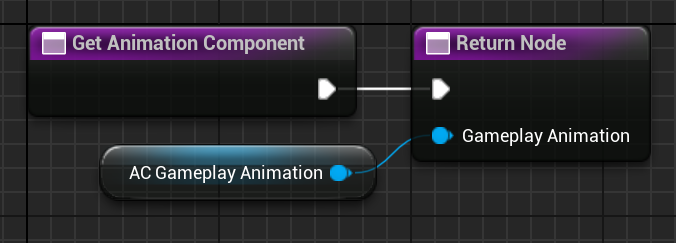
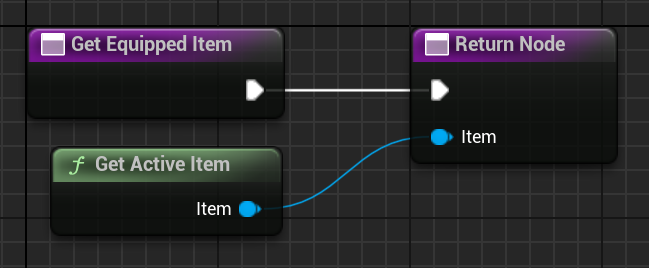
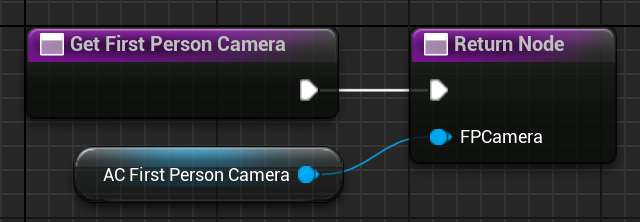
Use `BPI_Gameplay_Character.GetCharacterMesh`, `GetAnimationComponent`, `GetEquippedItem`, and `GetFirstPersonCamera` across module boundaries. These functions avoid casts to a concrete pack character.
{characterInterfaceImages_0}
## Items and views
| Entity | Responsibility |
| ---------------------------------- | ----------------------------------------------------------------------------------------------------------------- |
| `Blueprints/Item/BP_Gameplay_Item` | Base equippable actor with `ItemMesh` and the general item lifecycle. |
| `BPI_Gameplay_Item` | Calls `EquipItem`, `UnEquipItem`, `UseItem`, `StopUsingItem`, `Aim`, `Inspect`, and `CanAim`. |
| `BPI_Gameplay_ItemView` | Exposes `GetItemMesh` and `GetItemView`. |
| `AC_ItemView` | Presentation component that resolves the character, camera, animation component, settings, montages, and effects. |
| `F_CharacterItemMontage` | Pairs character and item montage data for synchronized presentation. |
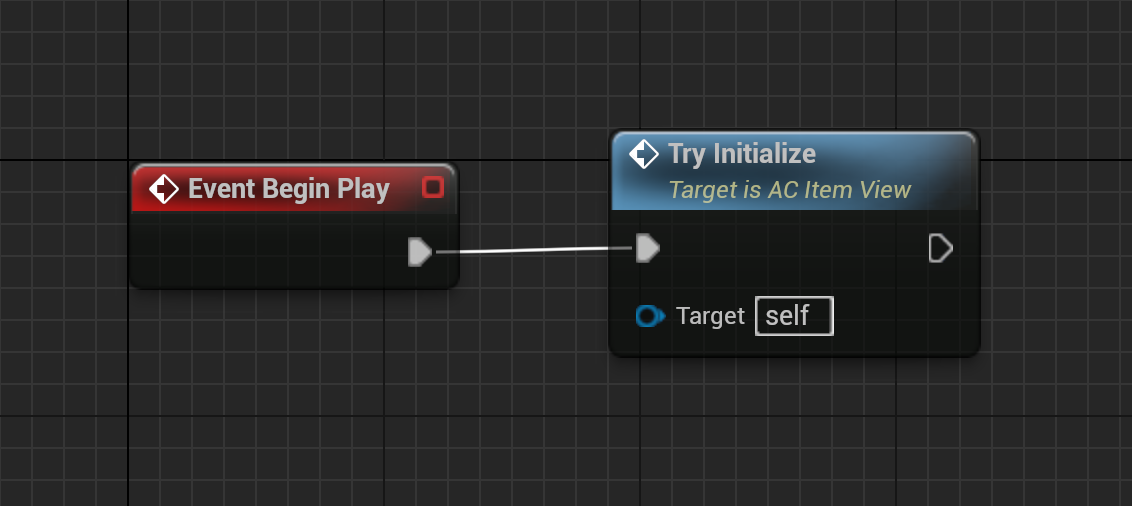
The item owns the gameplay lifecycle. The view owns presentation. Call `AC_ItemView.TryInitialize` after the item has an owning character. Override `OnEquip`, `OnUnEquip`, `OnInspect`, or `OnUseItem` in a child view.
{itemViewImage_0}
To add a general item:
1. Create a child of `BP_Gameplay_Item` and configure `ItemMesh`.
2. Add an `AC_ItemView` child when the item needs montages or Niagara effects.
3. Implement the required `BPI_Gameplay_Item` events.
4. Add the item class to the character's `ItemClasses`.
5. Query it through interfaces from generic character or UI logic.
`ItemClasses` is class configuration. `Items` is runtime state populated by the character. Do not prefill `Items` in class defaults.
## Enhanced Input
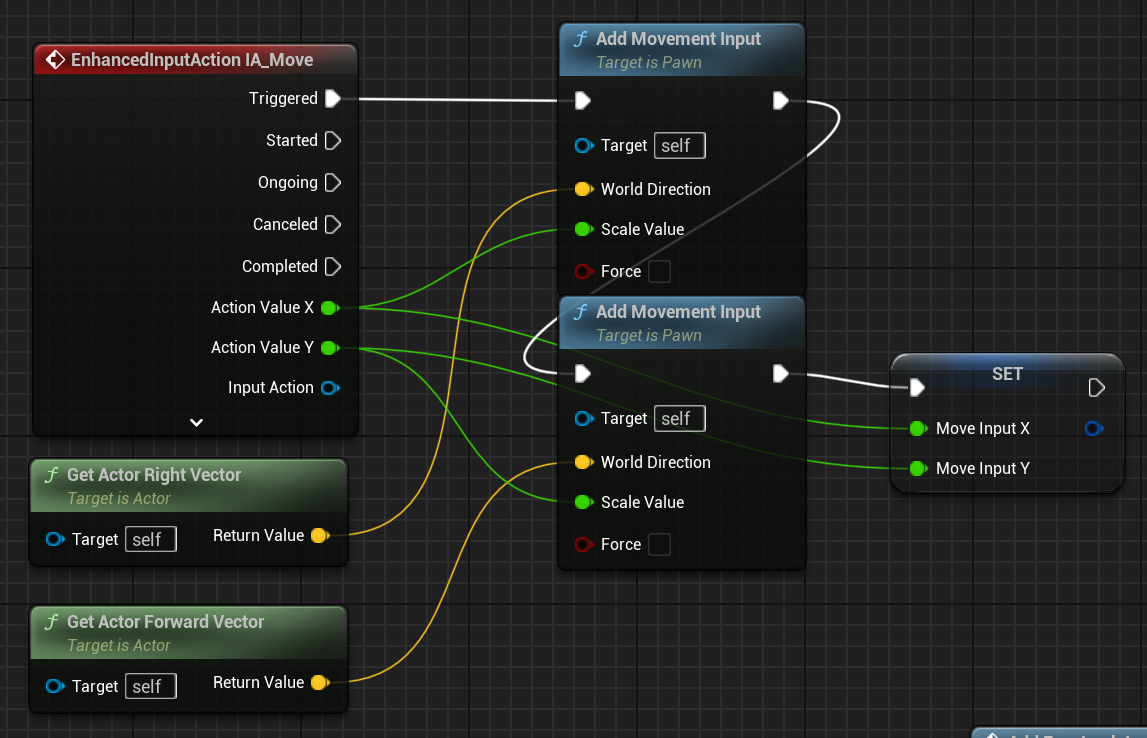
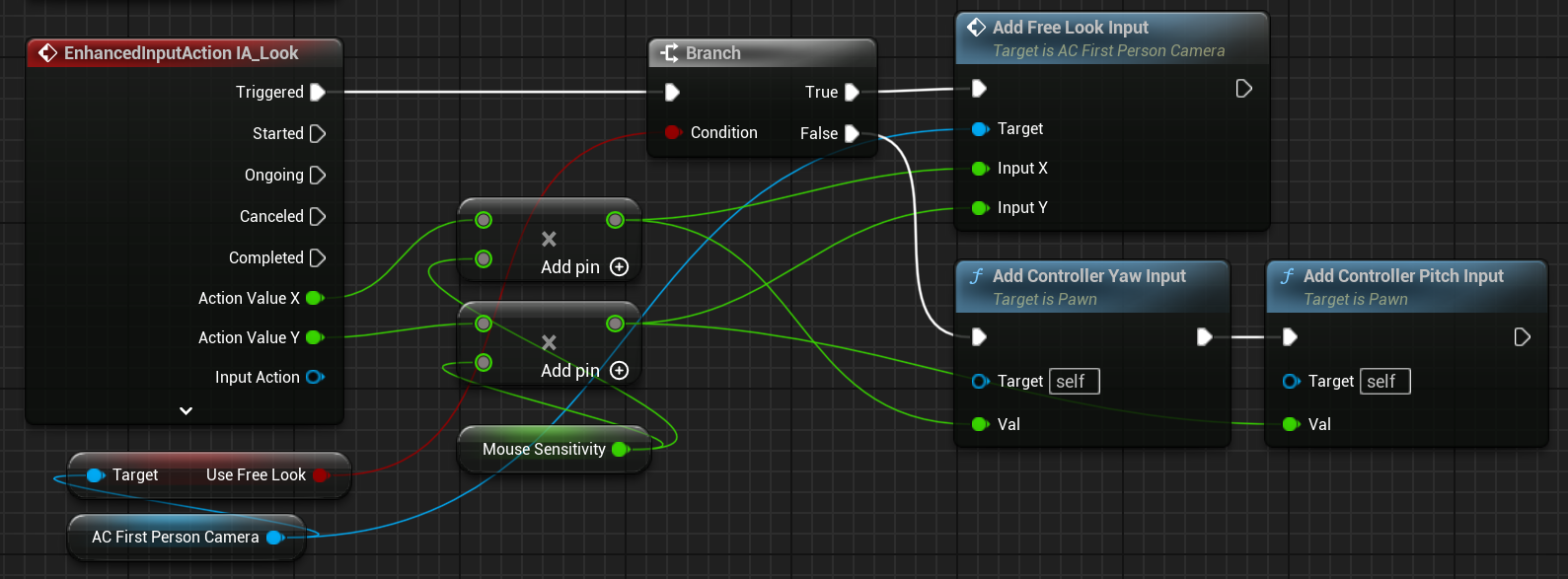
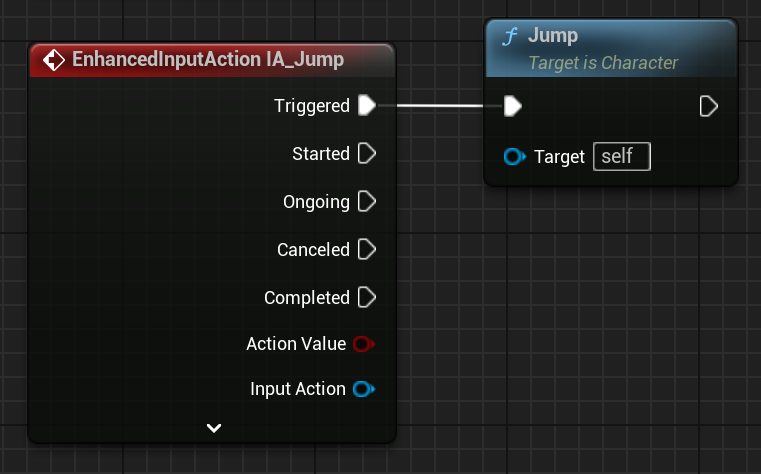
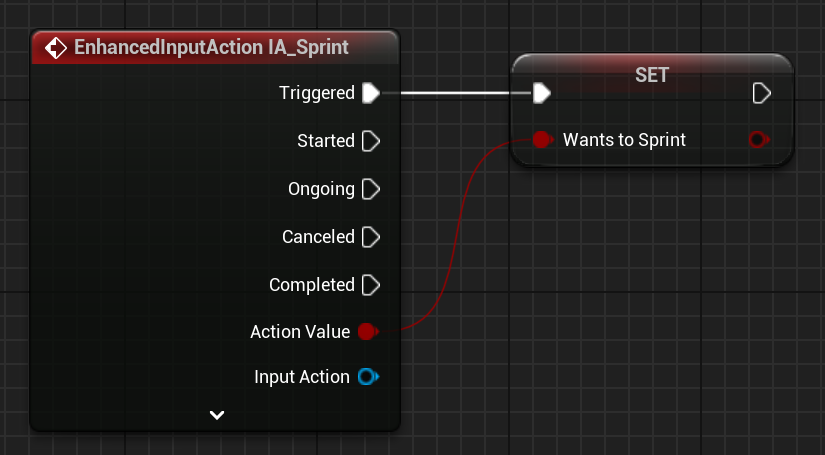
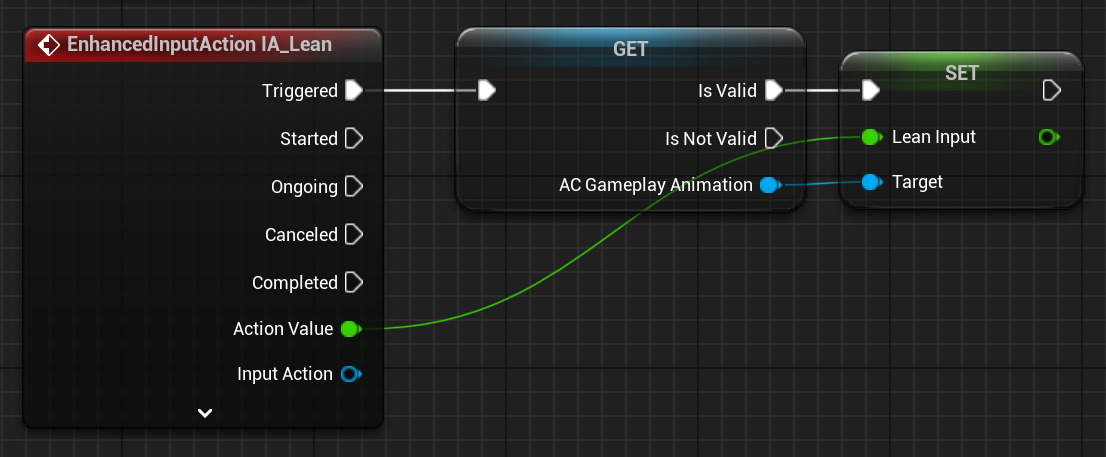
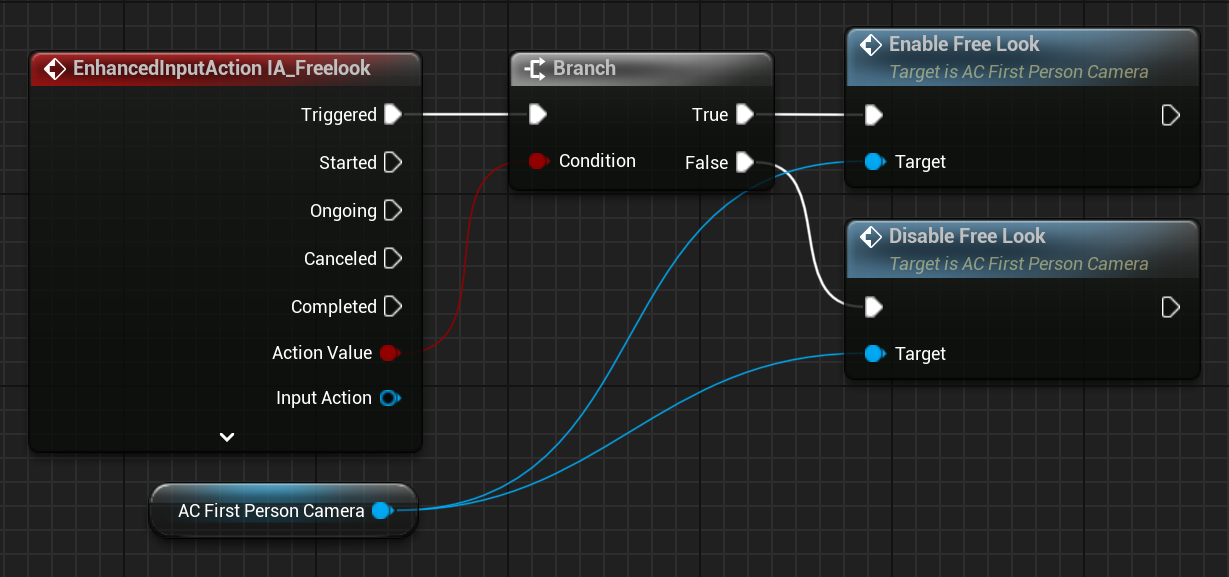
`IMC_Gameplay_Core` provides the shared character and item actions.
| Area | Input actions |
| ------------------- | -------------------------------------------------------------------------------------- |
| Movement and camera | `IA_Move`, `IA_Look`, `IA_Jump`, `IA_Sprint`, `IA_TacSprint`, `IA_Freelook`, `IA_Lean` |
| Item control | `IA_Aim`, `IA_ChangeItem`, `IA_Use`, `IA_Inspect`, `IA_Interact`, `IA_Grenade` |
| Demo controls | `IA_ChangeMannequin`, `IA_CycleViewmodel` |
{inputImages_0}
Keep project-specific bindings in a project mapping context. Do not edit the supplied common context for one project's controls.
## Product entry point
`/Game/KINEMATION/Sci-fi_FPS_Pack/Blueprints/BP_SciFi_Character` is the fastest parent for a Sci-Fi shooter. Add the supplied or project-owned weapon classes to `ItemClasses`, then configure both core mapping contexts as shown in [Character setup](/sci-fi-fps-pack/unreal/get-started/character-setup).
The Sci-Fi character inherits the shared Gameplay Framework runtime through `BP_Shooter_Character`. Extend the product character or common interfaces instead of duplicating the base flow.
## Runtime model
{intro_0}
```text theme={null}
BP_Gameplay_Character (Character)
+ Camera
+ AC_FirstPersonCamera
+ AC_GameplayAnimation
+ AC_IKMotionPlayer
+ ItemClasses[] -> spawned Items[] -> active BP_Gameplay_Item
+ AC_ItemView
```
`BP_Gameplay_Character` owns generic movement, camera setup, item selection, sprint, and lean state. `BP_Shooter_Character` and product characters extend this base instead of rebuilding it.
| Entity | Responsibility |
| ---------------------------------------------------------------------------- | -------------------------------------------------------------------------------------------------------------------------------------------------------------------- |
| `/Game/KINEMATION/Common/GameplayFramework/Blueprints/BP_Gameplay_Character` | Base playable character. Configure `ItemClasses`; the class maintains `Items`, `ActiveItemIndex`, movement state, speed, gait, sprint intent, and mouse sensitivity. |
| `BPI_Gameplay_Character` | Stable cross-module access to the character mesh, animation component, equipped item, and first-person camera. |
| `E_MovementState` | Shared movement-state enum used by character and animation logic. |
| `AC_GameplayAnimation` | Animation settings, action state, montage playback, overrides, and leaning. |
### Character lifecycle
The base character exposes `UpdatePlayerMovement`, `GetActiveItem`, `SetupCamera`, `EquipCurrentItem`, and `UpdateLeaning`. Extend `OnPossessed` for possession-time project setup. Call the parent behavior before adding mapping contexts or child-only state.
{characterLifecycleImages_0}
### Character interface
Use `BPI_Gameplay_Character.GetCharacterMesh`, `GetAnimationComponent`, `GetEquippedItem`, and `GetFirstPersonCamera` across module boundaries. These functions avoid casts to a concrete pack character.
{characterInterfaceImages_0}
## Items and views
| Entity | Responsibility |
| ---------------------------------- | ----------------------------------------------------------------------------------------------------------------- |
| `Blueprints/Item/BP_Gameplay_Item` | Base equippable actor with `ItemMesh` and the general item lifecycle. |
| `BPI_Gameplay_Item` | Calls `EquipItem`, `UnEquipItem`, `UseItem`, `StopUsingItem`, `Aim`, `Inspect`, and `CanAim`. |
| `BPI_Gameplay_ItemView` | Exposes `GetItemMesh` and `GetItemView`. |
| `AC_ItemView` | Presentation component that resolves the character, camera, animation component, settings, montages, and effects. |
| `F_CharacterItemMontage` | Pairs character and item montage data for synchronized presentation. |
The item owns the gameplay lifecycle. The view owns presentation. Call `AC_ItemView.TryInitialize` after the item has an owning character. Override `OnEquip`, `OnUnEquip`, `OnInspect`, or `OnUseItem` in a child view.
{itemViewImage_0}
To add a general item:
1. Create a child of `BP_Gameplay_Item` and configure `ItemMesh`.
2. Add an `AC_ItemView` child when the item needs montages or Niagara effects.
3. Implement the required `BPI_Gameplay_Item` events.
4. Add the item class to the character's `ItemClasses`.
5. Query it through interfaces from generic character or UI logic.
`ItemClasses` is class configuration. `Items` is runtime state populated by the character. Do not prefill `Items` in class defaults.
## Enhanced Input
`IMC_Gameplay_Core` provides the shared character and item actions.
| Area | Input actions |
| ------------------- | -------------------------------------------------------------------------------------- |
| Movement and camera | `IA_Move`, `IA_Look`, `IA_Jump`, `IA_Sprint`, `IA_TacSprint`, `IA_Freelook`, `IA_Lean` |
| Item control | `IA_Aim`, `IA_ChangeItem`, `IA_Use`, `IA_Inspect`, `IA_Interact`, `IA_Grenade` |
| Demo controls | `IA_ChangeMannequin`, `IA_CycleViewmodel` |
{inputImages_0}
Keep project-specific bindings in a project mapping context. Do not edit the supplied common context for one project's controls.
## Product entry point
`/Game/KINEMATION/Sci-fi_FPS_Pack/Blueprints/BP_SciFi_Character` is the fastest parent for a Sci-Fi shooter. Add the supplied or project-owned weapon classes to `ItemClasses`, then configure both core mapping contexts as shown in [Character setup](/sci-fi-fps-pack/unreal/get-started/character-setup).