> ## Documentation Index
> Fetch the complete documentation index at: https://docs.kinemation.xyz/llms.txt
> Use this file to discover all available pages before exploring further.
# Gameplay animation
> Configure animation settings, procedural Animation Blueprints, layer interfaces, and the Sci-Fi FPS Pack animation graph.
export const intro_0 = "The Sci-Fi FPS Pack uses AC_GameplayAnimation to select animation settings, resolve overrides, play character and weapon montages, and feed movement and weapon state into its procedural Animation Blueprints."
export const settingsAssetName_0 = "BP_Gameplay_AnimationSettings"
export const configAssetName_0 = "BP_GameplayAnimationConfig"
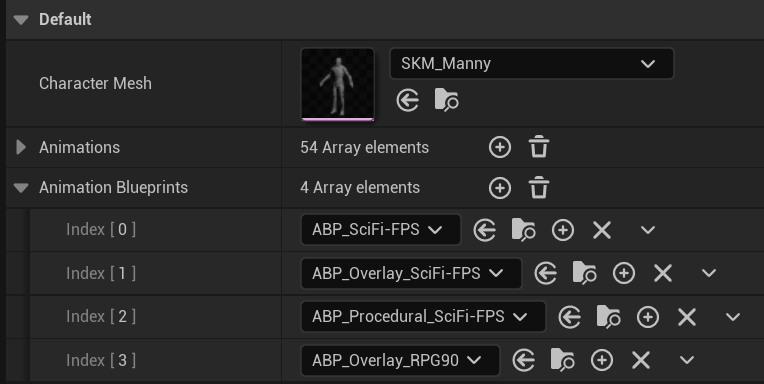
export const configImageCaption_0 = "BP_GameplayAnimationConfig collects reusable animation configuration for the gameplay component."
export const configImage_0 =
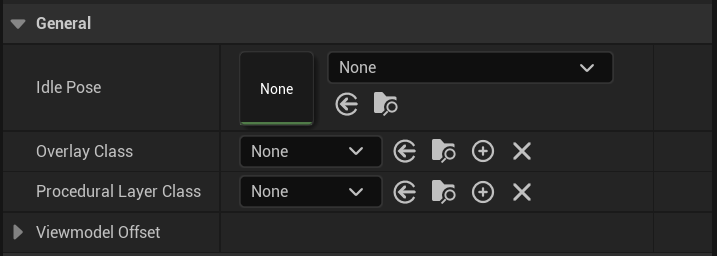
 export const generalImageCaption_0 = "Animation settings General section with idle pose, overlay class, and procedural layer class."
export const generalImage_0 =
export const generalImageCaption_0 = "Animation settings General section with idle pose, overlay class, and procedural layer class."
export const generalImage_0 =
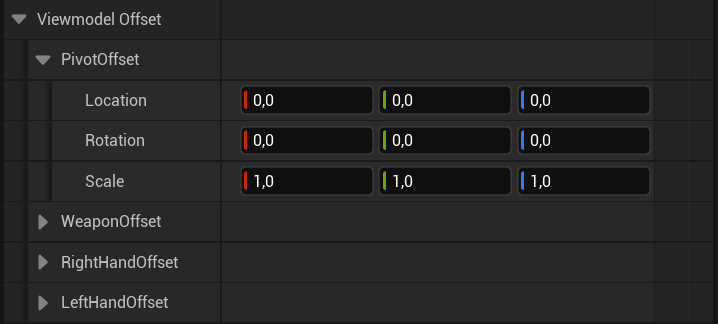
 export const viewmodelOffsetImageCaption_0 = "Viewmodel Offset section with pivot, weapon, and hand offsets."
export const viewmodelOffsetImage_0 =
export const viewmodelOffsetImageCaption_0 = "Viewmodel Offset section with pivot, weapon, and hand offsets."
export const viewmodelOffsetImage_0 =
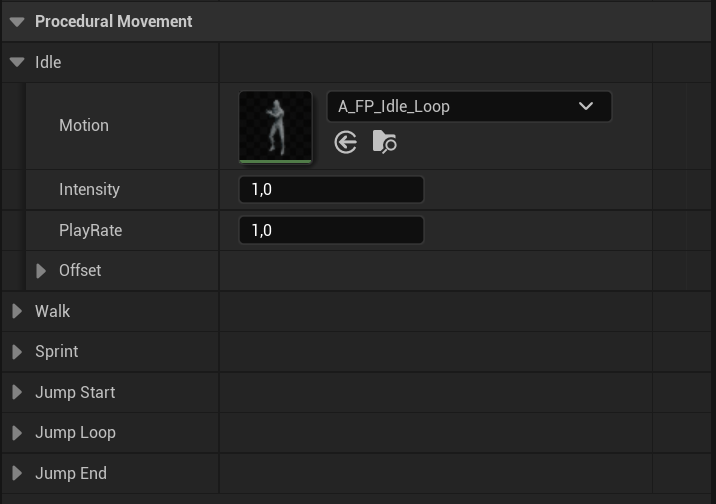
 export const proceduralMovementImageCaption_0 = "Procedural Movement section with motion, intensity, play rate, and movement-state offsets."
export const proceduralMovementImage_0 =
export const proceduralMovementImageCaption_0 = "Procedural Movement section with motion, intensity, play rate, and movement-state offsets."
export const proceduralMovementImage_0 =
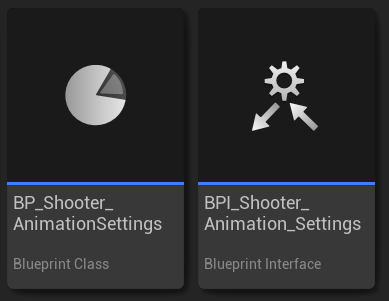
 export const shooterSettingsAssetName_0 = "BP_Shooter_AnimationSettings"
export const overlayInterfaceName_0 = "ALI_Gameplay_Overlay"
export const proceduralInterfaceName_0 = "ALI_Gameplay_ProceduralLayer"
export const shooterSettingsImageCaption_0 = "ShooterCore animation settings class and interface assets."
export const shooterSettingsImage_0 =
export const shooterSettingsAssetName_0 = "BP_Shooter_AnimationSettings"
export const overlayInterfaceName_0 = "ALI_Gameplay_Overlay"
export const proceduralInterfaceName_0 = "ALI_Gameplay_ProceduralLayer"
export const shooterSettingsImageCaption_0 = "ShooterCore animation settings class and interface assets."
export const shooterSettingsImage_0 =
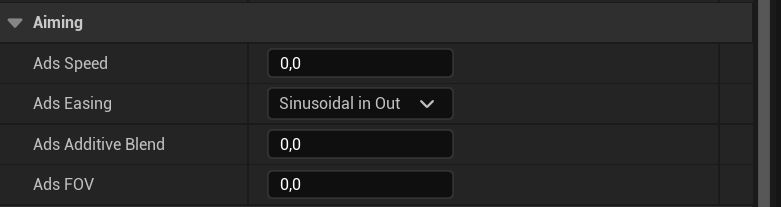
 export const aimingImageCaption_0 = "Shooter animation settings Aiming properties."
export const aimingImage_0 =
export const aimingImageCaption_0 = "Shooter animation settings Aiming properties."
export const aimingImage_0 =
 export const recoilImageCaption_0 = "Shooter animation settings Recoil property."
export const recoilImage_0 =
export const recoilImageCaption_0 = "Shooter animation settings Recoil property."
export const recoilImage_0 =
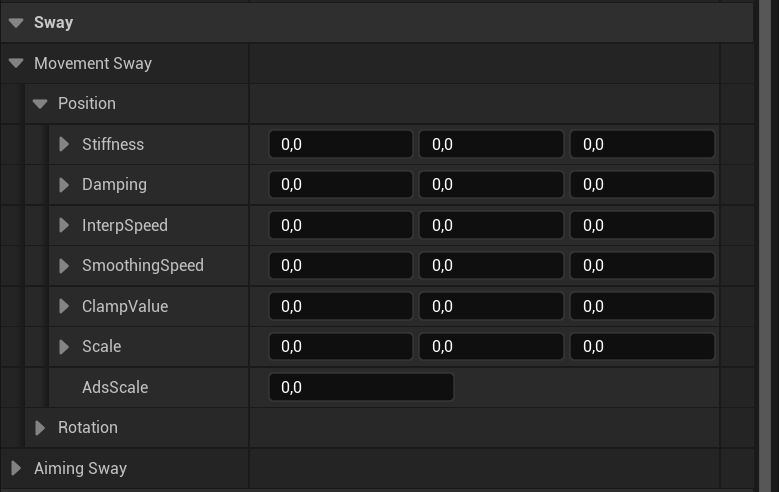
 export const swayImageCaption_0 = "Shooter animation settings Movement Sway properties."
export const swayImage_0 =
export const swayImageCaption_0 = "Shooter animation settings Movement Sway properties."
export const swayImage_0 =
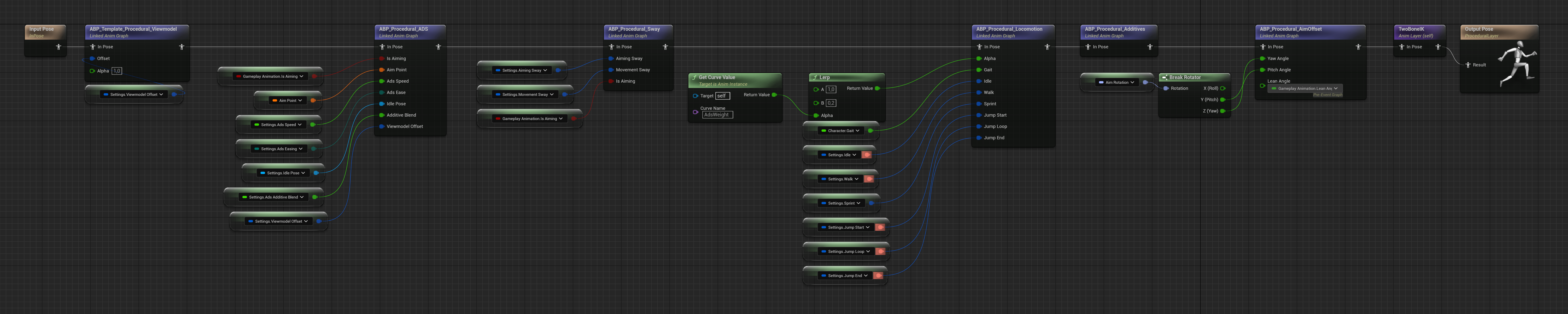
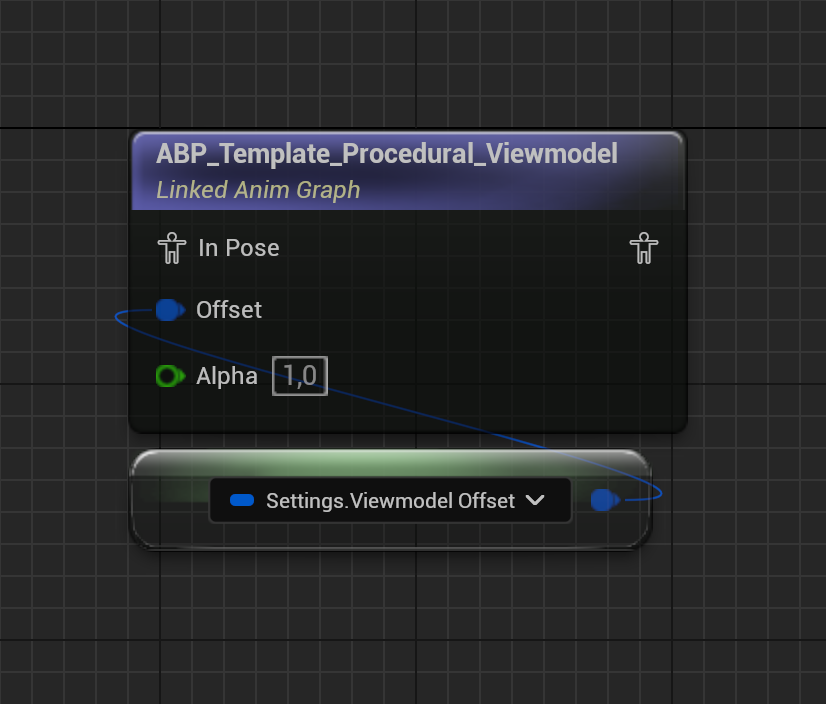
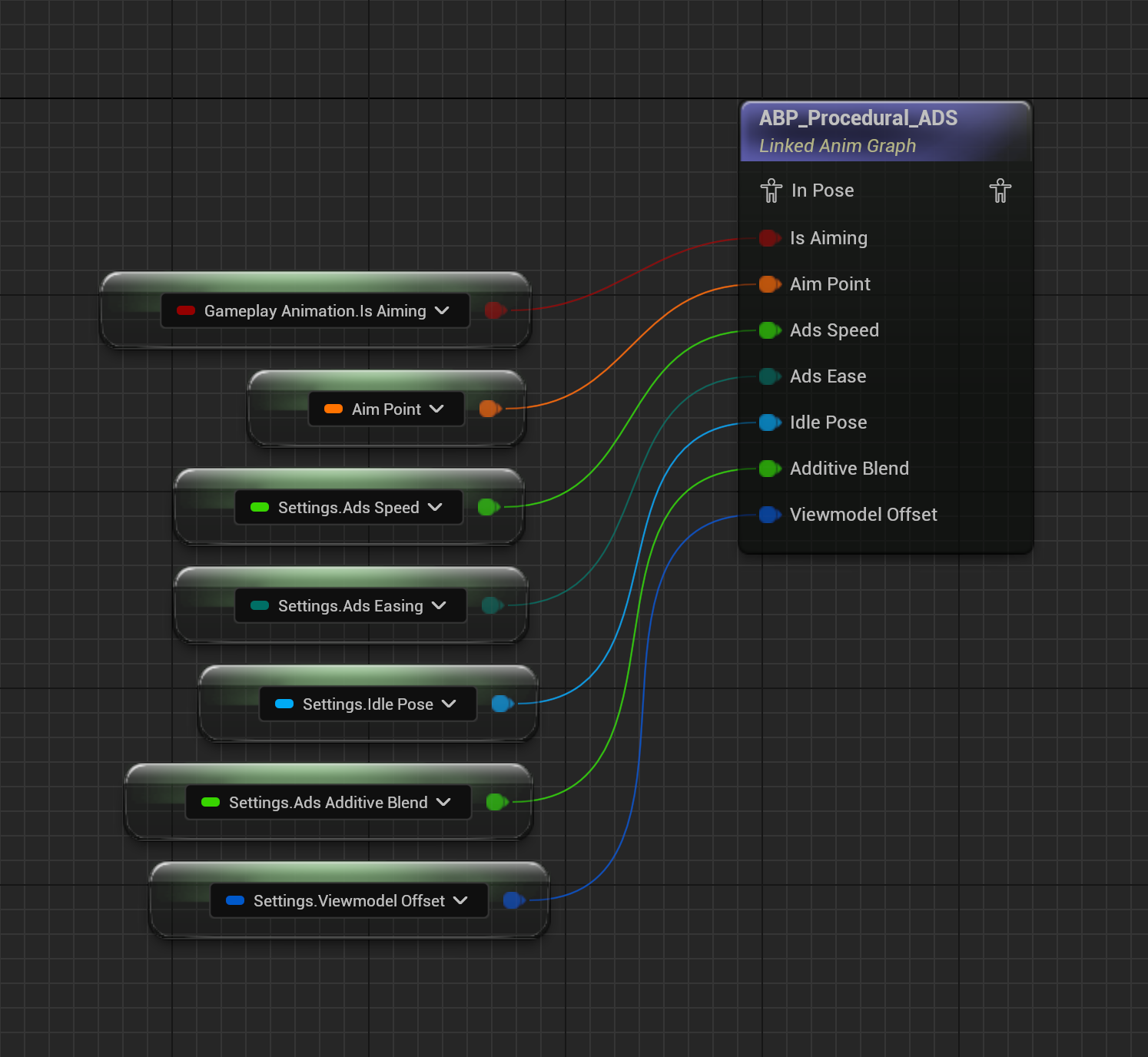
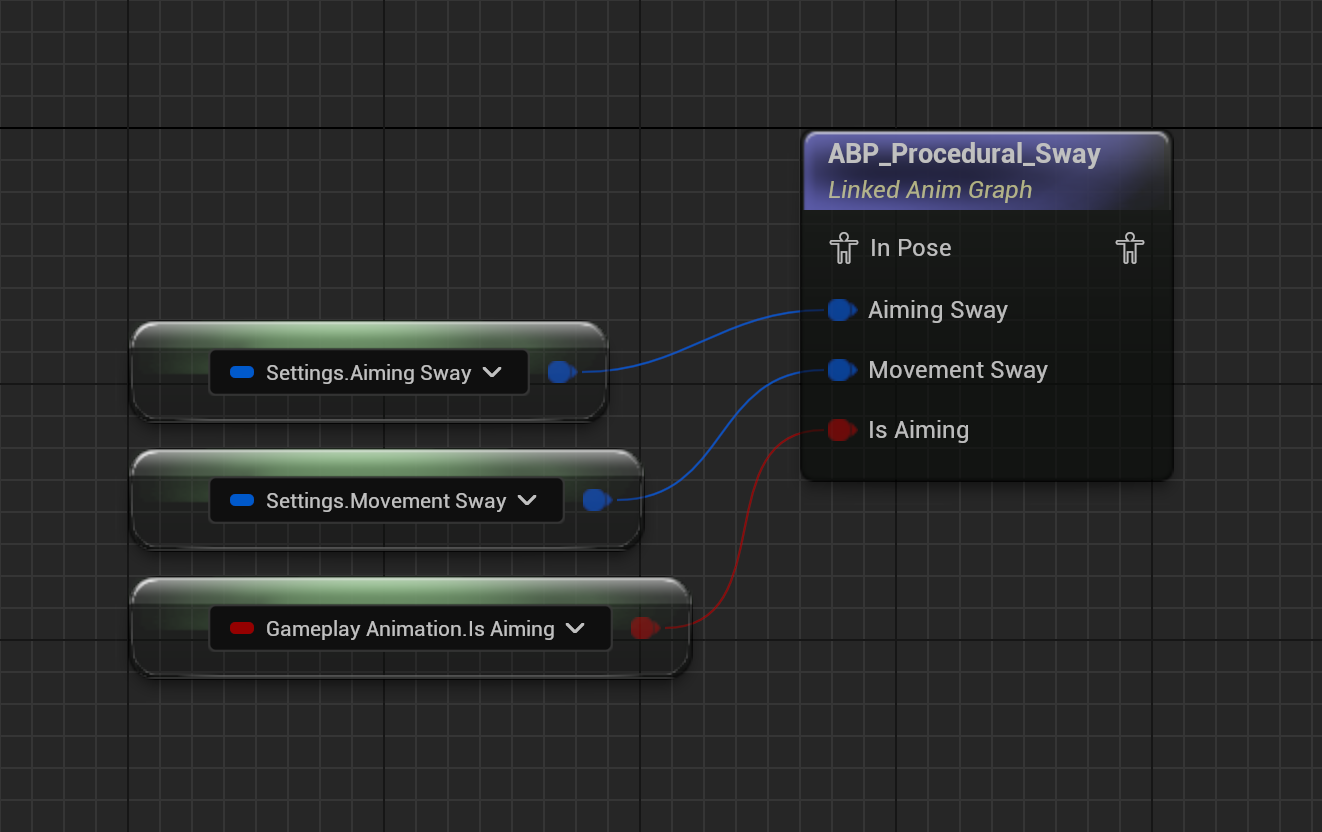
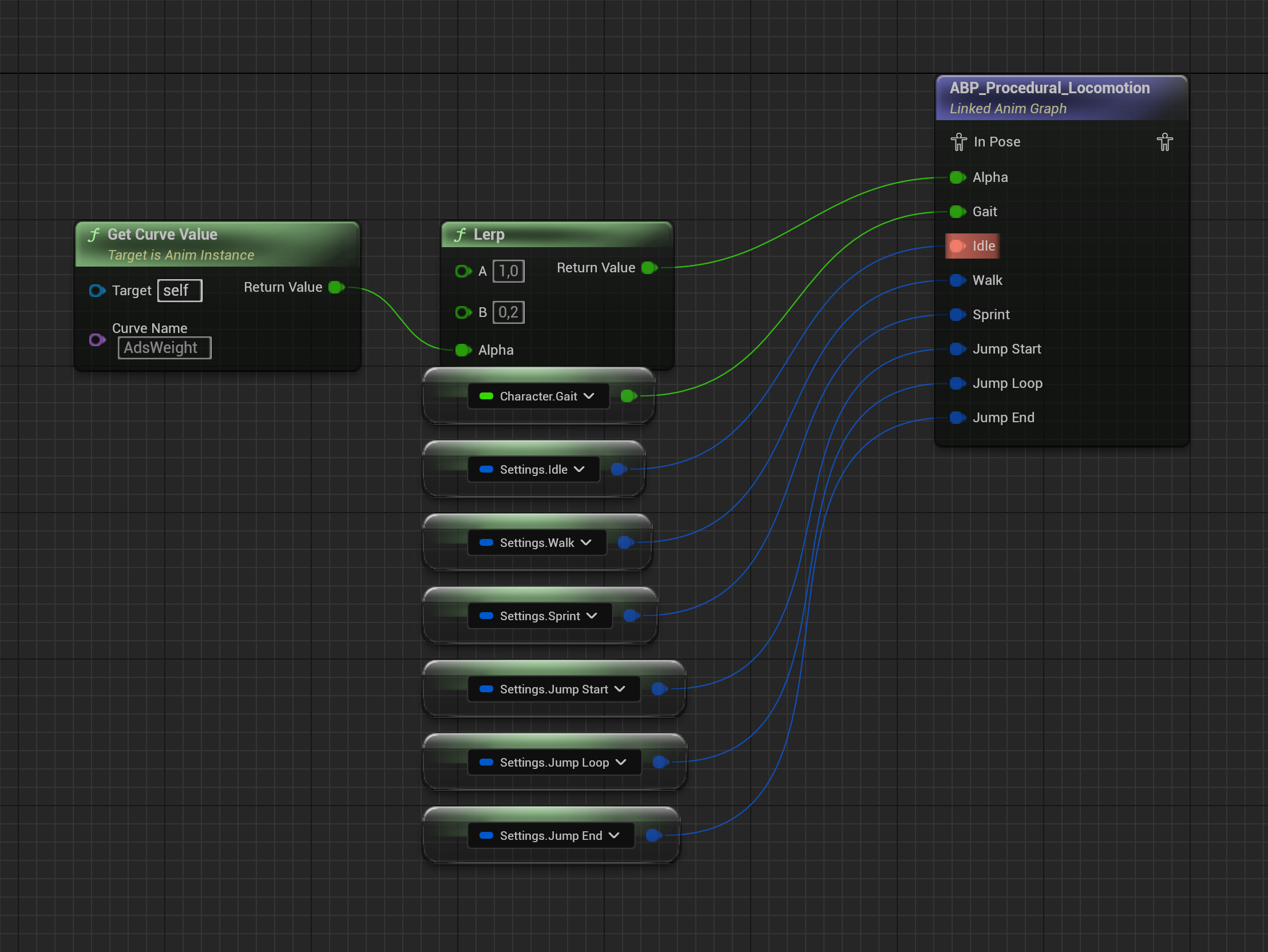
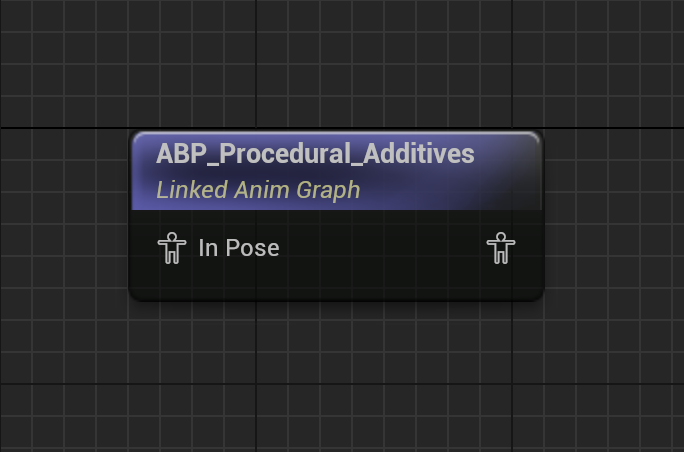
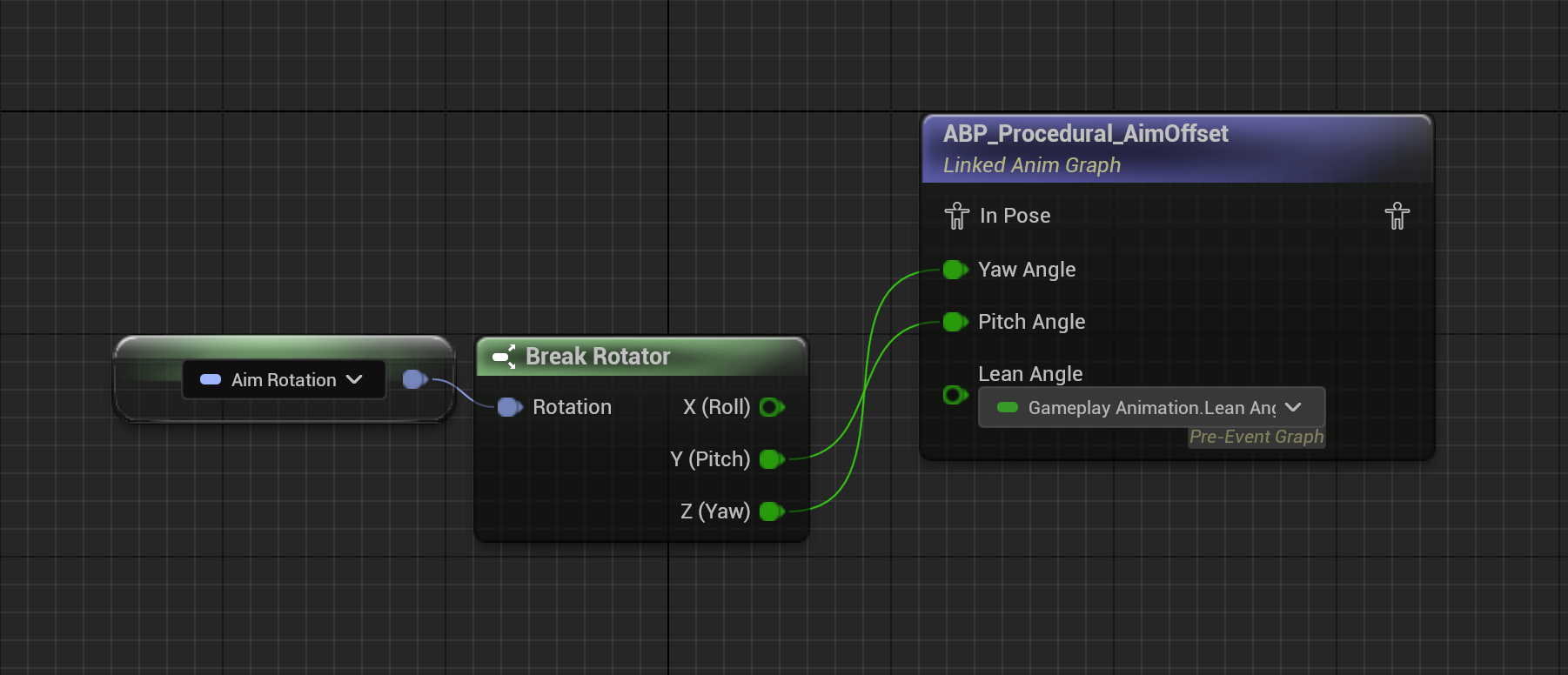
 export const proceduralLayerDescription_0 = "ABP_SciFi-FPS connects the product animation graph to the shared gameplay layers. Its linked ABP_Procedural_SciFi-FPS layer reads the configured animation settings and combines movement, aiming, additive, sway, IK, and viewmodel-offset processing before returning the final pose."
export const proceduralAssets_0 = <>
export const proceduralLayerDescription_0 = "ABP_SciFi-FPS connects the product animation graph to the shared gameplay layers. Its linked ABP_Procedural_SciFi-FPS layer reads the configured animation settings and combines movement, aiming, additive, sway, IK, and viewmodel-offset processing before returning the final pose."
export const proceduralAssets_0 = <>ABP_Procedural_ADS, ABP_Procedural_AimOffset, ABP_Procedural_Locomotion, and ABP_Procedural_Viewmodel, with the supplied UE5 variants
export const interfaceImage_0 =
 export const proceduralLayerImages_0 =
<>
export const proceduralLayerImages_0 =
<>
 export const expectedResult_0 = "The animation settings select compatible content, the procedural layer returns a final pose for the character, and AC_GameplayAnimation resolves the configured animation assets and montages for the Sci-Fi FPS Pack."
## Gameplay animation runtime
{intro_0}
export const expectedResult_0 = "The animation settings select compatible content, the procedural layer returns a final pose for the character, and AC_GameplayAnimation resolves the configured animation assets and montages for the Sci-Fi FPS Pack."
## Gameplay animation runtime
{intro_0}
AC\_GameplayAnimation coordinates the active settings asset, action state, paired montage playback, animation overrides, and lean state.
| Function | Use |
| ----------------------------------------------------------------------------------------------- | ------------------------------------------------------------------------------------------ |
| UpdateAnimationSettings | Switches the active animation settings asset after the character and mesh are initialized. |
| StartAction / EndAction | Gates an active character or item action. |
| PlayCharacterMontage / PlayItemMontage | Plays synchronized character and item content. |
| ResolveMontage, ResolveAnimInstance, ResolveAnimSequence | Applies configured overrides before playback. |
| UpdateLeaning | Applies the runtime lean state. |
## Animation settings
{settingsAssetName_0} is the data asset that selects the animation content and the procedural layers used by the character. {configAssetName_0} is the editor-authored configuration asset used to organize those settings.
| Section | Properties | What they control |
| ------------------- | --------------------------------------------------------------------------------------------------------------------------------- | -------------------------------------------------------------------------------------------- |
| General | Idle Pose, Overlay Class, Procedural Layer Class | Base pose and the Animation Blueprint classes that provide overlay and procedural layers. |
| Viewmodel Offset | PivotOffset, WeaponOffset, RightHandOffset, LeftHandOffset | Position, rotation, and scale adjustments for the first-person weapon and hand presentation. |
| Procedural Movement | Idle, Walk, Sprint, Jump Start, Jump Loop, Jump End | Motion asset, intensity, play rate, and offset for each movement state. |
| Aiming | Ads Speed, Ads Easing, Ads Additive Blend, Ads FOV | The transition and camera values used by the shooter animation layer while aiming. |
| Recoil | Recoil Data | The DA\_RecoilData asset used by the shooter animation and recoil path. |
| Sway | Movement and aiming sway spring values | Position and rotation response to movement and aiming input. |
{configImage_0}
{generalImage_0}
{viewmodelOffsetImage_0}
{proceduralMovementImage_0}
### Shooter animation settings
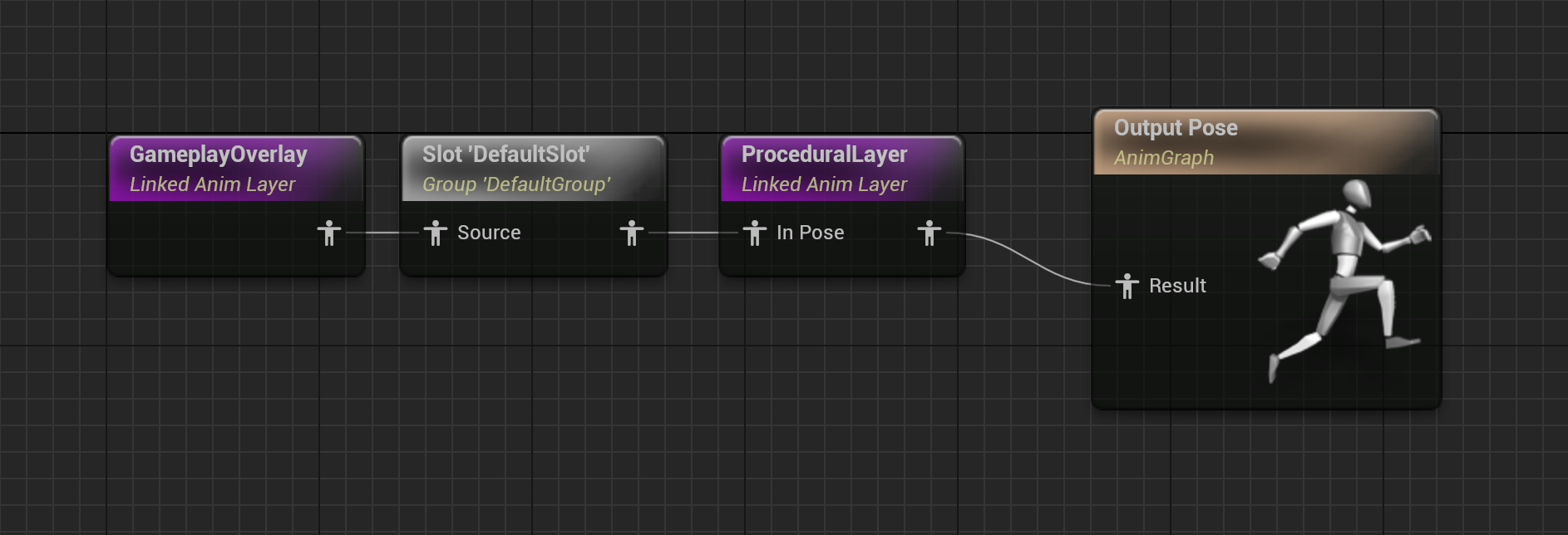
{shooterSettingsAssetName_0} extends the settings contract for weapon presentation. It works with {overlayInterfaceName_0} and {proceduralInterfaceName_0}; the assigned Animation Blueprint must implement the interfaces expected by the configured layer classes.
{shooterSettingsImage_0}
{aimingImage_0}
{recoilImage_0}
{swayImage_0}
## Procedural Animation Blueprints
{proceduralLayerDescription_0}
The supplied procedural choices include {proceduralAssets_0}.
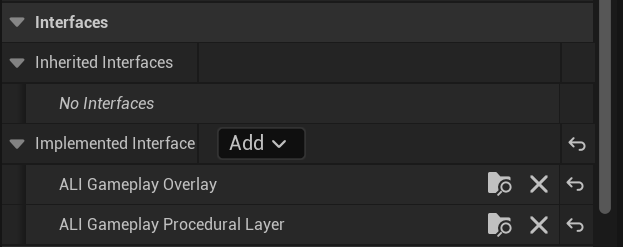
The configured Animation Blueprint receives the character movement, gait, aim, lean, weapon, and viewmodel state through the shared animation interfaces. Its procedural layer combines the selected movement motion, additive or sway data, IK targets, viewmodel offsets, and the base pose, then returns the final pose to the character graph.
{interfaceImage_0}
{proceduralLayerImages_0}
## Apply a new settings asset
1. Create a project-owned {settingsAssetName_0} asset or duplicate a supplied asset that you must keep unchanged.
2. Assign compatible idle, movement, aiming, overlay, and procedural-layer assets.
3. Confirm that the selected mesh, Skeleton, Animation Blueprint, and UE4 or UE5 animation family match.
4. Call AC\_GameplayAnimation.UpdateAnimationSettings(NewSettings) after the character and mesh are initialized.
5. Use BP\_GameplayAnimationOverride when only selected assets differ; keep the complete settings asset stable.
Do not mix a UE4 and UE5 animation family without verifying the Skeleton, retargeter, layer interfaces, and procedural graph.
{expectedResult_0}