> ## Documentation Index
> Fetch the complete documentation index at: https://docs.kinemation.xyz/llms.txt
> Use this file to discover all available pages before exploring further.
# Recoil
> Configure ShooterCore recoil data and connect it to Sci-Fi FPS Pack weapon and animation presentation.
export const intro_0 = "The Sci-Fi FPS Pack assigns weapon-specific ShooterCore recoil data to its weapon and weapon-view flow. Tune a project-owned data asset when a firearm needs different hip, aiming, fire-mode, camera, or controller response."
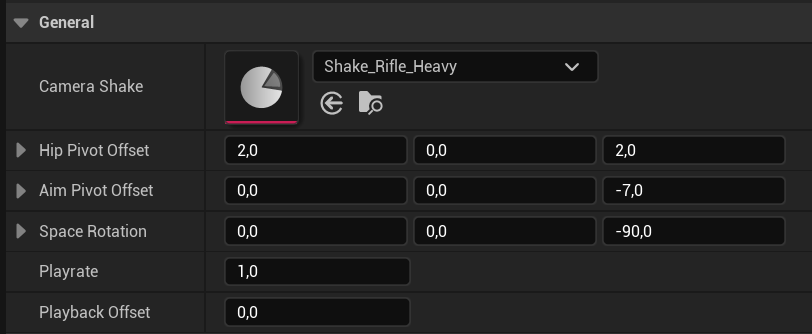
export const generalImageCaption_0 = "Recoil data General properties for camera shake, pivot offsets, space rotation, play rate, and playback offset."
export const generalImage_0 =
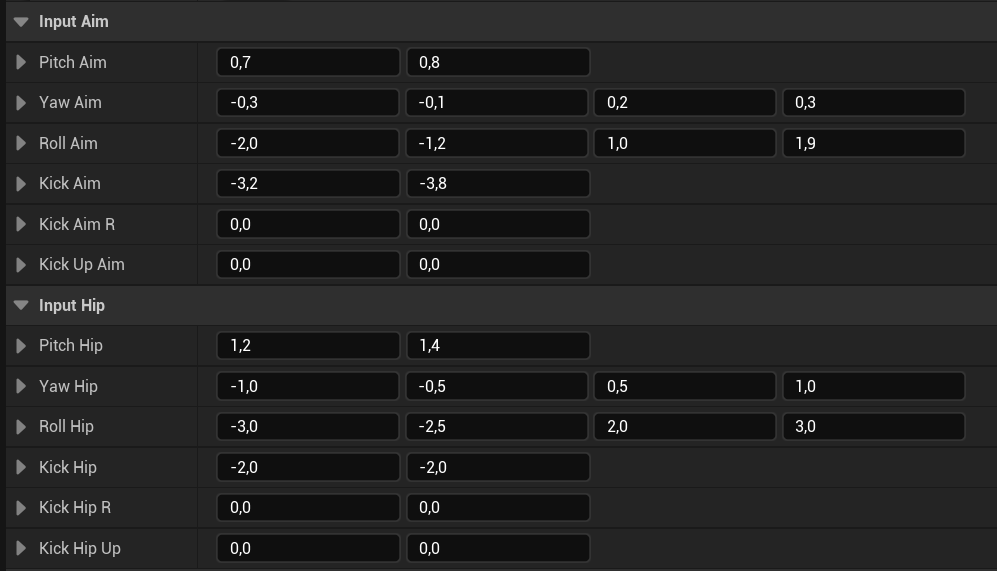
 export const inputImageCaption_0 = "Separate Input Aim and Input Hip pitch, yaw, roll, and kick values."
export const inputImage_0 =
export const inputImageCaption_0 = "Separate Input Aim and Input Hip pitch, yaw, roll, and kick values."
export const inputImage_0 =
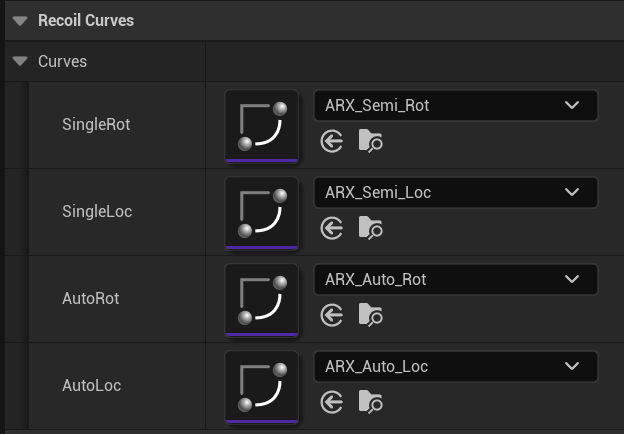
 export const curvesImageCaption_0 = "Recoil Curves map single-shot and automatic fire to rotation and location curves."
export const curvesImage_0 =
export const curvesImageCaption_0 = "Recoil Curves map single-shot and automatic fire to rotation and location curves."
export const curvesImage_0 =
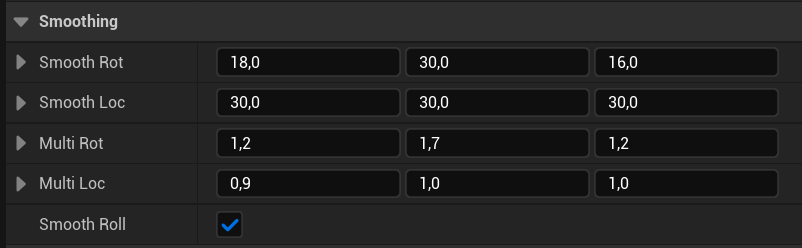
 export const smoothingImageCaption_0 = "Smoothing and multiplier values shape the recoil response."
export const smoothingImage_0 =
export const smoothingImageCaption_0 = "Smoothing and multiplier values shape the recoil response."
export const smoothingImage_0 =
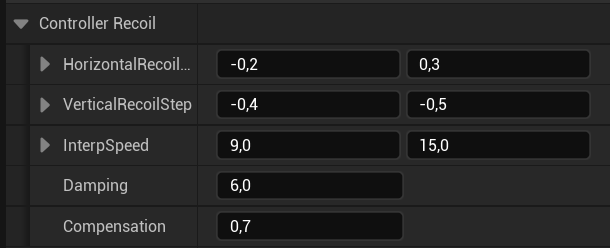
 export const controllerImageCaption_0 = "Controller Recoil properties define horizontal and vertical step response."
export const controllerImage_0 =
export const controllerImageCaption_0 = "Controller Recoil properties define horizontal and vertical step response."
export const controllerImage_0 =
 export const additionalImages_0 =
<>
export const additionalImages_0 =
<>
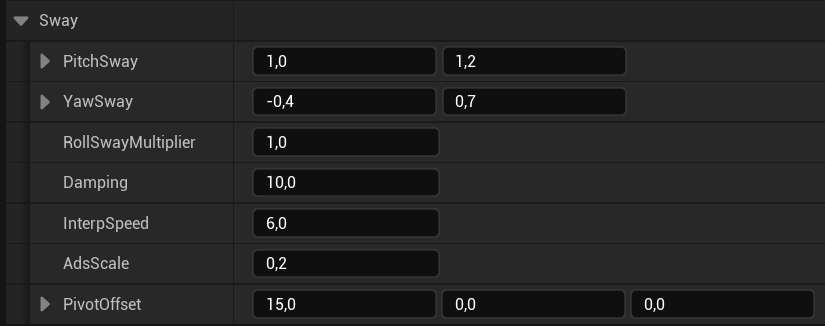 export const weaponIntegration_0 = "In the Sci-Fi FPS Pack, AC_WeaponView forwards aiming, fire-mode, and fire events to the recoil component while the weapon owns fire rate and ammunition state. Keep this ownership split when you create a project weapon."
export const expectedResult_0 = "The weapon initializes AC_RecoilAnimation with the selected DA_RecoilData asset, changes recoil input when aiming or fire mode changes, and plays and stops recoil with the weapon firing lifecycle."
## Recoil system
{intro_0}
export const weaponIntegration_0 = "In the Sci-Fi FPS Pack, AC_WeaponView forwards aiming, fire-mode, and fire events to the recoil component while the weapon owns fire rate and ammunition state. Keep this ownership split when you create a project weapon."
export const expectedResult_0 = "The weapon initializes AC_RecoilAnimation with the selected DA_RecoilData asset, changes recoil input when aiming or fire mode changes, and plays and stops recoil with the weapon firing lifecycle."
## Recoil system
{intro_0}
AC\_RecoilAnimation is the runtime recoil component. It is initialized with a DA\_RecoilData asset and a fire rate, then receives the current aiming and fire-mode state from the weapon view.
| Entity | Purpose |
| --------------------------------------------------------------------------------------------------------------------------------------------------------------------------------------- | ----------------------------------------------------------------------------------------------------------------------------- |
| AC\_RecoilAnimation | Plays recoil and exposes the result to weapon animation and camera presentation. |
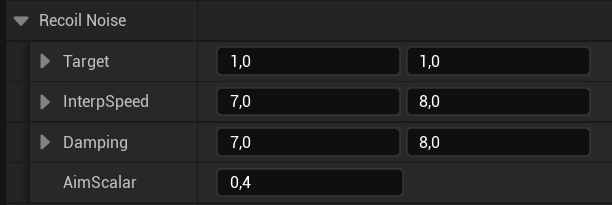
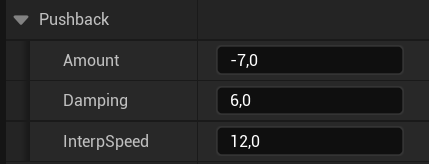
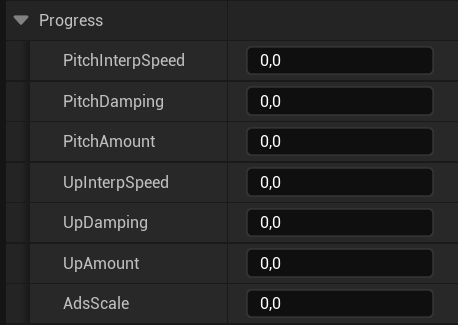
| DA\_RecoilData | Stores recoil input, curves, smoothing, pivot, noise, pushback, progress, sway, camera-shake, and controller-recoil settings. |
| E\_FireMode | Identifies the active fire mode used by recoil playback. |
| F\_RecoilCurves, F\_RecoilNoise, F\_RecoilPushback, F\_RecoilProgress, F\_RecoilSway, F\_ControllerRecoil | Group the configuration for each recoil layer. |
## Configure the recoil data asset
Set the general camera and pivot properties, then provide separate hip and aim values for pitch, yaw, roll, kick, and kick-up. Use the rotation and location curves for single-shot and automatic fire modes.
{generalImage_0}
{inputImage_0}
{curvesImage_0}
{smoothingImage_0}
{controllerImage_0}
{additionalImages_0}
## Connect recoil to the weapon lifecycle
{weaponIntegration_0}
1. Call Init(NewRecoilData, FireRate) during weapon or weapon-view initialization.
2. Call SetAiming(IsAiming) when ADS changes.
3. Call SetFireMode(NewFireMode) when the weapon changes mode.
4. Call Play while the firing lifecycle is active and Stop when it ends.
Create a project-owned recoil data asset per weapon or recoil family. Keep the supplied pack asset available as a reference and do not hard-code camera offsets in each weapon Event Graph.
{expectedResult_0}