> ## Documentation Index
> Fetch the complete documentation index at: https://docs.kinemation.xyz/llms.txt
> Use this file to discover all available pages before exploring further.
# Making adjustments
> This page explains how to adjust weapon positions, animation, recoil, and firing settings.
export const MakingAdjustments = ({weaponPath, settingsPrefix, settingsImage, offsetImage, movementImage, aimingImage, swayImage, settingsLink, weaponsLink, recoilLink, motionLink}) => <>
Find the weapon settings
Open {weaponPath} in the Content Browser. Each weapon has an animation settings asset with the {settingsPrefix} prefix. Open the asset for the weapon you want to adjust.
{settingsImage}
These assets control the weapon pose, movement, aiming, sway, and recoil. You can also find the assigned asset through Animation Settings on the weapon's view component. See Items and weapons for the weapon and settings list.
Holding pose
Idle Pose sets the base pose used to hold the weapon. Open the assigned animation to check the pose. See General animation settings for the pose and animation layer settings.
Weapon position
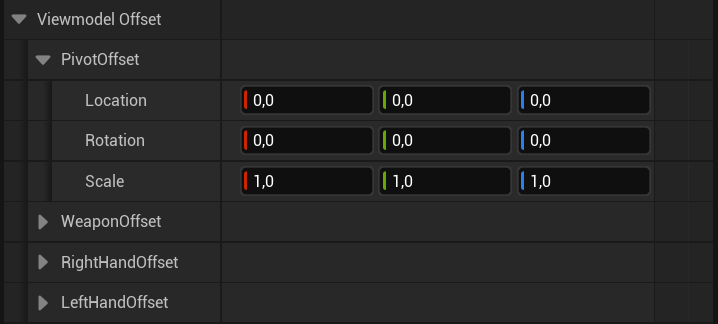
Expand Viewmodel Offset in the animation settings. Use Weapon Offset to move or rotate the weapon. Use Right Hand Offset and Left Hand Offset to adjust the grip. Pivot Offset changes the pivot used for procedural weapon motion.
{offsetImage}
Check the result while aiming and reloading as well as in the idle pose. See Viewmodel offset for more details.
Movement
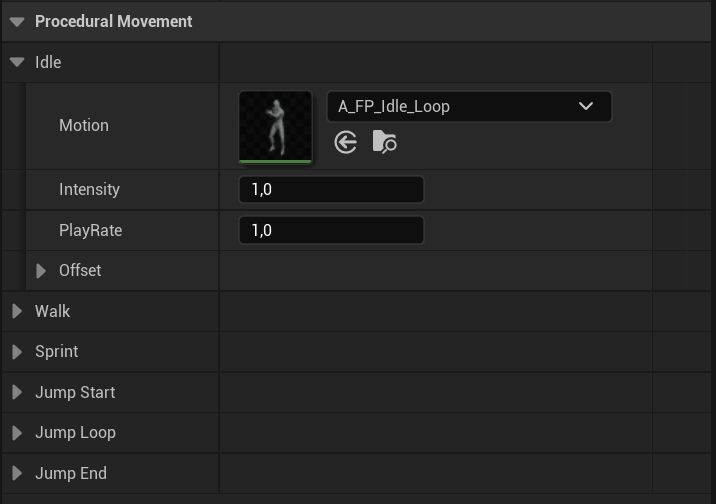
The Idle, Walk, Sprint, Jump Start, Jump Loop, and Jump End sections control weapon movement in each state.
{movementImage}
| Setting | What it does |
|---|
| Motion | The animation used for the movement state. |
| Intensity | The amount of movement. Lower it to reduce the motion. |
| Play Rate | The animation speed. |
| Offset | An additional position and rotation offset for this state. |
These settings affect animation. Character movement speeds are configured on the character. See Movement settings.
Aiming
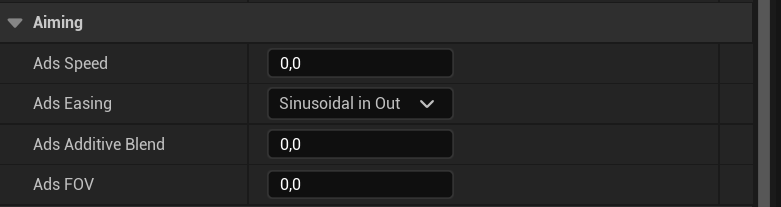
Use the aiming settings to adjust the transition into aiming down sights (ADS).
{aimingImage}
| Setting | What it does |
|---|
| Ads Speed | How quickly the weapon enters and leaves the aiming pose. |
| Ads Easing | How the transition accelerates and slows down. |
| Ads Additive Blend | How much additive animation remains while aiming. |
| Ads FOV | The camera field of view while aiming. Lower values give a closer view. |
| Ads Motion | The additional IK motion used when aiming. |
| Fire Mode Motion | The IK motion used when switching fire modes. |
See Aiming settings and IK motion for more details.
Sway
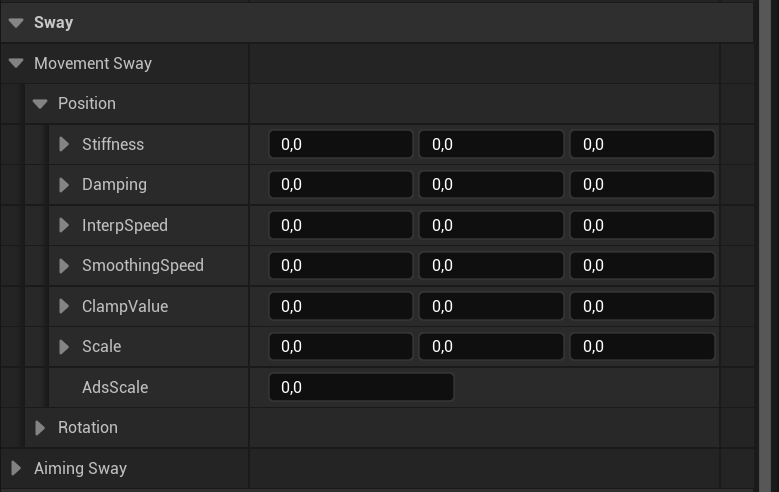
Movement Sway adds motion when the character moves. Aiming Sway adds motion when you look around. Both have separate Position and Rotation settings.
{swayImage}
Start with Scale to adjust sway strength. Use Ads Scale to reduce sway while aiming. Stiffness and Damping control how the spring moves and settles. Interp Speed and Smoothing Speed control how quickly it responds, while Clamp Value limits the input where clamping is used.
Test movement and mouse input separately, then repeat while aiming. See Sway settings for the individual properties.
Recoil
Open the asset assigned to Recoil Data in the animation settings. Adjust the hip and aim ranges to change the weapon kick. The recoil asset also controls recovery, controller recoil, and camera shake. See Recoil for the full settings reference.
Fire rate and ammunition
Open the weapon Blueprint in {weaponPath} and select Class Defaults. Adjust these settings to change how the weapon fires:
| Setting | What it does |
|---|
| Fire Rate | Shots per minute. Increase it to fire faster. |
| Active Fire Mode | The selected firing mode: semi, burst, or auto. |
| Supports Full Auto | Whether automatic firing is available. |
| Burst Num | The number of shots in a burst. |
| Max Ammo | The ammunition capacity. |
| Active Ammo | The starting ammunition count. |
See Weapon settings for more details. Grenades and other specialized weapons may have different settings.
Test your adjustments
Save your changes, then press Play and equip the weapon. Test movement, aiming, firing, and reloading. Change one setting at a time so you can compare the result.
;
 } offsetImage={
 } movementImage={
 } aimingImage={
 } swayImage={
 } settingsLink="/sci-fi-fps-pack/unreal/general/animation-settings" weaponsLink="/sci-fi-fps-pack/unreal/general/items-and-weapons" recoilLink="/sci-fi-fps-pack/unreal/general/recoil" motionLink="/sci-fi-fps-pack/unreal/general/ik-motion" />