> ## Documentation Index
> Fetch the complete documentation index at: https://docs.kinemation.xyz/llms.txt
> Use this file to discover all available pages before exploring further.
# Project integration
> Connect the Sci-Fi FPS Pack character, game mode, items, and Enhanced Input contexts to your Unreal project.
export const productName_0 = "Sci-Fi FPS Pack"
export const characterClass_0 = "BP_SciFi_Character"
export const mappingContexts_0 = <>/Game/KINEMATION/Common/GameplayFramework/Inputs/IMC_Gameplay_Core and /Game/KINEMATION/Common/ShooterCore/Inputs/IMC_Shooter_Core
export const inputScreenshots_0 =
<>
 export const itemClasses_0 = <>
BP_ARX_Mk2, BP_Gepard, BP_M97, BP_Onyx, BP_RPG90, BP_TP12, or project-owned children
export const demoMap_0 = "/Game/KINEMATION/Sci-fi_FPS_Pack/Demo/Maps/Sci-fi_Shooter_Map"
export const expectedResult_0 = "The target map spawns the project character, both mapping contexts respond, ItemClasses produces usable items, weapon views initialize, and reload ammunition changes only at the notify frame."
## Current source-project configuration
| Setting | Inspected value |
| ---------------------- | --------------------------------------------------------------- |
| Source-project version | Unreal Engine 5.2 |
| Editor startup map | `/Game/KINEMATION/Sci-fi_FPS_Pack/Demo/Maps/Sci-fi_Shooter_Map` |
| Game default map | `/Game/KINEMATION/Sci-fi_FPS_Pack/Demo/Maps/Sci-fi_Shooter_Map` |
| Default input classes | `EnhancedPlayerInput`, `EnhancedInputComponent` |
## Integrate {productName_0}
### Prerequisites
* A project-owned game mode and target map.
* A child of {characterClass_0}.
* The `EnhancedInput` plugin.
* Compatible character mesh and Animation Blueprint assets.
Set the mesh and Animation Blueprint on your character child. Keep the inherited framework components and parent possession behavior.
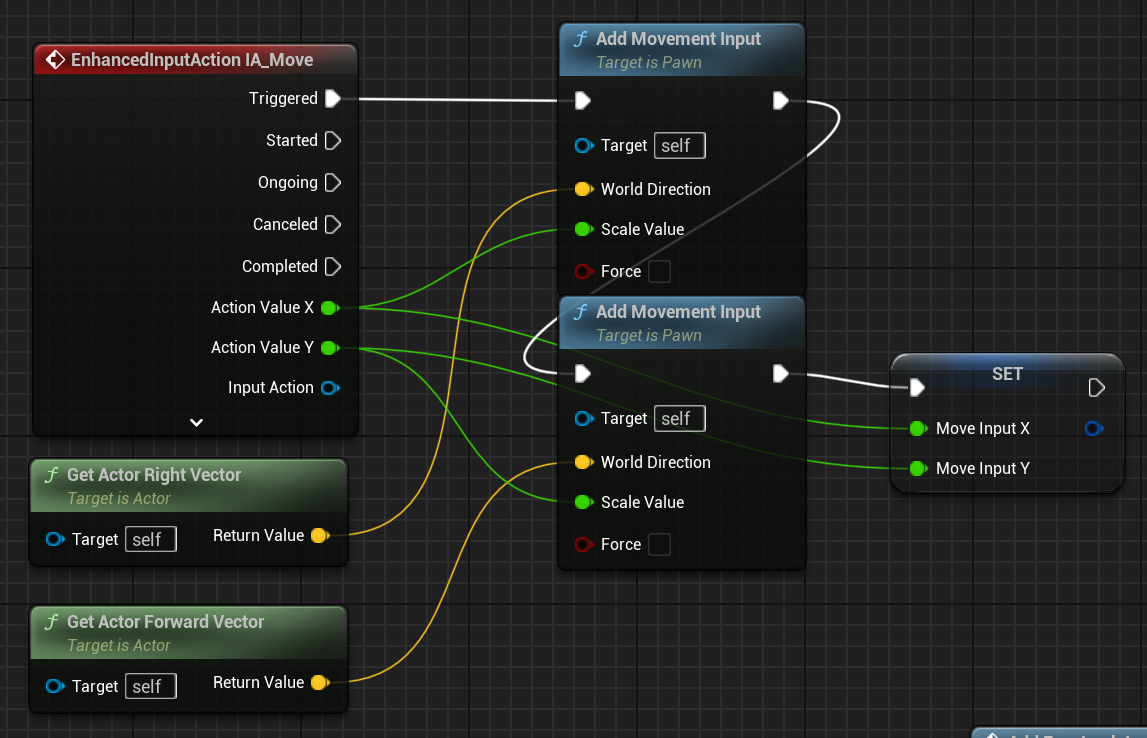
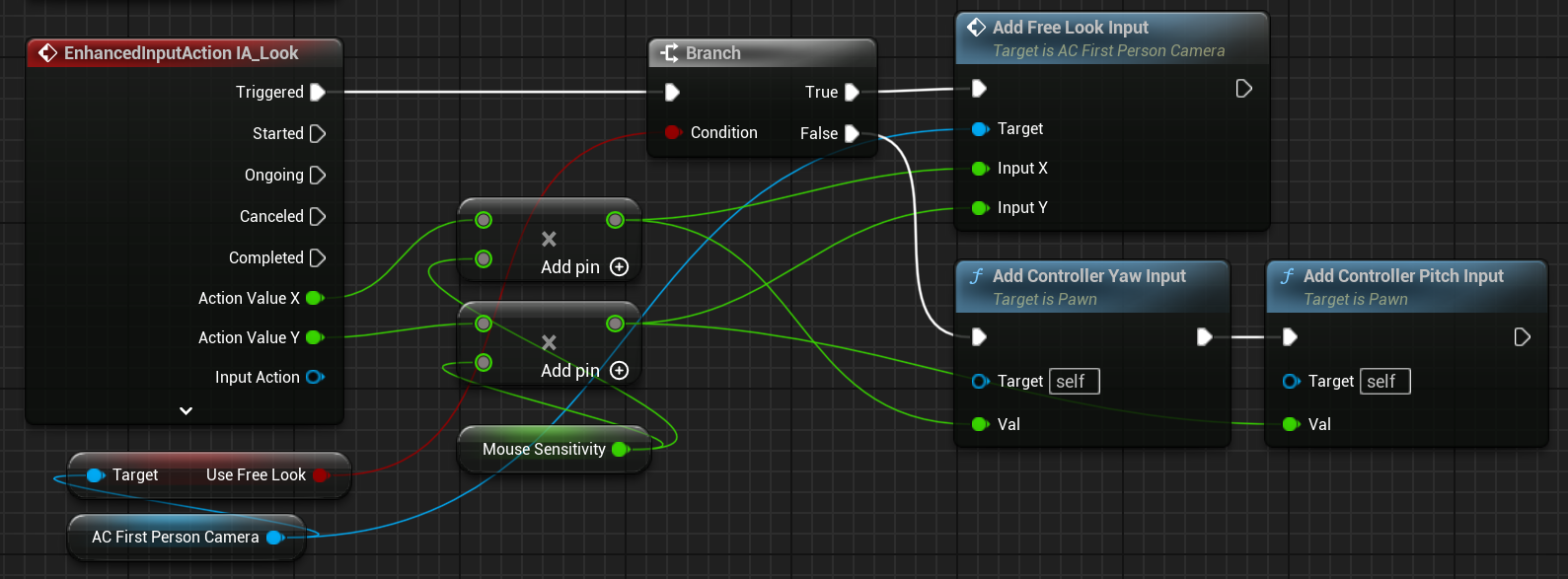
Add {mappingContexts_0} to the local player's Enhanced Input subsystem during possession or player-controller initialization.
{inputScreenshots_0}
Add {itemClasses_0} to `ItemClasses`. Treat `ItemClasses` as class configuration and the spawned `Items` array as runtime state.
Set the character child as the game mode's default pawn. Assign that game mode in the target map's **World Settings** or as a verified project default.
Open {demoMap_0} and run play-in-editor. Confirm movement, item switching, ADS, fire, reload, fire-mode changes, effects, and UI values.
The supplied source project's global default game mode points to `/Game/KINEMATION/TacticalShooterPack/Maps/LevelPrototyping/BP_TacticalShooterPack`, but that content is absent from the source checkout. Set a valid project game mode before you depend on the default.
{expectedResult_0}
## Acceptance checklist
* The map resolves to a valid game mode and the intended pawn.
* Move, look, reload, and fire-mode input respond.
* Item switching updates the equipped view.
* Weapon-view initialization resolves the character, first-person camera, gameplay animation component, and recoil component.
* ADS updates the target FOV and uses the weapon aim point.
* Firing triggers one muzzle effect, one intended sound, and the configured casing behavior.
* The ammo and fire-mode UI query ShooterCore interfaces.
Read [Character and item runtime](/sci-fi-fps-pack/unreal/general/character-item-runtime) and [Shooter runtime](/sci-fi-fps-pack/unreal/general/shooter-runtime) when one part of the chain does not initialize.