> ## Documentation Index
> Fetch the complete documentation index at: https://docs.kinemation.xyz/llms.txt
> Use this file to discover all available pages before exploring further.
# Ads Layer
> Documentation for Ads Layer.
 ## Description
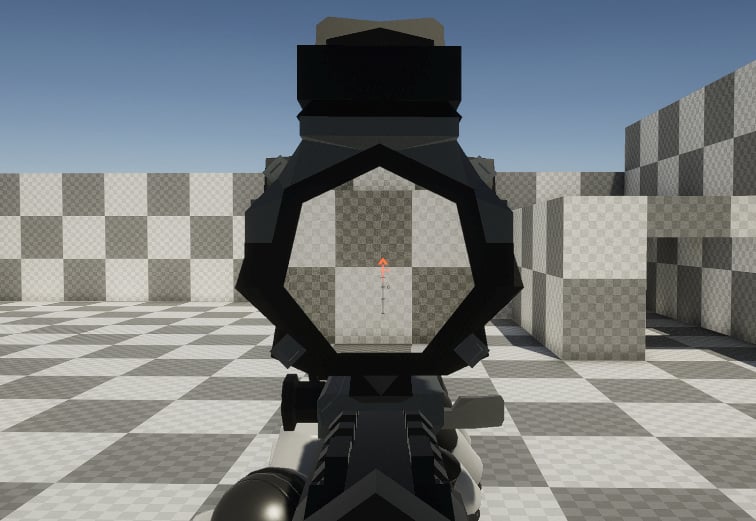
This layer is used to align the Weapon Ik Bone with the Aim Target Bone. This layer uses 2 method to ADS:
* **Absolute**: ultimately overrides the previously applied features.
* **Additive:** applied on top of everthing else.
You can blend between absolute and additive in Position and Rotation Blend properties. It is possible to adjust the blend factor for each rotation and translation axis. 0 means absolute, and 1 means additive.
This is useful for reloading animations, which you want to have some motion while proceduraling aiming.
## Properties
## Description
This layer is used to align the Weapon Ik Bone with the Aim Target Bone. This layer uses 2 method to ADS:
* **Absolute**: ultimately overrides the previously applied features.
* **Additive:** applied on top of everthing else.
You can blend between absolute and additive in Position and Rotation Blend properties. It is possible to adjust the blend factor for each rotation and translation axis. 0 means absolute, and 1 means additive.
This is useful for reloading animations, which you want to have some motion while proceduraling aiming.
## Properties
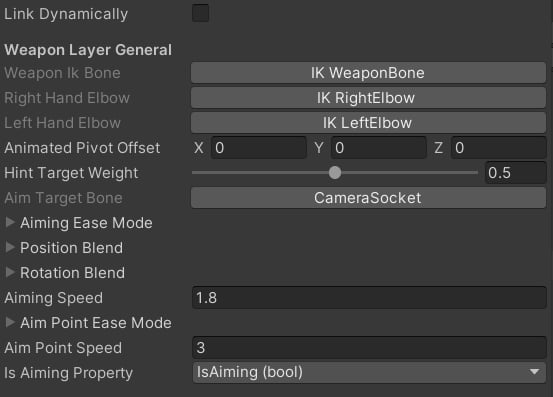 * **Aim Target Bone**: which bone we will be aligning the weapon with. Usually it is a head or a camera socket.
* **Aiming Ease Mode**: smoothing function for aiming.
* **Position/Rotation Blend**: absolute/absolute blend for all axes.
* **Aiming Speed**: aiming general speed.
* **Aim Point Speed**: interpolation speed when changing scopes.
* **Is Aiming Property**: bool input property which will control the aiming state.
* **Aim Target Bone**: which bone we will be aligning the weapon with. Usually it is a head or a camera socket.
* **Aiming Ease Mode**: smoothing function for aiming.
* **Position/Rotation Blend**: absolute/absolute blend for all axes.
* **Aiming Speed**: aiming general speed.
* **Aim Point Speed**: interpolation speed when changing scopes.
* **Is Aiming Property**: bool input property which will control the aiming state.