> ## Documentation Index
> Fetch the complete documentation index at: https://docs.kinemation.xyz/llms.txt
> Use this file to discover all available pages before exploring further.
# Collision Layer
> Documentation for Collision Layer.
 ## Description
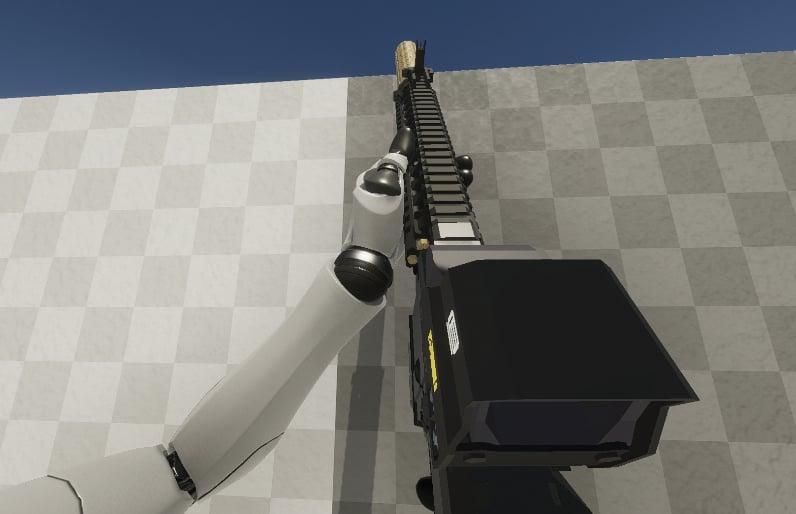
**Collision Layer** is used to avoid weapon clipping through walls or other obstacles. It works by computing the clipping part of the weapon, and then applying the blocking pose respectively.
**Example:** if a weapon clips through a wall by 50%, only 50% of the pose will be applied.
## Properties
## Description
**Collision Layer** is used to avoid weapon clipping through walls or other obstacles. It works by computing the clipping part of the weapon, and then applying the blocking pose respectively.
**Example:** if a weapon clips through a wall by 50%, only 50% of the pose will be applied.
## Properties
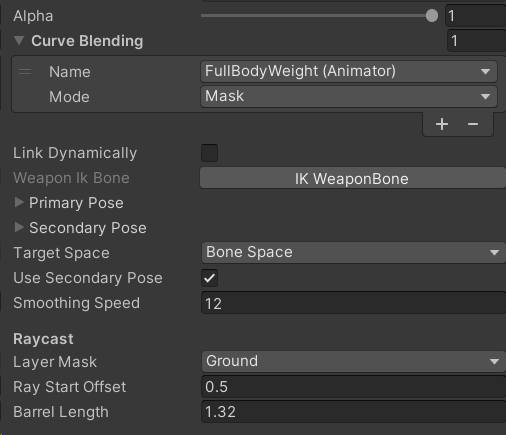 * **Primary/Secondary Pose**: blocking pose applied during collision. The primary is activated when looking up, and the secondary one is activated when looking down.
* **Target Spcae**: desired space to apply pose in.
* **Smoothing Speed**: blocking smoothing speed.
* **Layer Mask**: filter mask for raycasts.
* **Ray Start Offset**: forward offset.
* **Barrel Length:** total length of the ray.
* **Primary/Secondary Pose**: blocking pose applied during collision. The primary is activated when looking up, and the secondary one is activated when looking down.
* **Target Spcae**: desired space to apply pose in.
* **Smoothing Speed**: blocking smoothing speed.
* **Layer Mask**: filter mask for raycasts.
* **Ray Start Offset**: forward offset.
* **Barrel Length:** total length of the ray.