> ## Documentation Index
> Fetch the complete documentation index at: https://docs.kinemation.xyz/llms.txt
> Use this file to discover all available pages before exploring further.
# 🔷Tactical Shooter Animation
> This page explains how this Actor Component works.
**AC\_TacticalShooterAnimation** is a central Actor Component that serves as an interface between gameplay and animation. It stores and updates weapon settings and input values (e.g., leaning angle, current gait).
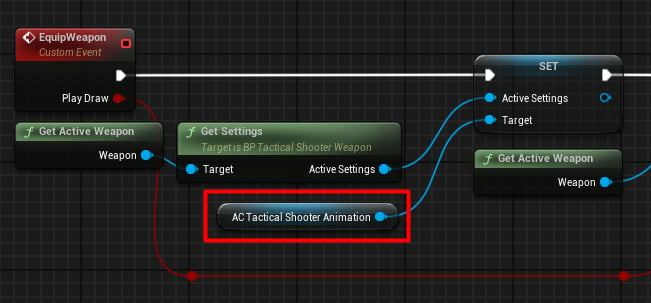
## Tactical View Settings
This data asset is covered in detail here: [Procedural Animation Settings](/tactical-shooter-pack/unreal/animations/procedural-animation-settings). To update the current settings, it's necessary to directly update the reference:
 ## Inputs
This component also **stores** player input information, specifically:
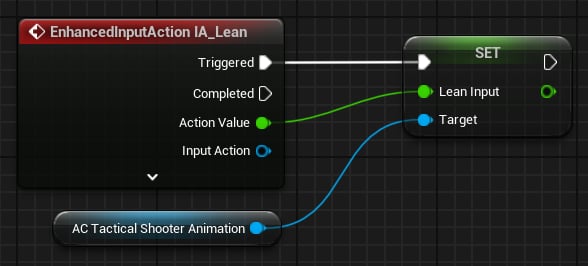
### Leaning Input
Controls how much the player can rotate left and right to **peek** around corners:
## Inputs
This component also **stores** player input information, specifically:
### Leaning Input
Controls how much the player can rotate left and right to **peek** around corners:
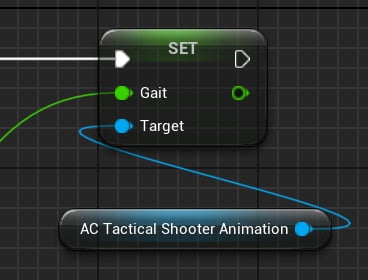
 ### Gait
Represents the current movement state in the range **\[0–2]**, where:
* 0 stands for idle
* 1 stands for walk
* 2 stands for sprint
Used to control the blending of idle, walk, and sprint animations:
### Gait
Represents the current movement state in the range **\[0–2]**, where:
* 0 stands for idle
* 1 stands for walk
* 2 stands for sprint
Used to control the blending of idle, walk, and sprint animations:
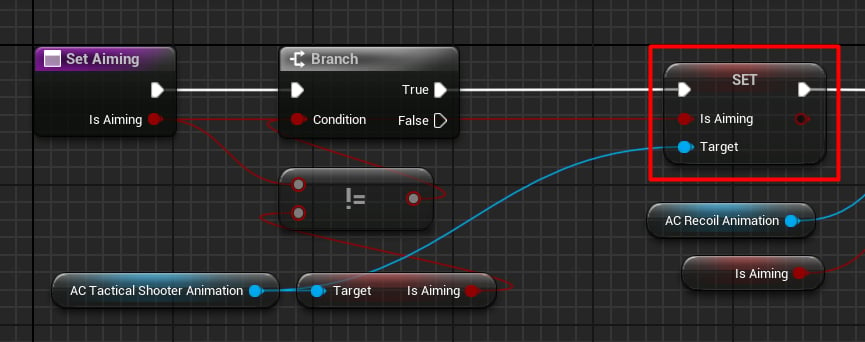
 ### Is Aiming
Used to control procedural aiming:
### Is Aiming
Used to control procedural aiming:
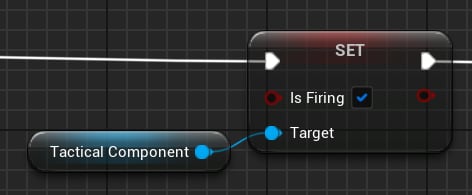
 ### Is Firing
This flag has two applications in Animation Blueprints:
1. Rotating the right index finger to press the trigger.
2. Controlling the idle sway intensity when firing.
### Is Firing
This flag has two applications in Animation Blueprints:
1. Rotating the right index finger to press the trigger.
2. Controlling the idle sway intensity when firing.