
Structure
The FPSPlayer prefab is a game-ready entity, that you can drag and drop to the existing level. It consists of 2 parts:- SK_Arms_Mono (Character model).
- Camera
Character
Player prefab relies on these components: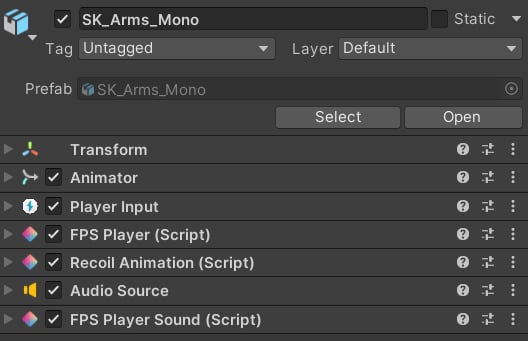
All character components.
Animator
It’s responsible for applying all animations: reloads, fire, grenade throw, movement, and others.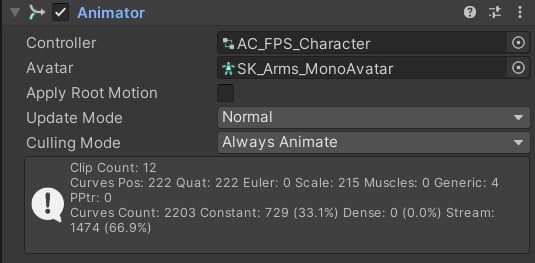
Animator component.
Player Input
This is a component from Unity’s New Input System package. You can find the input map here: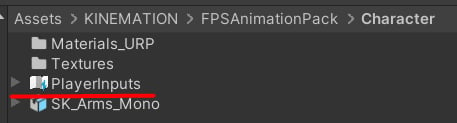
Player inputs.
- Reload (R).
- Fire (LMB).
- Aim (RMB).
- Change Weapon (F).
- Throw Grenade (G).
- Move (WASD).
- Sprint (Left Shift).
- Tactical Sprint (Left Shift + X).
- Change Fire Mode (B).
- Mouse Wheel (instant weapon swapping).
FPS Player
This component is responsible for weapon management and procedural animation: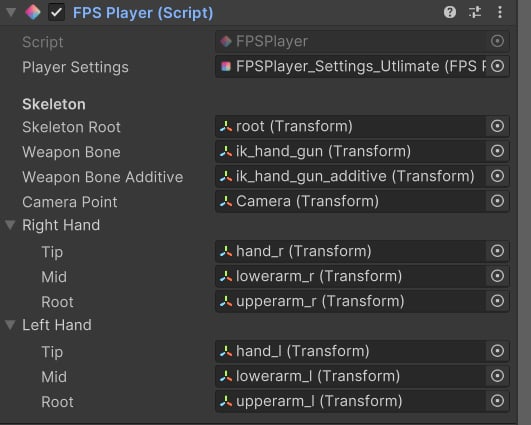
FPS Player component.
- Player Settings: contains character-related properties.
- Skeleton Root: the model root bone.
- Weapon Bone: the weapon bone, all weapons are parented to it.
- Weapon Bone Additive: the bone used to apply additive movement.
- Camera Point: it will be used to align iron sights.
-
Right/Left Hand: used for applying procedural animations.
- Tip: the hand bone.
- Mid: the elbow bone.
- Root: the upper arm bone.
Recoil Animation
This component generates procedural firing animations. You can find out more here.Audio Source and FPS Player Sound
These components are used together to play general character effects, such as walking, swapping weapons, or throwing a grenade: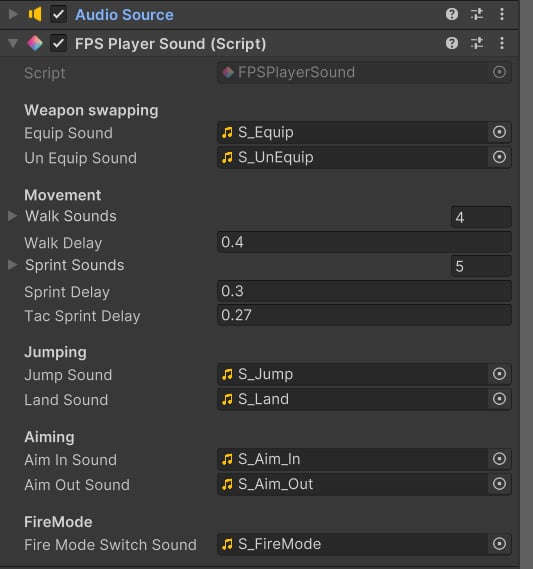
FPS Player Sounds.
Camera
Custom camera animations and recoil shakes are applied via the FPS Camera Animator component:
Camera animator.