
Controller Recoil
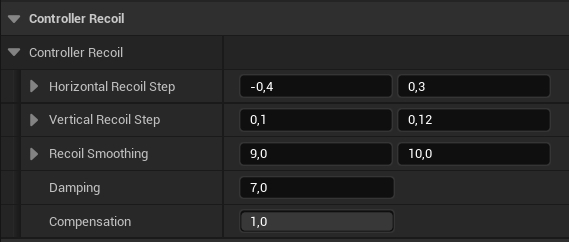
Controller Recoil.
- Horizontal Recoil Step: a value will be computed in this range and added to the controller Yaw.
- Vertical Recoil Step: a value will be computed in this range and added to the controller Pitch.
- Recoil Smoothing: interpolation speed for X (Yaw) and Y (Pitch).
- Damping: how fast the both Pitch and Yaw will go to zero,
- Compensation: how much player input to take into account. 1 - 100%, 0 - 0%.
Curve
This section contains curves that we covered in the previous chapter: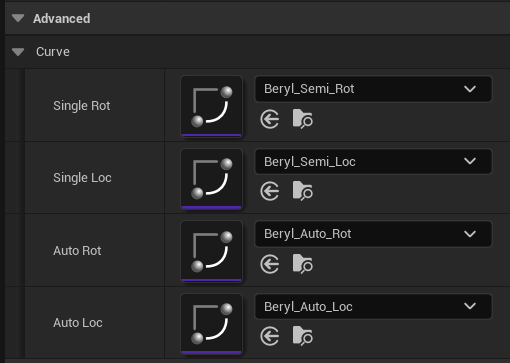
Vector curves for translation and rotation,
Input
These properties generate main target recoil values: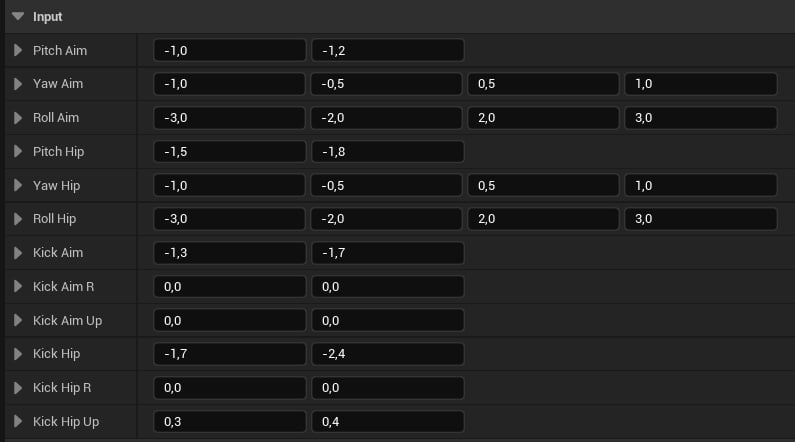
Input properties.
- Pitch/Yaw/Roll Aim: a value will be generated in this range and added to the pitch/yaw/roll when aiming.
- Pitch/Yaw/Roll: a value will be generated in this range and added to the pitch/yaw/roll when hip firing.
- Kick/Kick R/ Kick Up Aim: a value will be generated in this range and added in the forward/right/up direction when aiming.
- Kick/Kick R/ Kick Up: a value will be generated in this range and added in the forward/right/up direction when aiming.
- For 2D vectors, it will compute a value via FRandRange(X, Y)
- For 4D vectors, it will compute a value via FRandRange(FRandRange(X, Y), FRandRange(Z, W)). We do it this way to avoid getting close-to-zero values, which sometimes look horrible.
Smoothing
This group is only applied when auto/burst firing.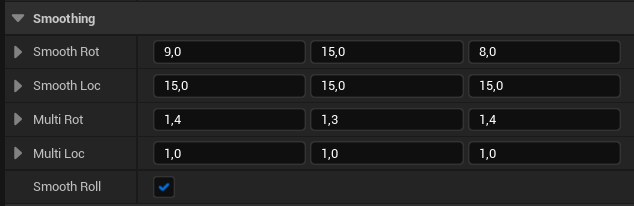
Smoothing properties.
- Smooth Rot/Loc: interpolation speed for a rotation/translation axis. If the value is zero - no interpolation will be applied.
- Multi Rot/Loc: multipliers for a rotation/translation axis.
- Smooth Roll: if roll sign should change every shot. Keep it true to achieve the best results.
Noise Layer
This layer applies translation 2D noise in the YZ plane (right and up movement).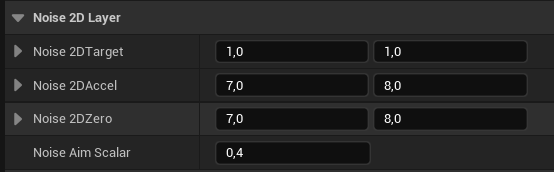
Noise properties.
- Noise 2DTarget: this value will be added to the translation of every shot.
- Noise 2DAccel: interpolation speed for right and up axes.
- Noise 2DZero: how fast each axis will go to zero.
- Noise Aim Scalar: multiplier applied when aiming.
Pushback
This layer is applied on the second shot of a burst or auto sequence.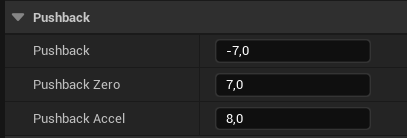
Pushback properties.
- Pushback: this value will be added to the forward translation.
- Pushback Zero: how fast the pushback should go to zero.
- Pushback Accel: pusback interpolation speed.
Recoil Sway
This layer applies sway to simulate a body recoil.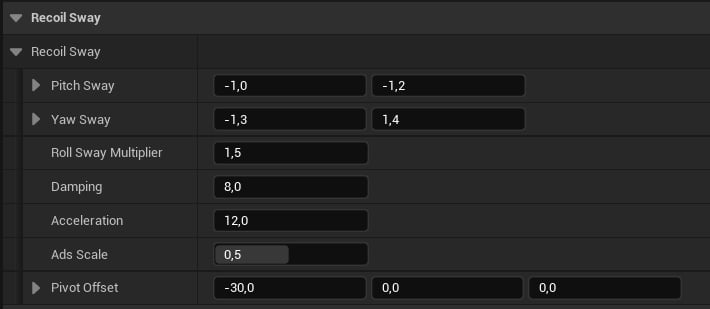
Recoil Sway properties.
- Pitch Sway: a value will be randomly generated in this range and added to the pitch.
- Yaw Sway: a value will be randomly generated in this range and added to the yaw.
- Roll Sway Multiplier: will multiply the yaw result by this value and add it to the roll.
- Damping: how fast the sway should go to zero.
- Acceleration: interpolation sway speed.
- Ads Scale: this value will scale the recoil sway when aiming.
- Pivot Offset: will offset the recoil physical pivot.
Timeline
These properties control the general animation timeline.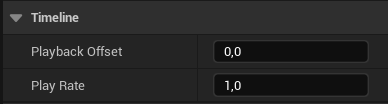
Tineline properties.
- Playback Offset: will offset the loop time interval. For example, if a weapon fire rate is 600RPM, the loop interval will be 0.1s + Playback Offset.
- Play Rate: animation speed multiplier.
Pivot
This section controls the physical recoil pivot point.
Pivot settings.
- Pivot Offset: applied when hip firing.
- Ads Pivot Offset: applied when aiming.