
Skeleton
The FPS Animation Pack provides animations for both UE4 and UE5 Mannequin Skeletons, which use identical setups for sockets and Virtual Bones:- VB ik_hand_gun_l (targets ik_hand_gun): defines weapon base pose relative to the left hand.
- VB ik_hand_gun_r (targets ik_hand_gun): defines weapon base pose relative to the right hand.
-
VB ik_hand_gun (targets ik_hand_gun): weapon parent bone.
-
VB hand_r (targets hand_r): right-hand IK bone.
- VB elbow_r (targets lowerarm_r): right-hand pole target.
-
VB hand_l (targets hand_l): left-hand IK bone.
- VB elbow_l (targets lowerarm_l): left-hand pole target.
-
VB hand_r (targets hand_r): right-hand IK bone.
- VB ik_hand_gun_pose (targets ik_hand_gun): weapon aiming pose.
- VB Curves (targets root): empty bone, used for blending animation curve values.
- FP Camera (targets root): camera parent socket.
Blueprints
There are 5 main animation blueprints used in the project:- ABP_Viewmodel: main blueprint that includes everything else.
- ABP_IK_Pose: controls first-person view pose.
- ABP_Ads: applies procedural aiming.
- ABP_IK_Animation: applies procedural animations.
- ABP_Movement: blends movement states, like idle, walking, sprinting, and tac sprinting.
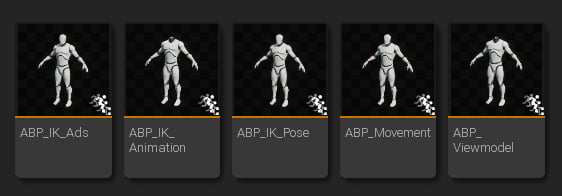
Animation blueprints.
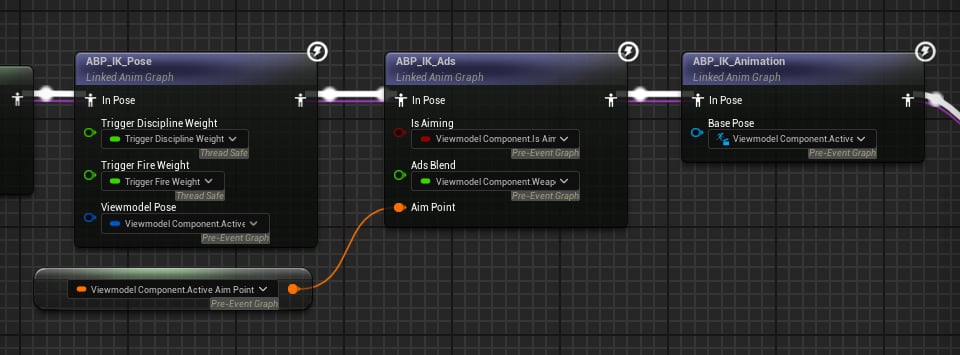
Example of modular blueprints in ABP_Viewmodel.
ABP_Viewmodel
This is the main Animation Blueprint used in the package. It has a simple structure:-
General Locomotion
- Movement animations (idle, walk, sprint, and tactical sprint).
- Playing first-person animations (e.g. reloads, fire, etc.).
-
Procedural Pass
- Initial IK Posing
- Aiming
- IK Additive Animations
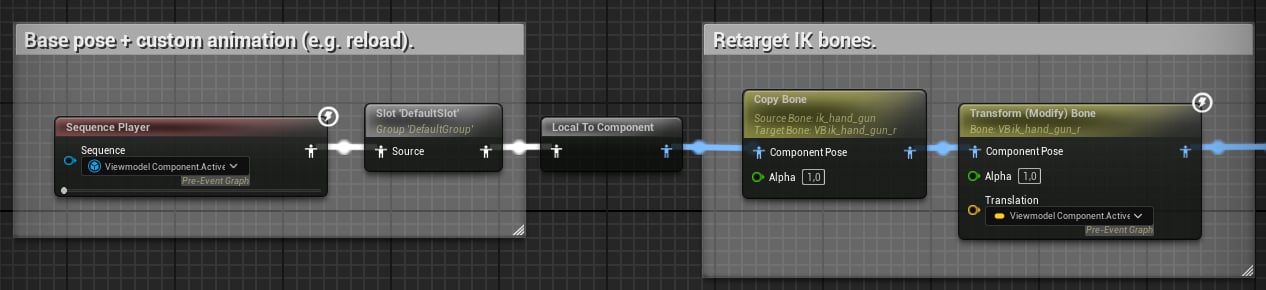
First Person Pose.
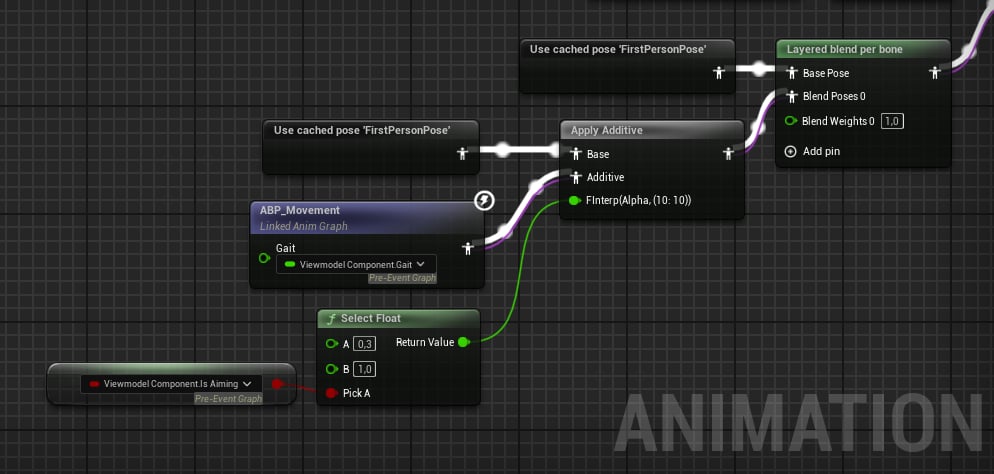
Applying ABP_Movement.
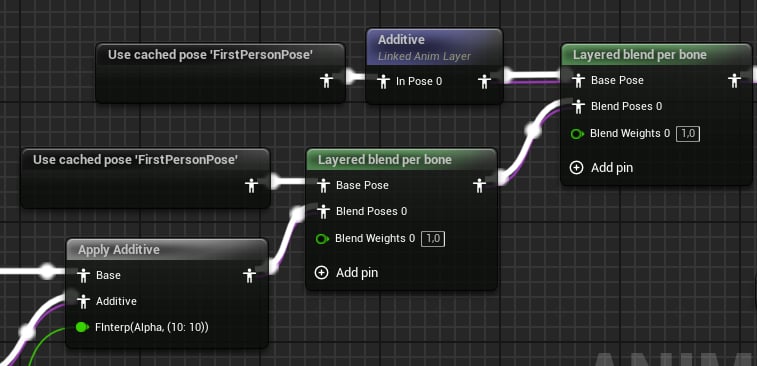
Blending with the Additive layer.
ABP_IK_Pose
This blueprint is responsible for the first-person character pose. Here is a breakdown of what it does:- Rotate right index finger when sprinting (trigger discipline).
- Rotate the right index finger when firing.
- Copy animation data from real bones to the IK ones.
- Position arms and weapons.
ABP_IK_Ads
As the name states, this layer is responsible for aiming down sights. The FPS Animation Pack uses a unique aiming system, that has 2 modes:- Absolute - sights are perfectly aligned.
- Additive - preserves original animation (e.g. reload).
- Apply additive aiming.
- Apply absolute aiming, where alpha = 1.f - Ads Blend.
- Apply Aim Point offset.
- Blend between idle and aiming poses.
ABP_IK_Animation
This is the last blueprint. It applies various additive animations and even hides the character mesh by scaling the head bone to almost zero:- Apply Recoil Animation node - it automatically extracts recoil animation and applies it to a specified bone.
- Apply IK Motion - a “jiggle” animation when aiming.
-
Apply additive locomotion using curves.
- IK_X/Y/Z for translation.
- IK_Pitch/Yaw/Roll for rotation.
- Adjust the elbow’s virtual bones.
- Rotate spine bones to look up and down.
- Apply IK, where the targets are VB hand_r and VB hand_l.
- Hide the head mesh.
- Copy weapon bone data to the VB ik_hand_gun_pose, so the blueprint can compute additive aiming next frame.
ABP_Movement
This blueprint is responsible for procedural general animations, like idle, walk, sprint, tactical sprint, and jumping states.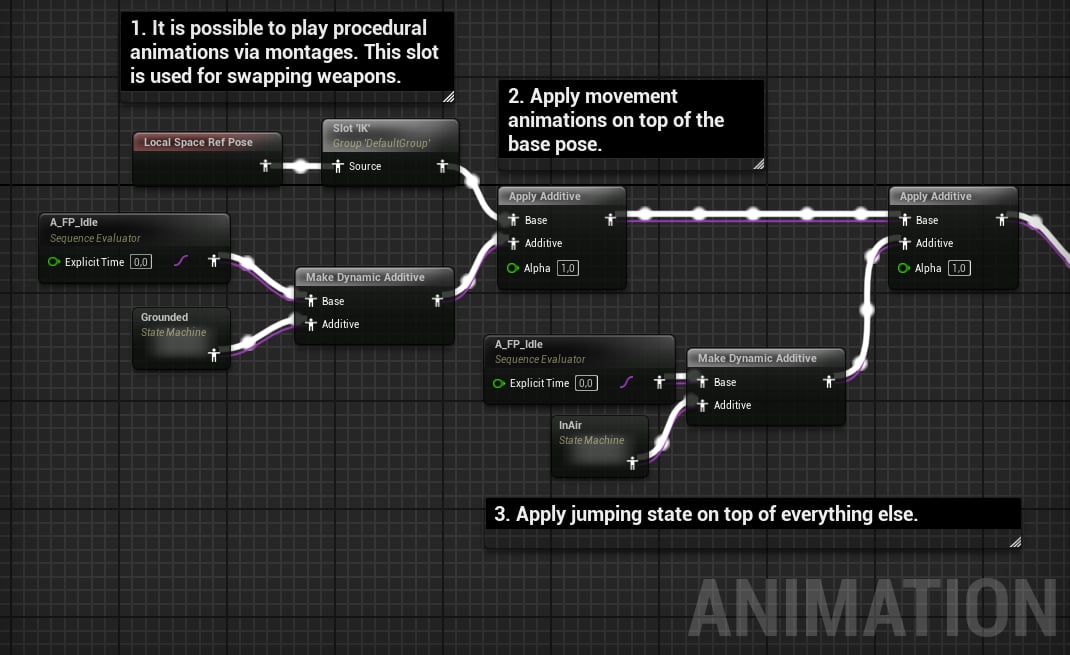
Movement animation blueprint.
IK Motions
This is a special feature, used to animate the weapon when aiming: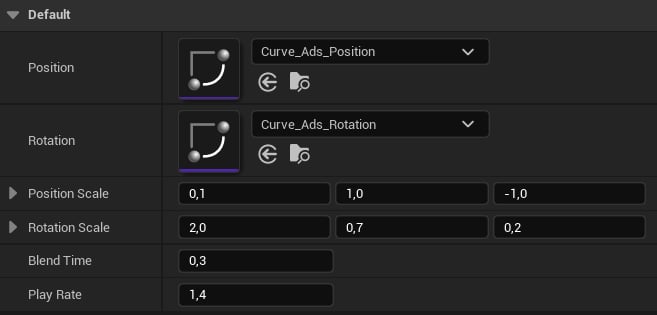
Example IK Motion.