
GameplayAnimationController skeleton map.
Create an animation override
An animation override maps the animations authored for to baked copies for your target character. The source assets stay unchanged. If an entry has no replacement, Gameplay Framework uses the original animation.1
Open the Override tab
Select your configured character. Open
GameplayAnimationController, then select the Override tab.2
Create the pack override
Click Add Override > Create Override > .Gameplay Framework creates an override asset next to the selected pack config, adds it to the controller, and opens Animation Override Retarget.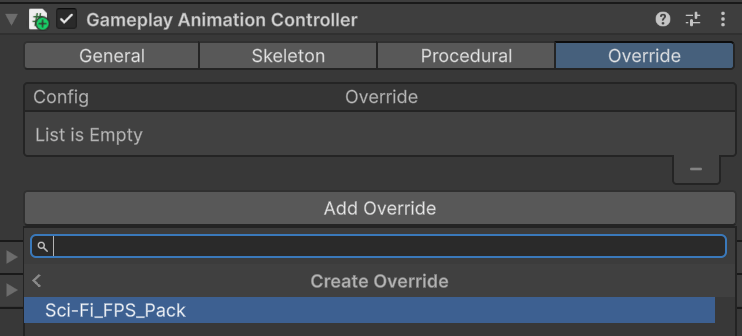
Configure retargeting
Open the Setup tab and review every field before baking. On first open, the window suggests aRetargeted/<OverrideAssetName> folder beside the override asset. Select a folder in your own project content when you want generated files to stay separate from the imported pack.
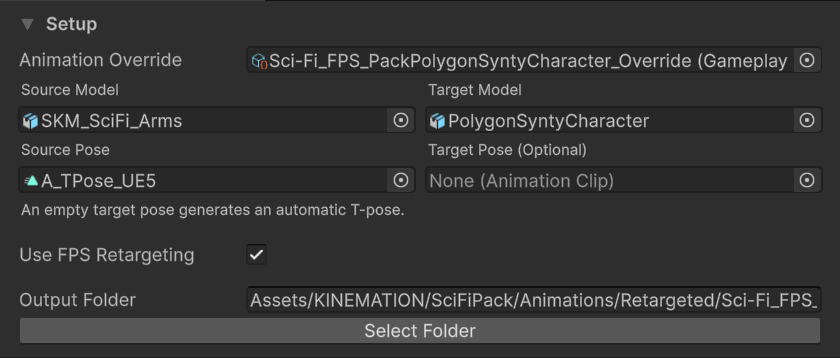
Models, reference poses, FPS mode, and output folder in the Setup tab.
Adjust the retarget result
Use the retarget preview before baking the complete pack. The Target Pose and viewport handles solve different problems.- Compare the source and target characters in the same stance.
- Assign a Target Pose asset when the target’s reference shoulders, wrists, or fingers do not match the source pose.
- Enable the transform controls and select the weapon, hand, foot, arm-pole, or leg-pole target you need to correct.
- Move the handle to adjust that IK target. The window stores these offsets on the animation override.
- Keep the weapon and hand relationship readable from the first-person camera. Use FPS Retargeting also exposes the weapon target.
- Bake one idle animation first and inspect it in Play mode before processing a weapon set.
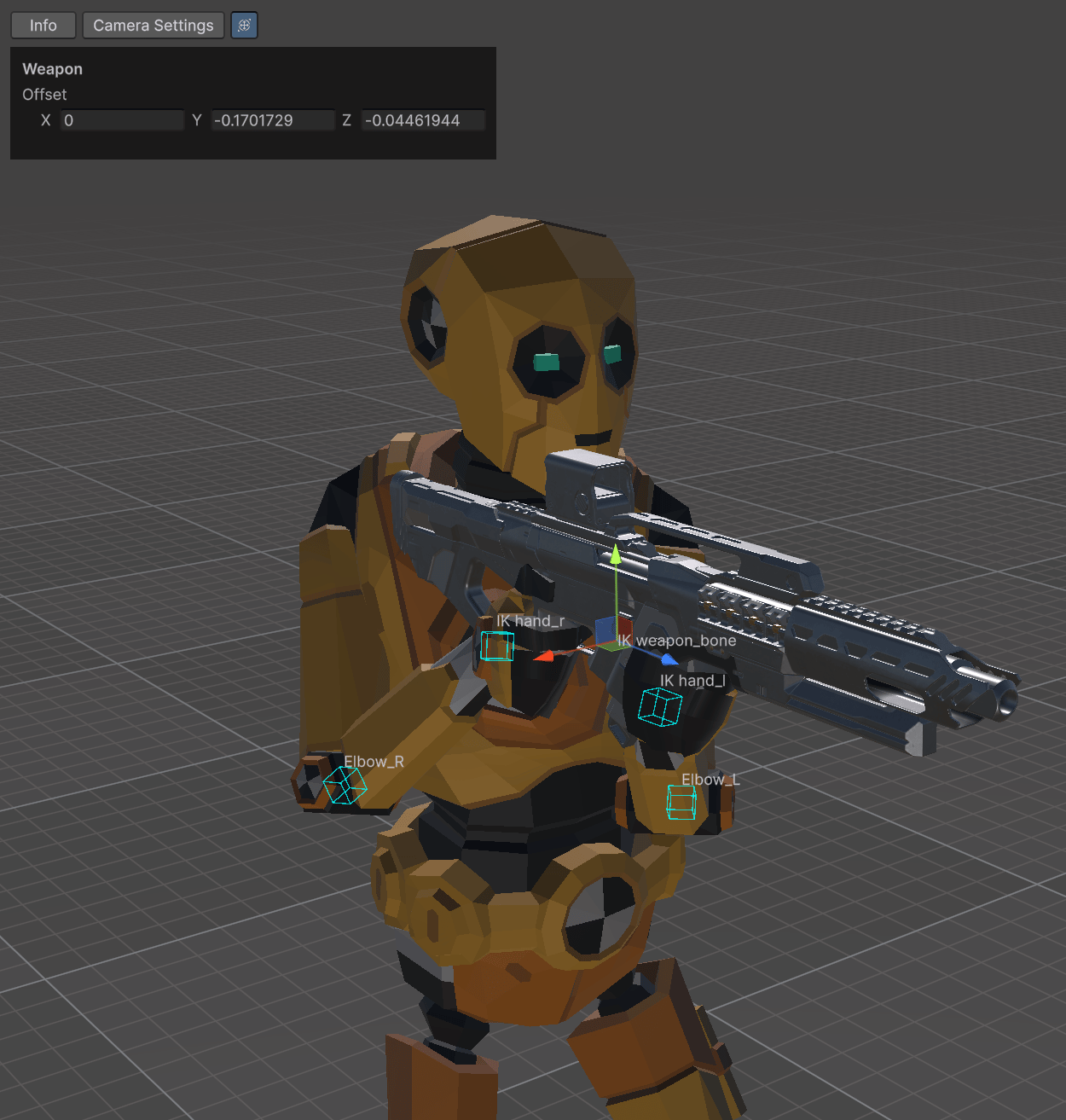
Retargeting handles used to correct IK target offsets.
Bake animations weapon by weapon
Open the Animations tab. The window groups character animation assets by weapon and lists Animator Controllers separately.1
Select one weapon group
Expand a weapon group and select the clips you want to test. Use All or None within that group instead of baking every category immediately.
2
Include its controller
Select the matching Animator Controller when the pack config provides one. Controllers are rebuilt with the retargeted clips.
3
Bake the selection
Click Bake Selected To Override. Repeat the process for each weapon after you verify the previous group.
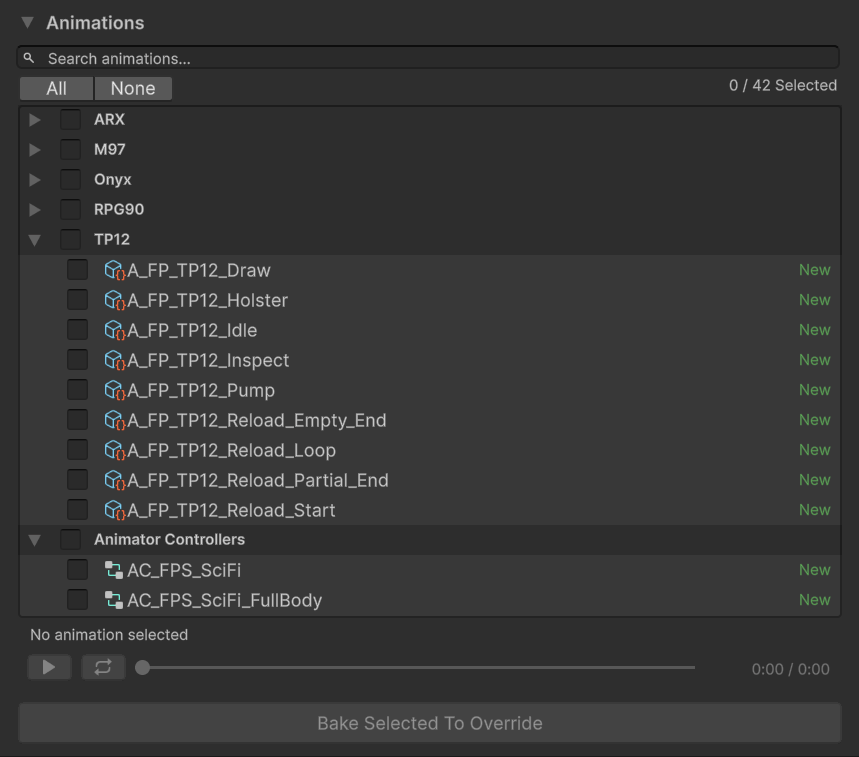
Weapon categories and bake status in the Animations tab.
- New: no baked replacement exists.
- Baked: the replacement matches the current source asset.
- Outdated: the source asset changed after the last bake.
Find the generated assets
The retargeter stores output below the selected folder:
Rebaking updates these paths and refreshes the replacement map in the animation override.
Manage multiple overrides
You can add multiple override assets in the controller’s Override tab. Gameplay Framework checks them in list order. The first override with a valid replacement wins; otherwise, evaluation continues and eventually falls back to the original asset. Keep overrides focused on separate packs or non-overlapping animation sets. If two overrides replace the same source asset, remove and add them again in the priority you want.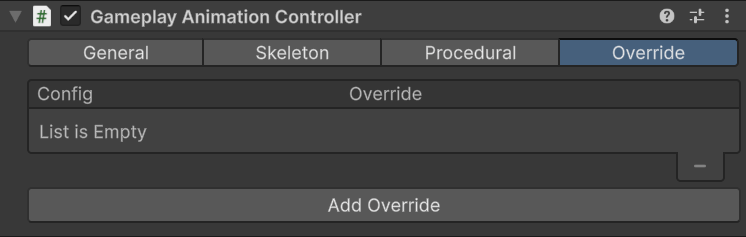
Multiple animation overrides on a Gameplay Animation Controller.