
Character updates
ABP_Survival_FPS waits until the next tick during initialization, gets the owning BP_Shooter_Character, and caches its gameplay animation component. During animation updates, it refreshes its settings when the active settings asset changes. It also calculates aim rotation and asks the active item for an aim point.
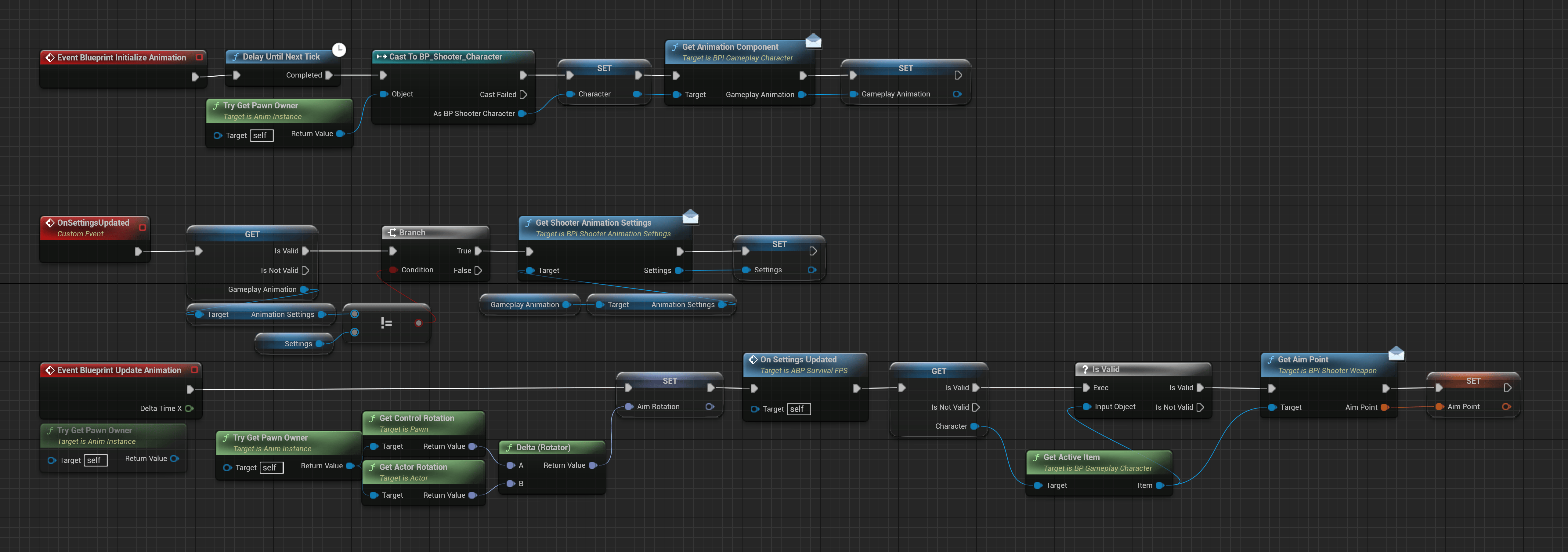
The main Animation Blueprint caches the character, refreshes item settings, and updates aiming information.
Item animation
Item Animation Blueprints are inAnimations/Items. Examples include ABP_W_HX2, ABP_W_DL700, ABP_W_Pot, and ABP_W_WaterBottle.
The shared ABP_Weapon_Template evaluates IdlePose at time zero and passes it through DefaultSlot for action montages. Despite its name, the same pattern also animates tools and consumables with moving parts.
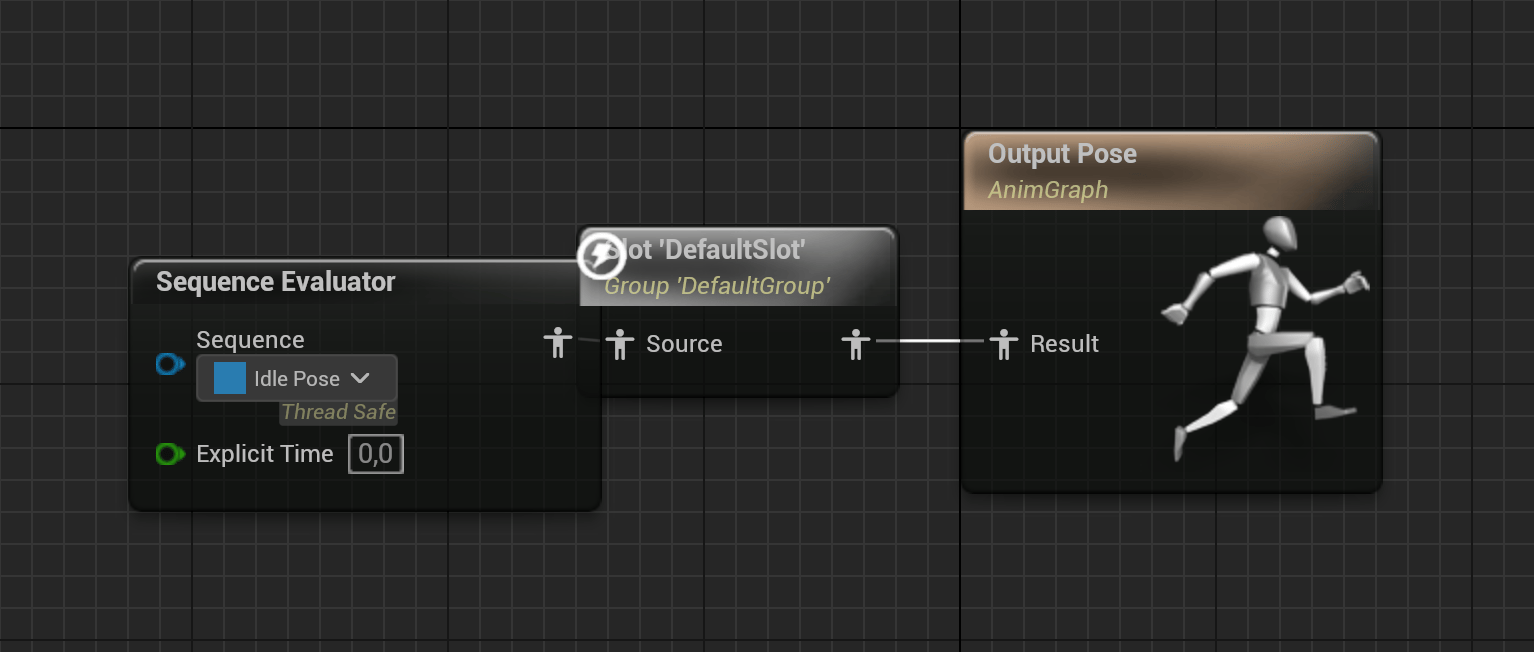
The item graph combines its resting pose with action montages through DefaultSlot.
Action timing
AC_GameplayAnimation.StartAction sets HasActiveAction and clears the previous end-action timer. With Set Timer enabled, it schedules EndAction after 0.85 × ResetTime. Without the timer, the caller must clear the action when its sequence finishes.
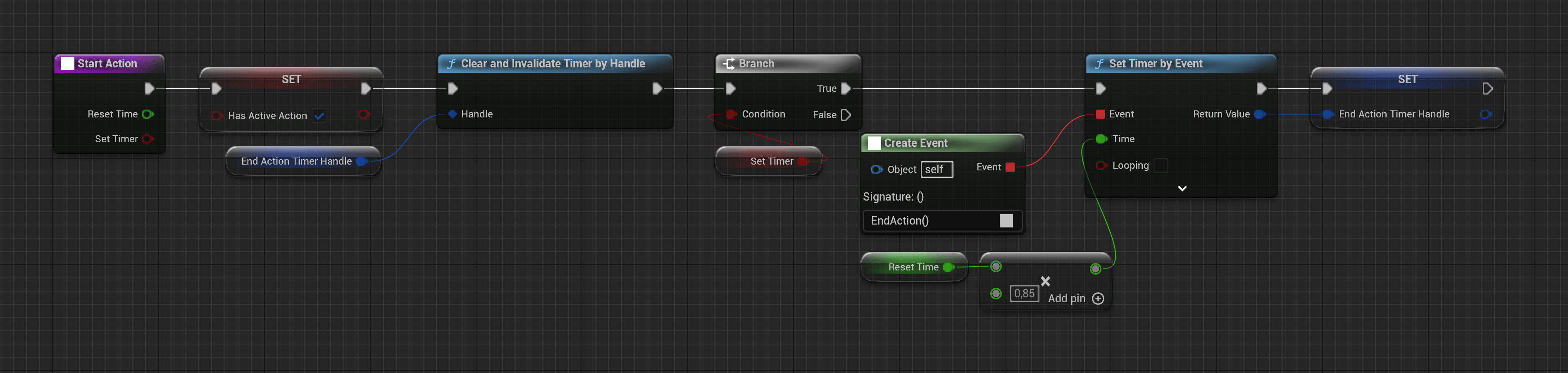
StartAction marks the action active and optionally schedules EndAction from Reset Time.
Where to make changes
For example,
AC_DL700View uses DA_DL700. That asset references A_FP_DL700_Idle, ABP_Survival_FPS_Overlay, and ABP_Procedural_Survival_Weapon. The view’s paired montages animate the character and rifle during actions.