
Survival equipment and actions
BP_Survival_Character adds Consumable Classes alongside the regular Item Classes equipment list. It spawns consumables separately, attaches them to the character mesh, and hides them until selected.
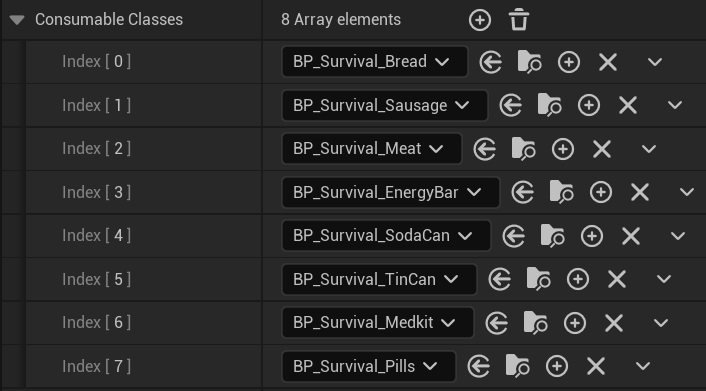
Consumable Classes selects food and medicine separately from regular equipment.
IsUsingConsumable, the selected array entry, and HasActiveAction before starting. It puts away the regular item, hides it, shows the consumable, and calls EquipItem on the consumable.
The character waits for the consumable’s UnEquipDelay, calls UnEquipItem, and waits for the returned holster duration. It then hides the consumable, equips the previous item, clears ActiveConsumable, and resets IsUsingConsumable.
BPI_Survival_Character.GetConsumableItem lets Use Consumable find the active consumable during this sequence. See Consumables for the view’s repeat timing and item changes.
Survival input
The character uses the sharedIMC_Gameplay_Core and IMC_Shooter_Core contexts, plus IMC_Survival_Pack in Survival_FPS_Pack/Inputs. Keep the parent OnPossessed behavior when adding your own input setup.
If you reorder Consumable Classes, selection follows that new order. Keep the configured input values within the number of consumables in the list.
See Project integration for registering these contexts in your own character or player controller.