
Overview
ShooterAdsFeature aligns the mapped weapon bone with an aim target while GameplayAnimationController.isAiming is true. It reads the active WeaponView.aimPoint, so each sight or weapon can provide its own alignment transform.
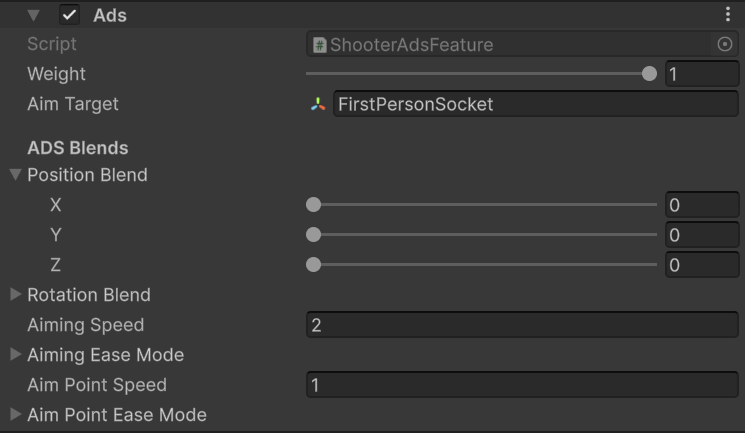
Shooter ADS target, axis blends, and transition settings.
Use cases
- Use
FirstPersonSocketas the aim target for the Survival Pack example player. - Put the weapon’s aim point transform on the sight line and assign it to
WeaponView.aimPoint. - Start with low axis blend values when exact sight alignment matters. Increase an axis when you want to keep more of the animated movement on that axis.
- The pack’s weapon assets are useful starting points: Survival Pack uses position and rotation blends from
0 to 0.35 per axis, depending on the weapon. - Raise Aiming Speed for a faster transition. Raise Aim Point Speed when changing sights should settle faster.
Survival Pack setup
PA_SurvivalPack_Base targets FirstPersonSocket, with all position and rotation blend axes at 0, Aiming Speed 6, and Aim Point Speed 6. The DL700 override changes the axes to 0.35, aiming speed to 2.5, and aim-point speed to 12. The HX2 bow drives the feature weight with its own ADS curve during aiming and loading.