
Overview
AimOffsetFeature distributes look pitch, yaw, and lean roll across mapped bones. It can also rotate a stationary full-body model when the accumulated yaw exceeds a threshold.
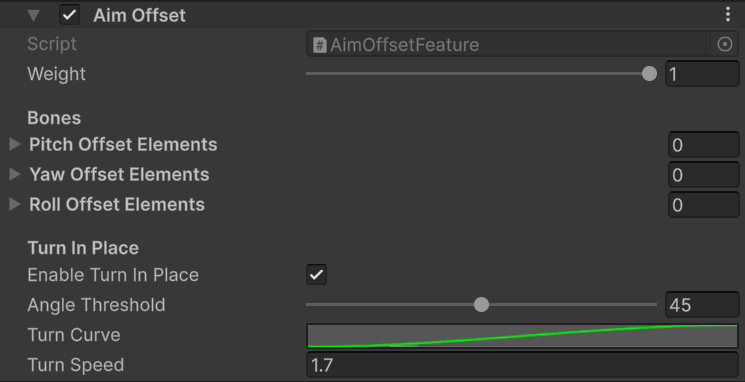
Aim Offset bone lists and turn-in-place settings.
When an element list is empty, the feature uses the mapped
spine1, spine2, and spine3 bones and divides 90 degrees between the available bones. Explicit lists are useful when a custom skeleton needs a different distribution.
Use cases
- For an arms-only first-person model, disable Turn In Place because there is no visible lower body to rotate.
- For a hybrid or full-body character, keep Turn In Place enabled when your movement controller does not already rotate the model from view yaw.
- Avoid running two turn-in-place systems. Disable this option if your locomotion controller owns stationary turning.
- Start with the Survival Pack template values: Angle Threshold
45and Turn Speed1.7.
lookInput.y, deltaLookInput.x, and leanInput from GameplayAnimationController. If pitch, yaw, or lean does not react, verify that your controller updates those fields every frame.
Survival Pack setup
PA_SurvivalPack_Base leaves the pitch, yaw, and roll bone lists empty, so the feature uses the mapped spine chain. Turn in place is enabled with a 45 degree threshold and 1.7 turn speed. Disable Turn In Place for an arms-only viewmodel or when your controller already owns stationary turns.