
Overview
ShooterAdditiveFeature applies authored motion from the mapped weaponBoneAdditive bone and runtime output from RecoilAnimation to the mapped weapon bone. It selects separate idle and moving scales for hip fire and ADS.
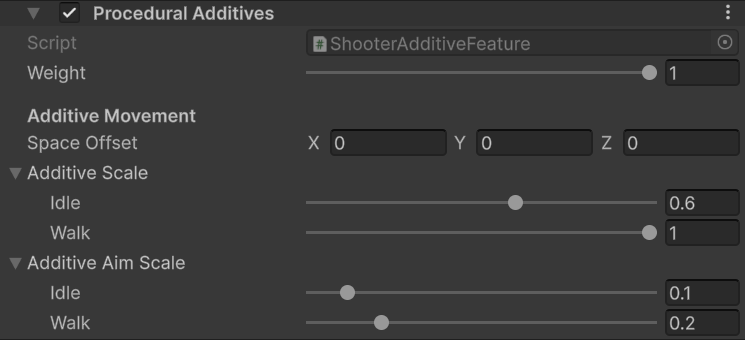
Procedural Additives scales for hip fire and ADS.
Use cases
- Keep Space Offset unchanged when using the Survival Pack example skeleton and animations.
- Use the shipped template as a baseline: hip idle
1, hip walk1, ADS idle0.35, and ADS walk0.35. - Reduce ADS scales when breathing or locomotion makes the sight picture unstable.
- Keep a small nonzero ADS scale when you want visible breathing and movement while aiming.
- Tune recoil through the equipped weapon’s
RecoilAnimData. RecoilAnimation calculates the recoil pose; this feature applies it to the weapon.
GameplayAnimationController, the feature may continue using the idle scale.
Survival Pack setup
The base asset uses hip idle and walk scales of1, with ADS idle and walk scales of 0.35. The DL700 override reduces ADS idle to 0.08 and ADS walk to 0.3. Tune these values on the item asset; edit its recoil data separately when changing the firing kick.