
GameplayItemExample to forward input to a view derived from SurvivalItemView. They are regular equipment in Item Prefabs on SurvivalPackController. Use F or the mouse wheel to equip them, the left mouse button to use them, and the right mouse button for a supported secondary action.
Paths are relative to
Assets/KINEMATION/SurvivalPack. Each view uses Draw and Holster for equip transitions, Item Idle Clip for the item’s resting state, and Procedural Asset for the character pose and procedural motion.
Lighter
SurvivalLighterView plays paired character and lighter animations from Animations/Lighter/Character and Animations/Lighter/Weapon. Use Animation pairs A_FP_Lighter_Light with A_W_Lighter_Light. The item side animates the lid and ignition together with the character’s hands.
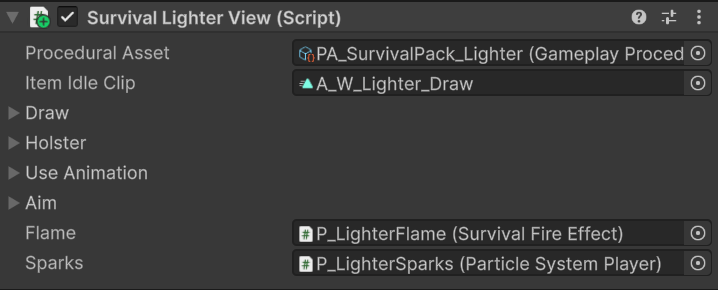
The lighter view connects the paired actions to the flame and spark effect components.
Flame strength and sparks
The item’s evaluated animation drives the view’sflameStrength property. In LateUpdate, the view copies it to SurvivalFireEffect.FlameStrength. That component updates the flame renderer, material properties, light, and motion response.
Flame points to the SurvivalFireEffect on P_LighterFlame. Sparks points to a ParticleSystemPlayer on P_LighterSparks. The item clip A_W_Lighter_Draw contains a PlayLighterSparks event that calls the view at the ignition moment.
Keep the animated strength property and spark event when replacing the lighter clips. Disabling the view clears flame strength and stops sparks so the effect does not remain active after the item is hidden.
Pot
SurvivalPotView adds Lid Off and Lid On action pairs. A right-mouse press toggles the open state, plays the corresponding pair, and starts an action timer for it. Releasing the button does not toggle the lid again.
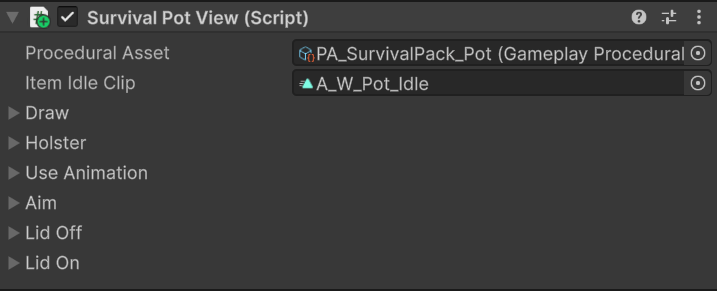
The pot adds lid actions to the shared draw, use, and holster setup.
A_FP_Pot_Sip on the character side; the item side can stay empty when no separate pot animation is required. PA_SurvivalPack_Pot sets its holding pose.
Equipping resets the pot to closed. Keep the lid pairs and sip action assigned when replacing its animations. Connect drinking effects such as thirst changes in your gameplay code at the appropriate use moment.
Signal flare
SurvivalFlareView adds activation, a throw-preparation overlay, projectile release, burn audio, and the flare effect. Its prefab connects PA_SurvivalPack_Flare, an item idle clip, Activate, Throw Release, Burn Audio, and Projectile Prefab.
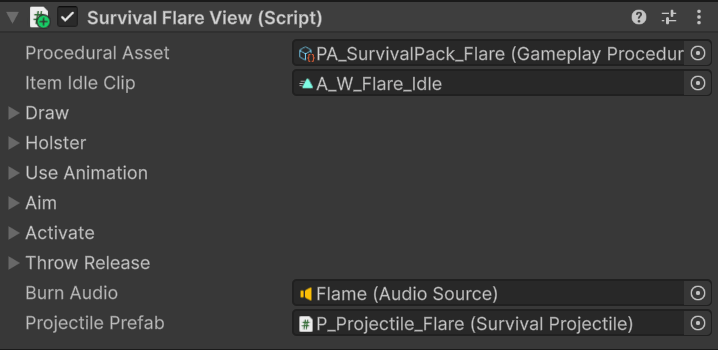
The flare view connects activation and release animations to burn audio and the spawned flare projectile.
Activate and hold
The first use enables the childSurvivalSignalFlareEffect and plays Activate, pairing A_FP_Flare_Activate with A_W_Flare_Activate. The item clip calls PlayBurnSound to start Burn Audio.
The animated flareStrength property is copied to SurvivalSignalFlareEffect.FlareStrength after the item animation evaluates. The effect component uses it to scale the flame material, smoke, sparks, and light.
Prepare and throw
PA_SurvivalPack_Flare assigns Overlay_SurvivalPack_Flare.controller. Aiming while lit sets its ThrowReady boolean. The overlay moves through idle, windup, and held preparation.
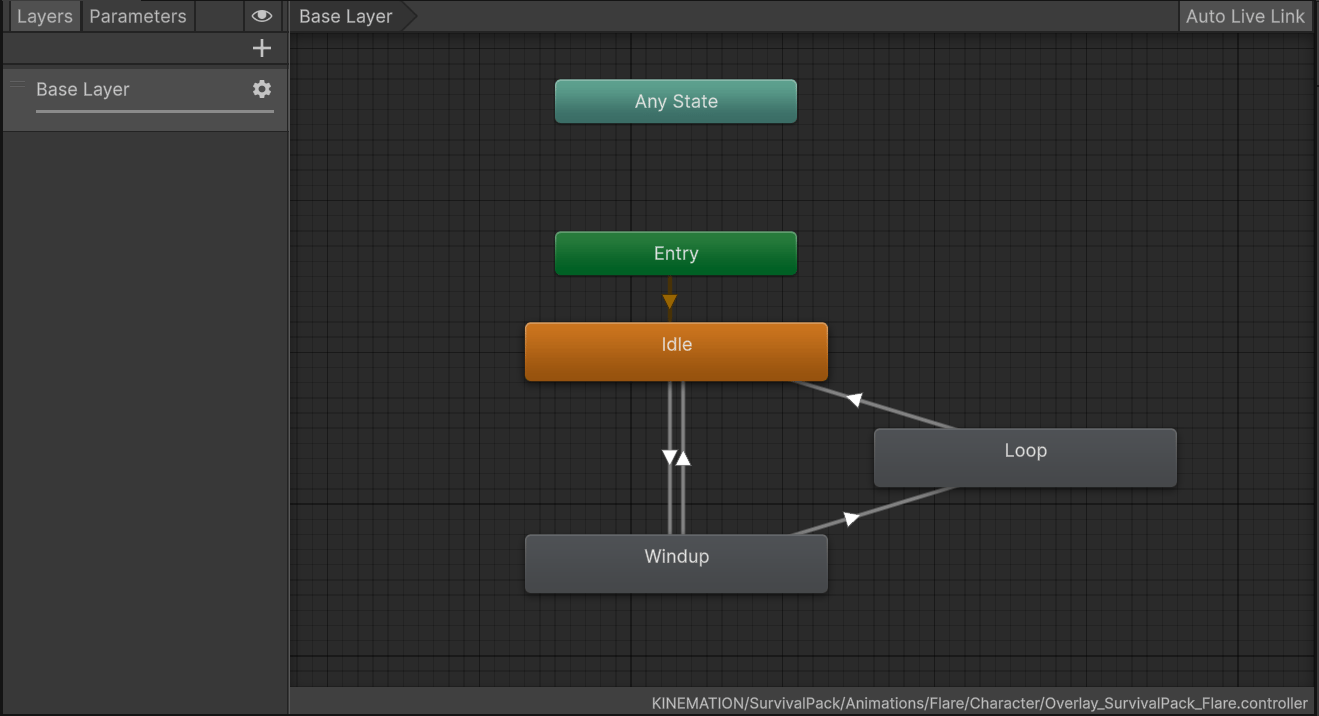
ThrowReady connects the flare's idle, windup, and held throw-preparation states.
A_FP_Flare_Release, and marks a pending projectile. Its LaunchProjectile event calls the character controller, which forwards release to the active flare view.
The view spawns Projectile Prefab toward the camera’s forward direction, stops burn audio, and hides the held flare. After release, it plays Draw, restores visibility, extinguishes the held effect, and clears aiming.
Unequipping schedules extinguishing after holster; disabling the view cancels delayed work and extinguishes immediately. Keep the release event, burn-sound event, animated strength property, and ThrowReady parameter when changing the animations. The flare uses a fixed projectile prefab; its projectile-change method does not cycle variants.
See Projectile selection and flight for the shared SurvivalProjectile settings used by the thrown flare.