
WeaponExample for ammunition and firing timing. The spear, knife, and axe use GameplayItemExample, which forwards actions directly to their views. All five use GameplayAnimationController for the character animation and an item-specific procedural asset for the holding pose.
Paths are relative to
Assets/KINEMATION/SurvivalPack. Add these prefabs to Item Prefabs on SurvivalPackController before entering Play mode.
Hunting rifle
W_DL700 uses SurvivalRifleView, which extends WeaponView. WeaponExample checks ammunition and the firing interval before asking the view to play a shot. The configured example has a five-round capacity, a fire rate of 40 rounds per minute, and semi-automatic fire.
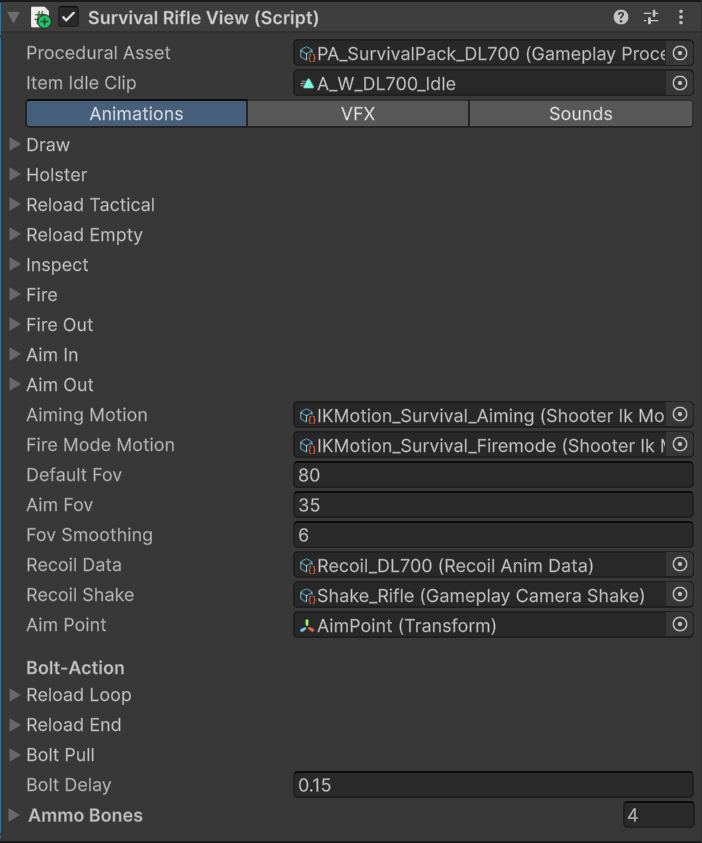
The DL700 view connects its procedural asset, paired actions, recoil, aim point, and bolt-action sequence.
Animation setup
Character clips live inAnimations/DL700/Character; matching rifle clips live in Animations/DL700/Weapon. Draw, holster, reload start, reload loop, reload end, and bolt pull each have a character/item pair.
The prefab leaves Fire and Fire Out empty. Recoil, camera shake, fire sound, and muzzle effects create the shot response. Bolt Pull plays afterward to animate the hands and rifle bolt together.
PA_SurvivalPack_DL700 sets the holding pose and procedural alignment. Aim Point identifies the sight line for ADS. The example uses a default FOV of 80, an aim FOV of 35, Recoil_DL700, and Shake_Rifle. These are values on this prefab.
Firing and bolt pull
After the shared firing effects,SurvivalRifleView.PlayFireEffects() starts an action for Bolt Delay plus the bolt pair’s duration. It schedules Bolt Pull after the delay, which is 0.15 seconds on the prefab.
Keep the bolt animation paired when replacing it. Adjust Bolt Delay when the new shot response needs a different pause before cycling the bolt.
Reload sequence
- R calls
WeaponExample.Reload(), which invokesSurvivalRifleView.OnReload(). - The view plays Reload Empty as the reload-start pair and returns
-1, because the number of insertion loops determines the duration. - Reload Loop repeats while ammunition remains below capacity.
- The item clip
A_W_DL700_Reload_LoopcallsAddAmmowith one round.WeaponExamplereceives that event on the item GameObject and updates its ammunition. - Once full, the view plays Reload End and starts a timer for its duration.
WeaponExample has a capacity of five.
HX2 bow
W_HX2 combines WeaponExample, SurvivalBowView, and ProjectileInventory. The example has a one-round capacity and a fire rate of 60 rounds per minute. The view handles drawing the bow, releasing an arrow, loading the next arrow, and returning to aim.
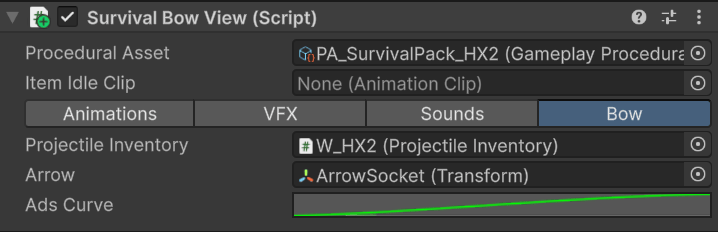
The Bow tab connects projectile selection, the arrow spawn transform, and the ADS blend curve.
Aim overlay
PA_SurvivalPack_HX2 assigns Overlay_SurvivalPack_HX2.controller from Animations/HX2/Character. The view sets its BowDrawn boolean when aiming and also updates the item Animator’s matching parameter.
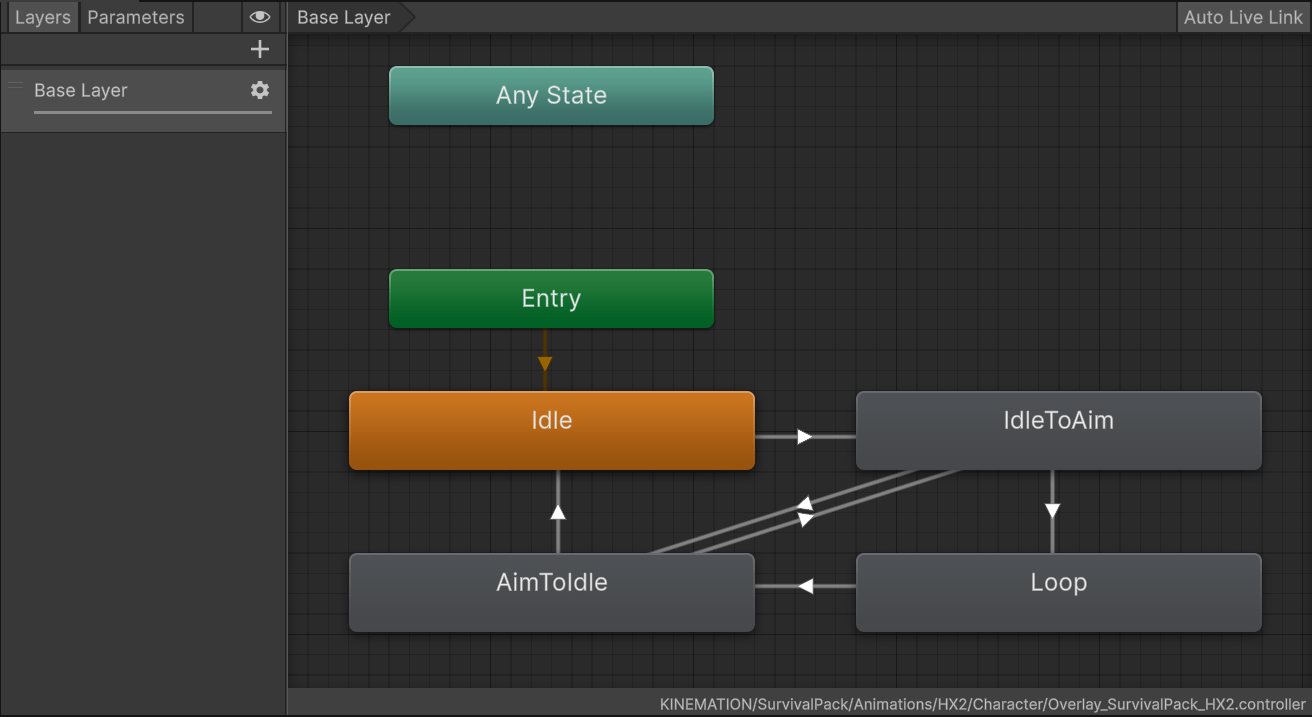
BowDrawn drives the bow overlay through idle, draw-to-aim, held aim, and return-to-idle states.
BowDrawn when replacing the controller.
Fire and load an arrow
Character and bow pairs are inAnimations/HX2/Character and Animations/HX2/Weapon. The Fire pair plays the release, and Reload Empty loads the next arrow.
Firing clears BowDrawn, plays the shared weapon effects, marks a pending projectile, and starts an action covering the fire and reload durations. The LaunchProjectile event in A_FP_HX2_Fire calls SurvivalPackController, which forwards it to the active view.
The view spawns the selected arrow at Arrow, or at the item position if that transform is unset, using the camera’s forward direction. It hides the held arrow mesh through ProjectileInventory.
After the fire pair ends, the view plays the reload pair, restores ammunition, and reveals the next held arrow after the character reload’s blend-in time. If aim is still held when loading finishes, it restores the drawn pose. Unequipping cancels loading and clears the pending projectile and aim state.
Spear
SurvivalSpearView extends SurvivalItemView and implements ISurvivalProjectileWeapon. GameplayItemExample forwards use and aim calls to it. ProjectileInventory selects the spear mesh and projectile prefab.
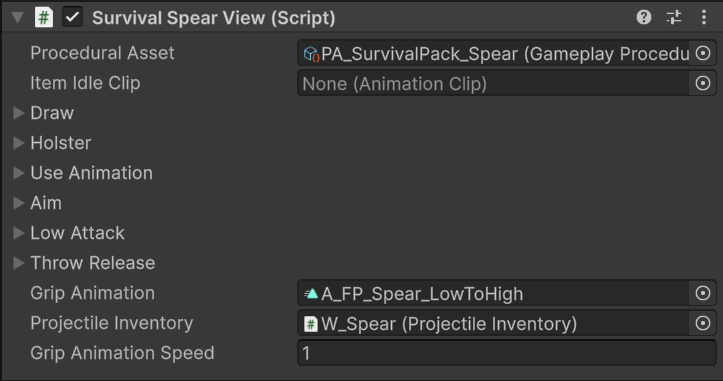
The spear view assigns discrete attacks and throwing, plus the grip animation and projectile inventory.
Grip and attacks
PA_SurvivalPack_Spear assigns Overlay_SurvivalPack_Spear.controller. The view updates its Grip float from vertical look input and Grip Animation Speed. The overlay uses the grip animation to blend between high and low holding poses.
Without aiming, use selects Use Animation above the look threshold or Low Attack below it. The prefab assigns A_FP_Spear_High_Idle_Attack and A_FP_Spear_Low_Idle_Attack. These are character-only actions; the spear’s own animation slot can stay empty.
Prepare and throw
Aiming sets the overlay’sThrowReady boolean. Using the spear while aimed plays Throw Release, marks a pending projectile, and keeps the action active through the release and redraw durations.
A_FP_Spear_Throw_Release contains LaunchProjectile. The controller forwards it to the spear view, which spawns the selected spear and hides the held mesh. When release finishes, the view plays Draw, restores the held mesh, and clears aiming.
Keep Grip, ThrowReady, the overlay controller, and the release event connected when changing the spear animations.
Knife
W_Knife uses GameplayItemExample and SurvivalKnifeView. Its Draw, Holster, Use Animation, and Alternate Attack fields contain character animations from Animations/Knife/Character.
Each use randomly chooses A_FP_Knife_Slash_Left or A_FP_Knife_Slash_Right. The view starts an action timer for 40% of the selected pair’s duration, allowing the next action before the full clip finishes. PA_SurvivalPack_Knife controls the resting pose and placement.
Replace both slash assets when adapting the attacks. Keep their masks and blending settings appropriate for the hands and upper body. Add hit detection and damage in your gameplay code at the contact moment; the view plays the attack animation.
Axe
W_Axe uses GameplayItemExample and SurvivalAxeView. Use randomly selects Use Animation or Alternate Attack, assigned to A_FP_Axe_Horizontal_Swing and A_FP_Axe_Vertical_Swing. Its action timer is 60% of the selected pair’s duration.
Block overlay
PA_SurvivalPack_Axe assigns Overlay_SurvivalPack_Axe.controller. The overlay samples A_FP_Axe_Block using its Block motion-time parameter.
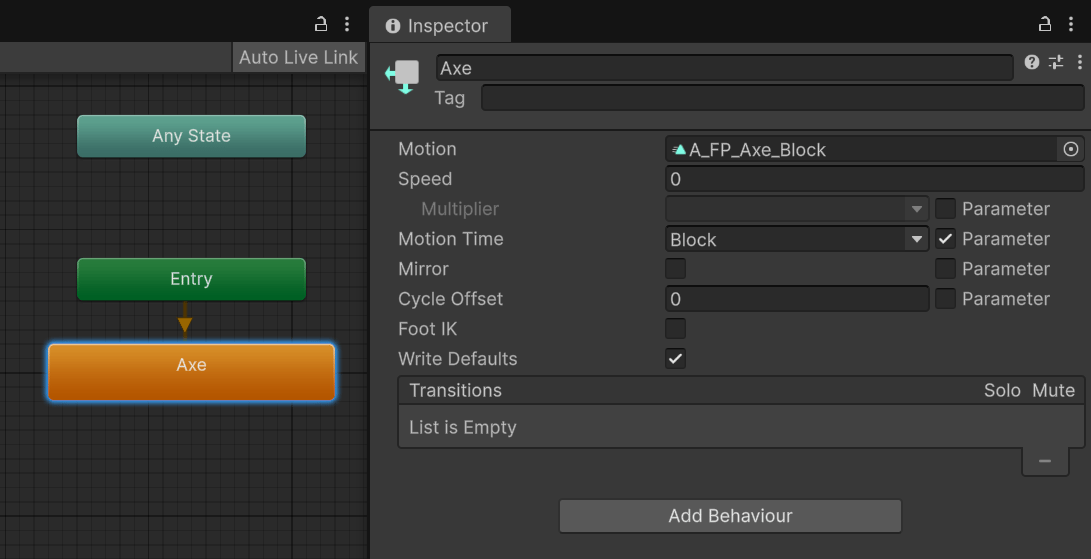
The axe overlay uses Block as normalized motion time for the block animation.
Block toward the raised or lowered pose using Block Speed and easing. Keep the parameter and motion-time binding when replacing the overlay. The view controls the visual block pose; implement damage reduction or attack rejection in your combat code.
Projectile selection and flight
The bow and spear useProjectileInventory. Each entry connects a Prefab to spawn with a held Mesh to show. N calls OnChangeProjectile on the controller, which asks the active ranged view to select the next entry when no action or loading sequence is active.
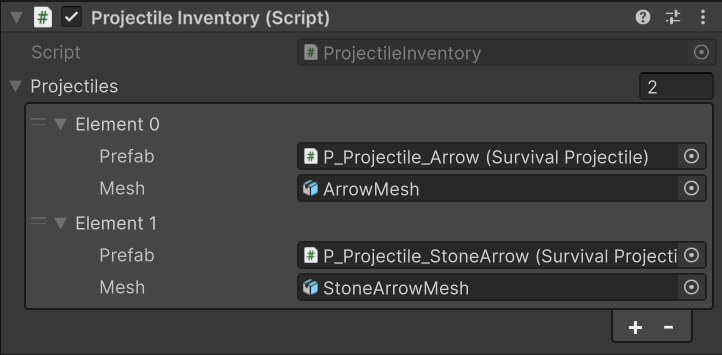
Each bow projectile entry pairs the spawned arrow prefab with its held mesh.
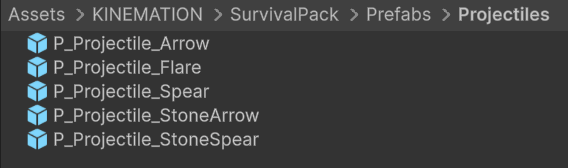
The pack includes modern and stone arrows, modern and stone spears, and the flare projectile.
SurvivalProjectile with a Rigidbody and Collider.
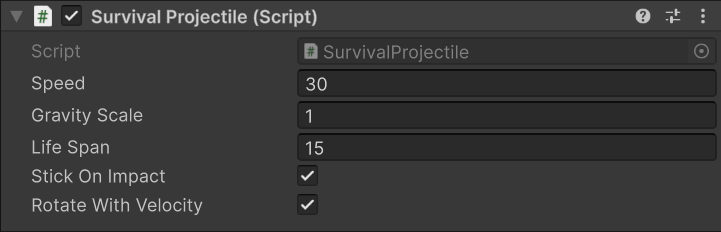
Tune flight on the spawned projectile prefab, separately from the held item mesh.