
Animator Controllers
Tactical Shooter Pack uses magazines as standalone skeletal meshes, which have spring, mag follower and cartridges properly animated.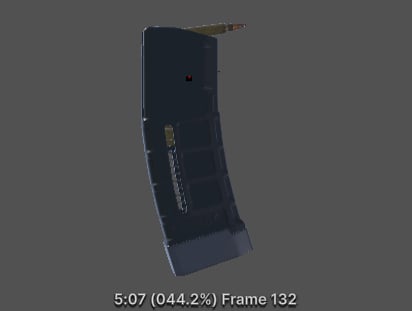
Animation preview of the TR15 mag animation.
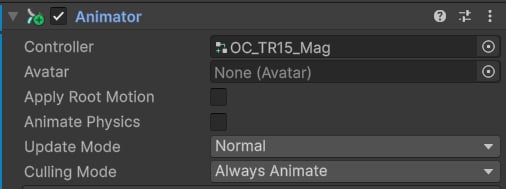
Magazine animator example.
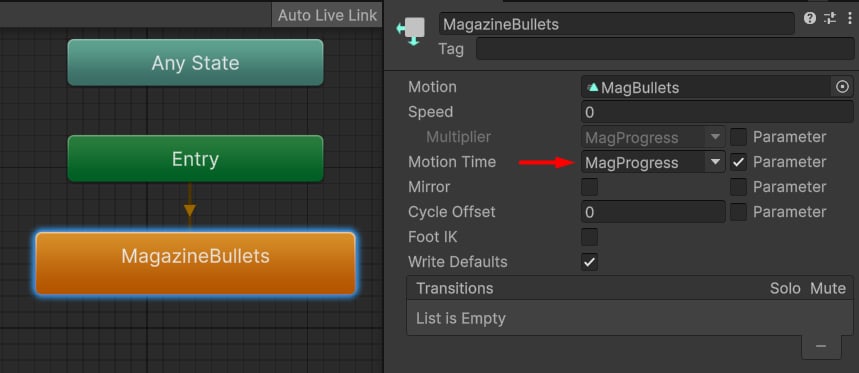
AC_TacFPS_Mag controller.
MagProgress float property is updated by the Mag Animator component, which accesses the current weapon ammo capacity.
Mag Animator
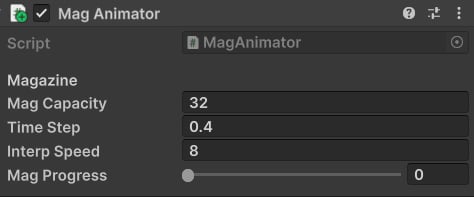
Mag Animator component.
MagProgress value.
To display the animation correctly, it’s important to adjust these properties:
- Mag Capacity: max ammo for this magazine.
- Time Step: how much time in seconds it takes to play a single bullet.
- Interp Speed: smoothing speed for mag progress.
- Mag Progress: if set to 0, the first frame will be used, if 1 - the last one; this property is dynamically updated at runtime.