
How it works
The camera is animated using three curves:- Camera_Pitch
- Camera_Yaw
- Camera_Roll

Camera animation curves.
How curves are created
You can find camera animations in each weapon’s Camera folder. These sequences aren’t used directly; they are processed by the extraction tool, which transfers camera curves to the character animation: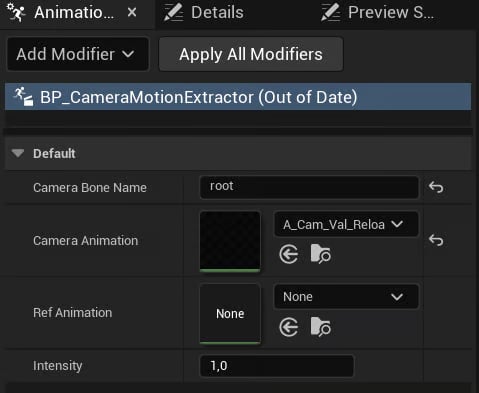
Camera Motion Extractor.
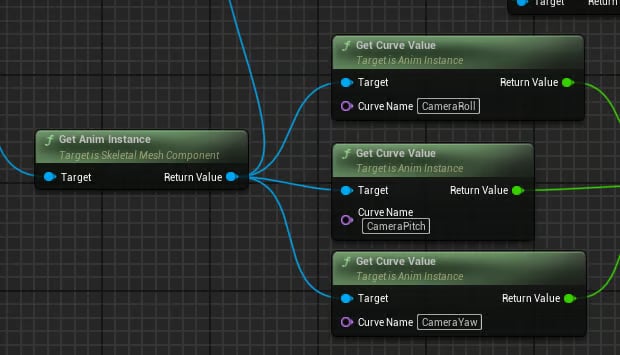
Camera animation.