
How it’s animated
All animations target the UE5 Mannequin skeleton and rely on Epic’s IK bone set: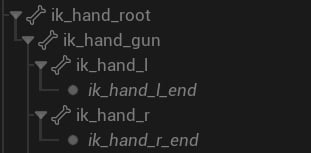
IK Bones
- ik_hand_gun drives weapon movement..
- ik_hand_r contains right‑hand animation data.
- ik_hand_l contains left‑hand animation data.
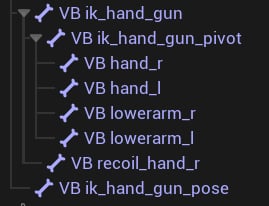
Virtual Bone setup.
- VB ik_hand_gun (targets ik_hand_gun): Used to position the pistol during quick draw so the sidearm is correctly placed relative to the right hand.
- VB ik_hand_gun_pivot (targets ik_hand_gun): All weapons are attached to this bone.
- VB hand_r/l (targets hand_r/l): IK targets for the right/left hand.
- VB lowerarm_r/l (targets lowerarm_r/l): Hint/pole targets for the right/left arm.
- VB recoil_hand_r (targets root): Preserves right‑hand recoil when holding a pistol one‑handed.
- VB ik_hand_gun_pose (targets root): Used to compute the aiming pose.
Animation Blueprints
The pack uses modular Animation Blueprints: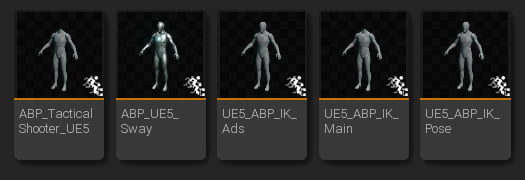
Animation Blueprints used in the pack.
ABP_TacticalShooter_UE5
This is the main Animation Blueprint; it incorporates the other animation assets. Here’s how it works:Base character pose
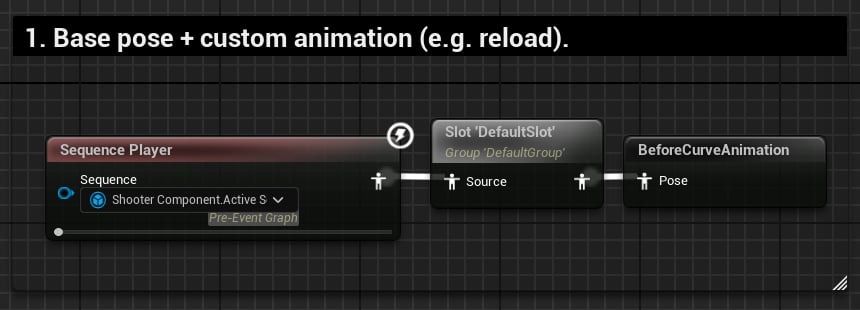
Base pose.
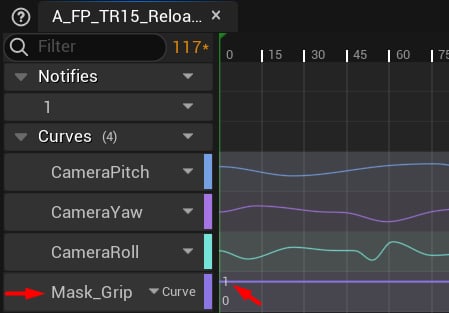
Curve-based animations
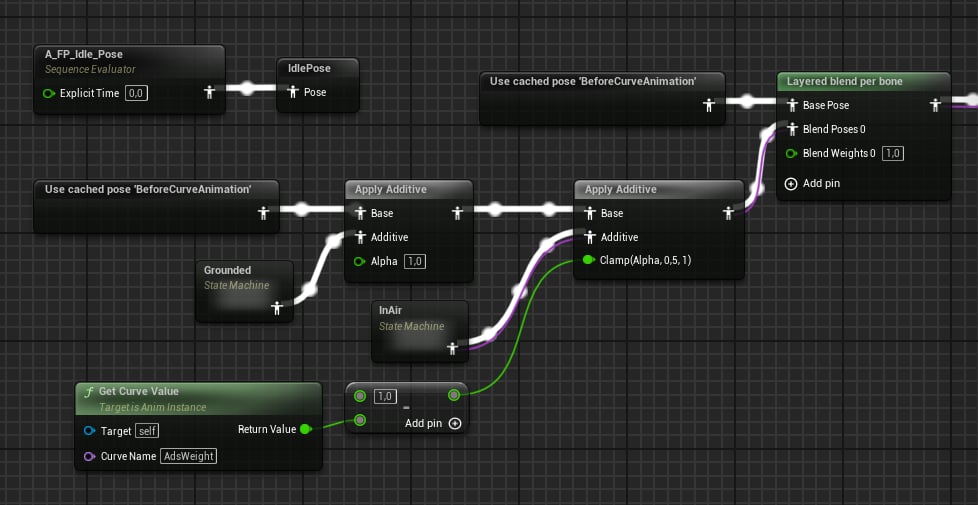
Procedural movement graph.
- IK_X/Y/Z: position.
- IK_Pitch/Yaw/Roll: rotation.
- Camera Pitch/Yaw/Roll: camera animation.
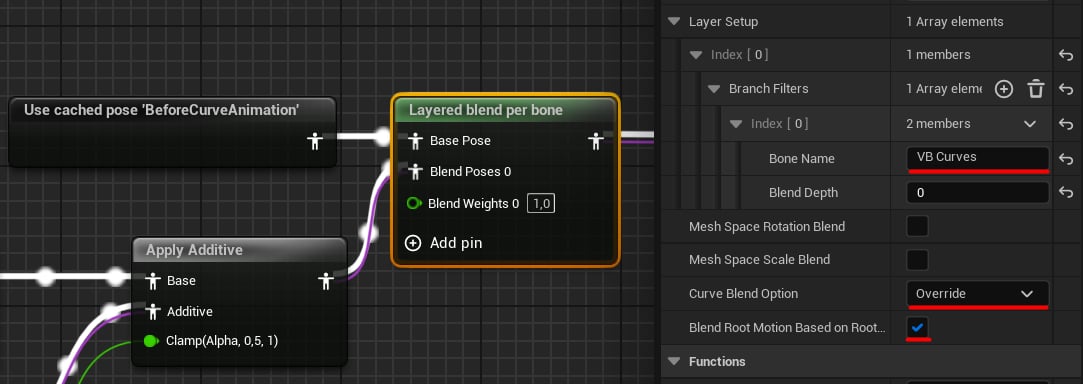
Procedural movement blending.
Pistol quick draw
This layer applies quick‑draw and holster animations additively on top of the character pose: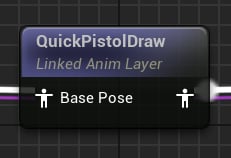
Pistol Quick Draw layer.
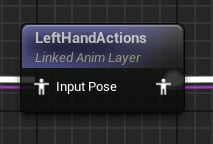
Left Hand Actions layer.
Finger firing motion
Animate the right index finger while firing: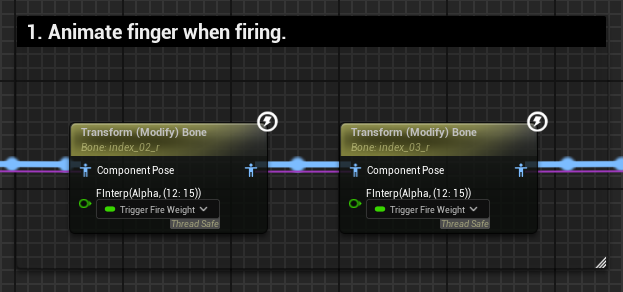
Finger firing motion.
ABP_IK_Pose
Positions the weapon and hands before the main procedural pass. It works in stages:VB ik_hand_gun_r
First, override VB ik_hand_gun_r with the base idle pose when quick‑draw is enabled: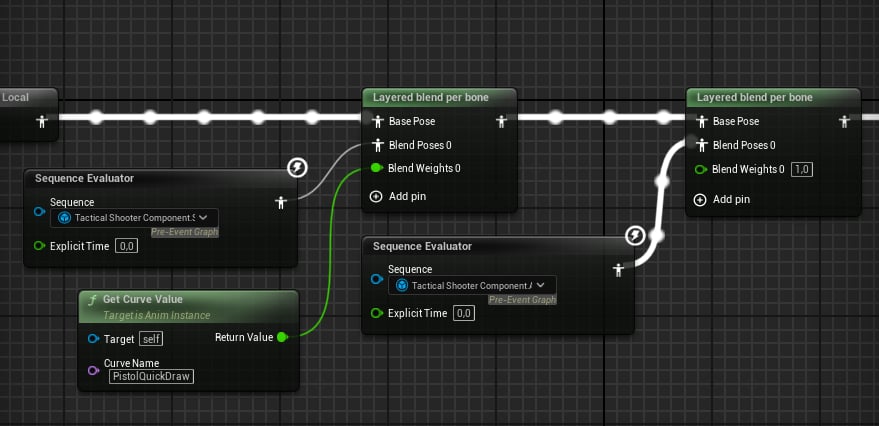
VB ik_hand_gun_r override.
Copying the animation data
Copy the animation data from real bones to VBs. This lets us apply IK additively instead of overriding and breaking the pose: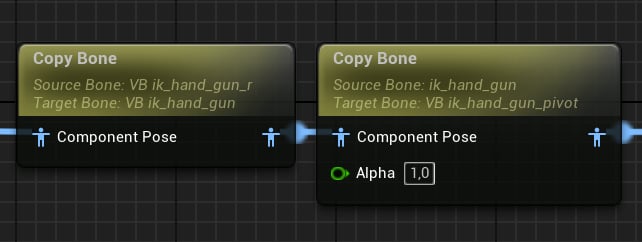
Copying the animation data.
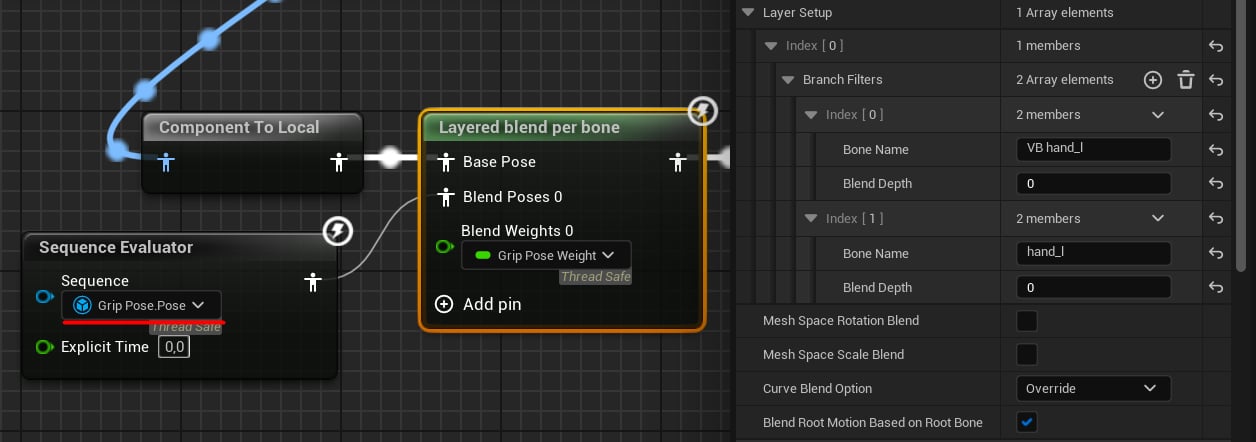
Left hand pose override.
Offsets
Finally, apply FTransform offsets to all IK bones.ABP_IK_Ads
Applies procedural aiming in two steps:- Snap the weapon to the camera socket.
- Apply the Aim Point local transform.
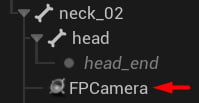
Camera socket.
ABP_IK_Sway
Applies aiming and movement sway to VB ik_hand_gun. Sway is computed in AC_TacticalShooterAnimation; this layer simply retrieves the FTransform and applies it to the bone: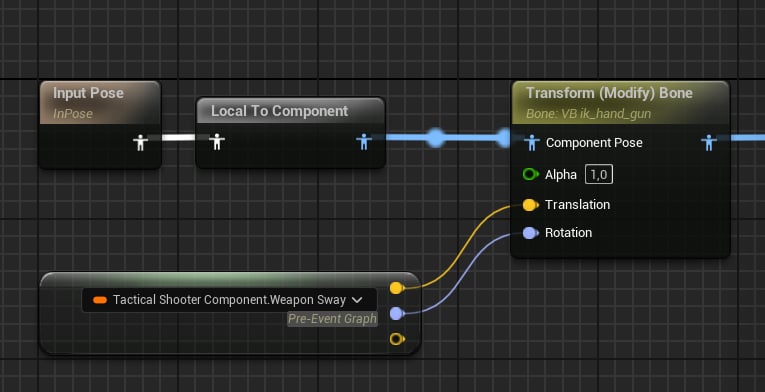
Sway layer.
ABP_IK_Main
The final Animation Blueprint, responsible for:- Recoil
- IK Motions
- Leaning and Aim Offset
- IK
- Hiding the head bone
Recoil
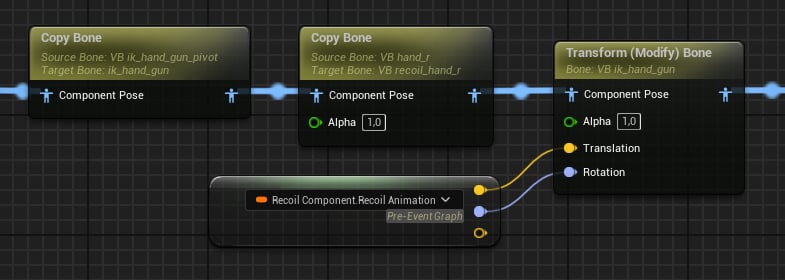
How recoil is applied.
IK Motions
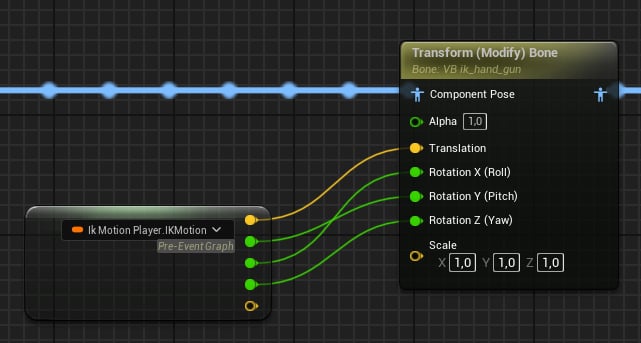
Additive motions
Leaning
Leaning distributes the angle evenly across spine bones: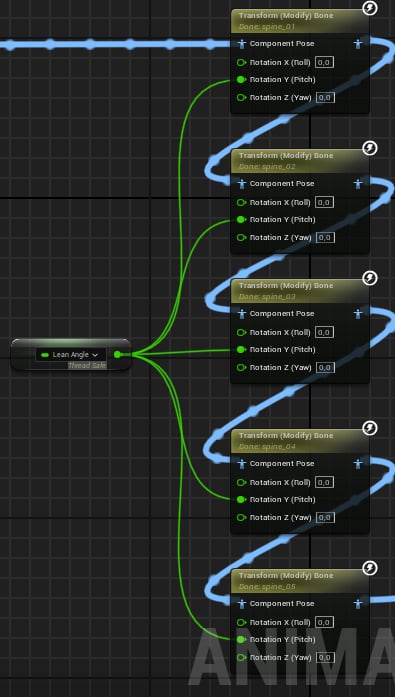
Leaning rotation.
Curve-based animations
Movement (idle, walk, sprint, jumping) is applied directly to VB ik_hand_gun: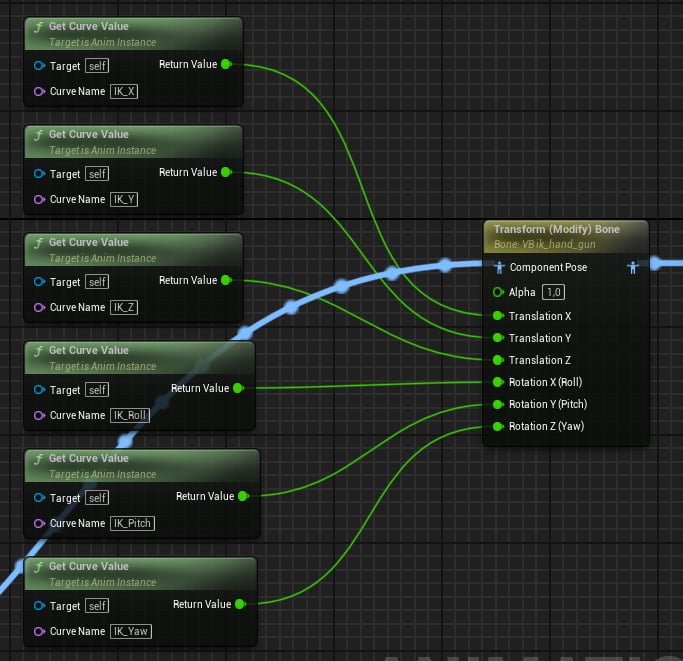
Curve-based animations.
Aim Offset
Like leaning, Pitch is applied across spine bones to make the character look up and down: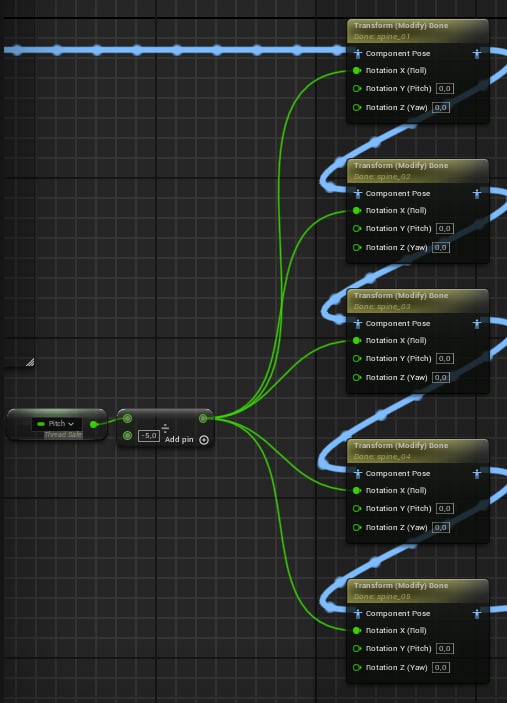
Spine bone rotation.
IK and head bone
Finally, Two‑Bone IK nodes apply IK using VB hand_r and VB hand_l as targets. We also scale the head bone to zero ifHideHeadMesh is true:
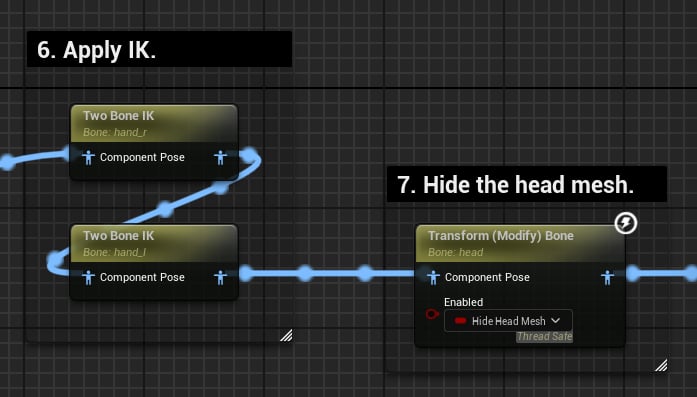
Final steps.