Control Panel
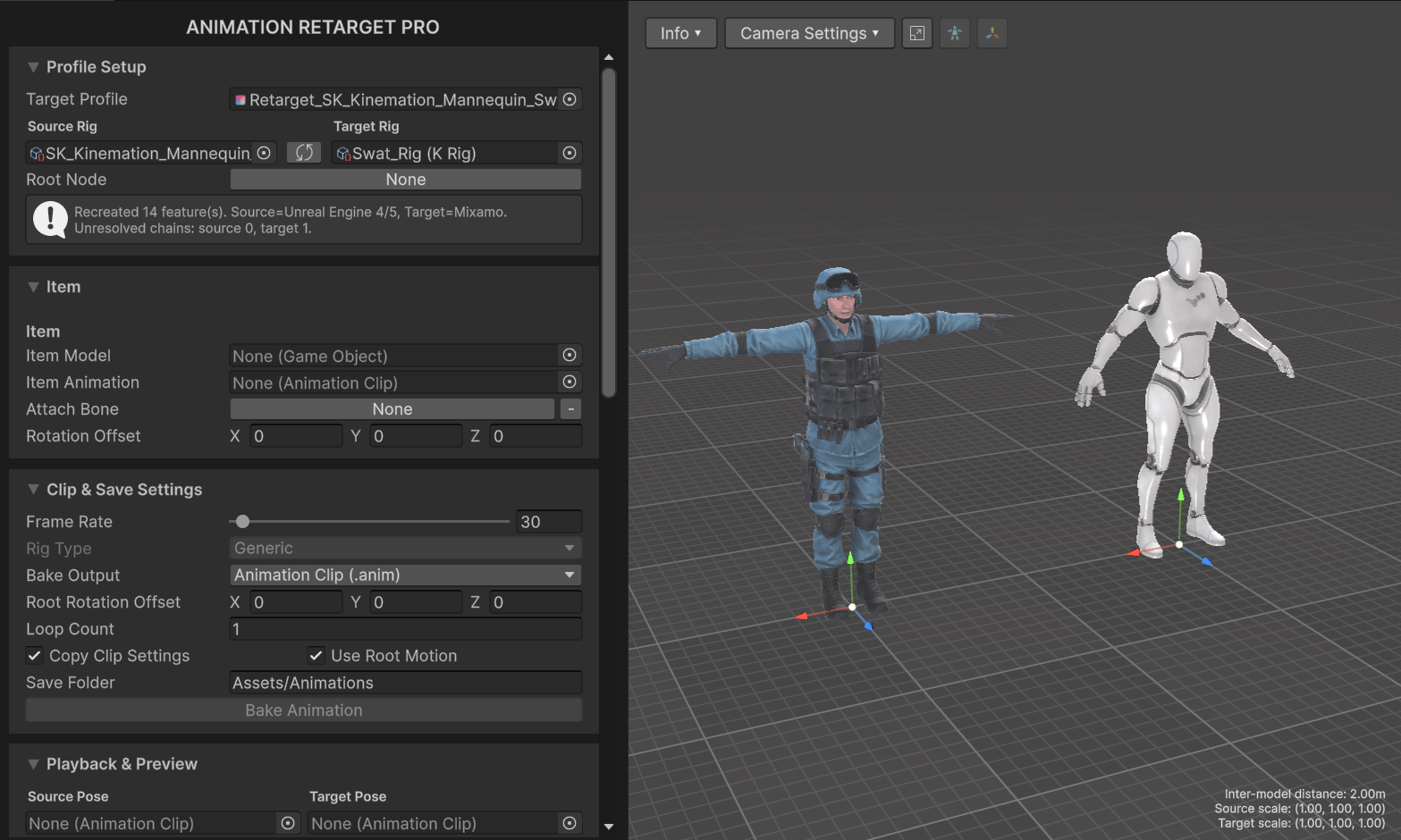
This is the left side of the window that contains various retargeting settings, grouped as dropdown tabs.Profile Setup
This tab displays general character skeleton settings.
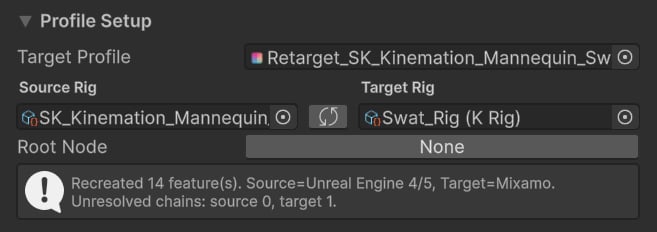
- Target Profile — current Retarget Profile.
- Source Rig — skeleton of the source character.
- Target Rig — skeleton of the target character.
- Root Node — the top/root bone in the hierarchy (only used for root motion).
Item
This tab displays settings for a preview item (e.g., weapon).
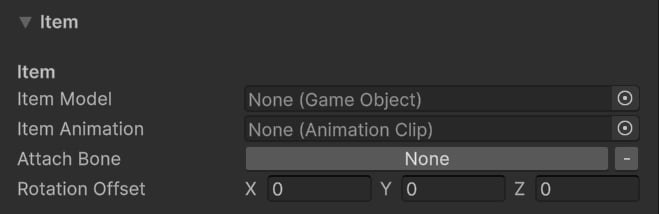
- Item Model — the skinned mesh of the preview item (e.g., rifle or a sword).
- Item Animation — the animation to preview on the selected item (e.g., reload).
- Attach Bone — the bone to attach the item to.
- Rotation Offset — local rotation offset applied to the item.
Example: When retargeting a reload animaiton, it’s useful to have a weapon animated to see how to position character IK.
Clip & Save Settings
This tab displays animation exporting settings.
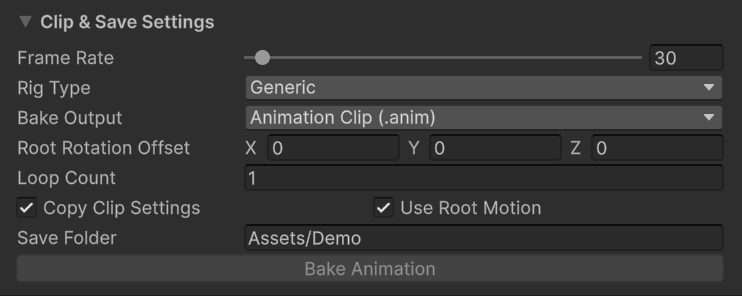
- Frame Rate — target export frame rate.
- Rig Type — both Generic and Humanoid rigs are supported.
- Bake Output — bake the animation as a clip or FBX file.
- Root Rotation Offset — local rotation offset for the root bone. Useful for models with non-standard/offset roots.
- Loop Count — number of animation loops to include. Useful for continous locomotion actions.
- Copy Clip Settings — whether to copy source clip settings (e.g., Loop, Bake Into Pose, etc.).
- Use Root Motion — whether to use root motion from the source character.
- Save Folder — output directory for retargeted animations.
Playback & Preview
This tab displays the playback and what animations to use.
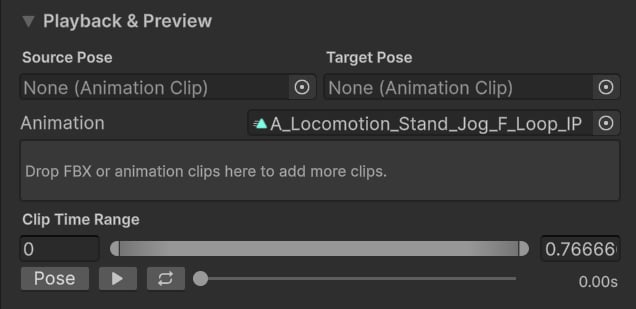
- Source Pose — source character base pose (e.g., T or A pose).
- Target Pose — target character base pose (e.g., T or A pose).
- Animation — a single or multiple clips to retarget.
- Clip Time Range (for single clips) — defines the start and end animation time.
- Pose — stops the playback and resets character poses.
- Play — starts the retargeting.
- Loop — toggles animation looping.
Tip: Initial poses directly impact the retargeting quality, so it’s important that both characters have identical poses.
Bone Chain Settings
This tab displays what retarget features and chains are used in this profile.
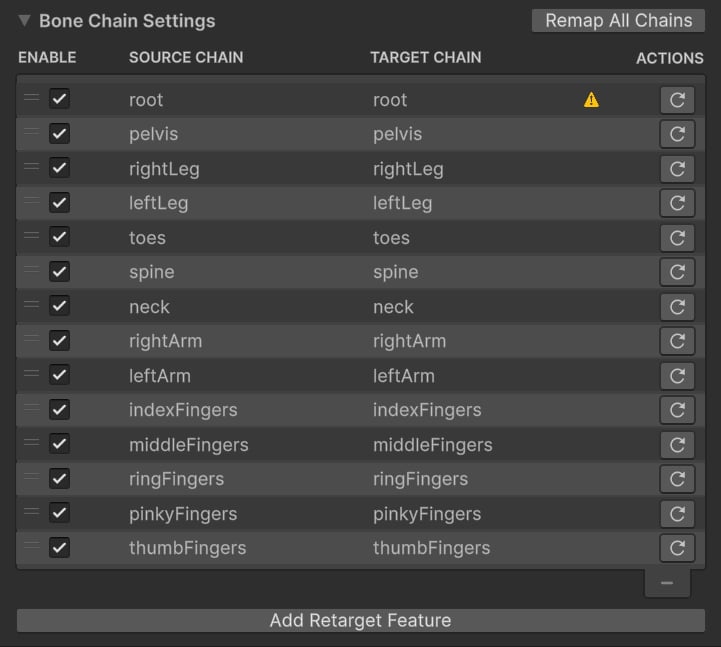
Tip: See Retarget Features to find our more about all retarget features.
- Mixamo.
- Synty.
- Character Creator.
- UE4/UE5.
- Humanoid (General)
- Quadruped (Animals).
Notifications & Help
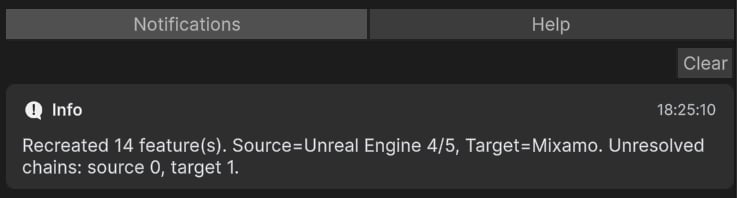
These last tabs are used to display notification and help messages, which can be quite helpful with troubleshooting.