
BP_AnimNotify_Survival_LaunchProjectile calls the equipped item’s OnThrowItem event. Use it to release a projectile when the character lets go of an arrow, spear, or flare.
You can find the notify in Survival_FPS_Pack/Blueprints/Notifies.
Place the notify
- Open the character’s release animation. The spear example uses
A_FP_Spear_Throw_Release, played byAM_FP_Spear_Throw_Release. - Scrub to the frame where the hand releases the item.
- Right-click a Notifies track and add
BP_AnimNotify_Survival_LaunchProjectile. It appears on the track as Launch Projectile. - Save the animation and test the throw in Play mode.
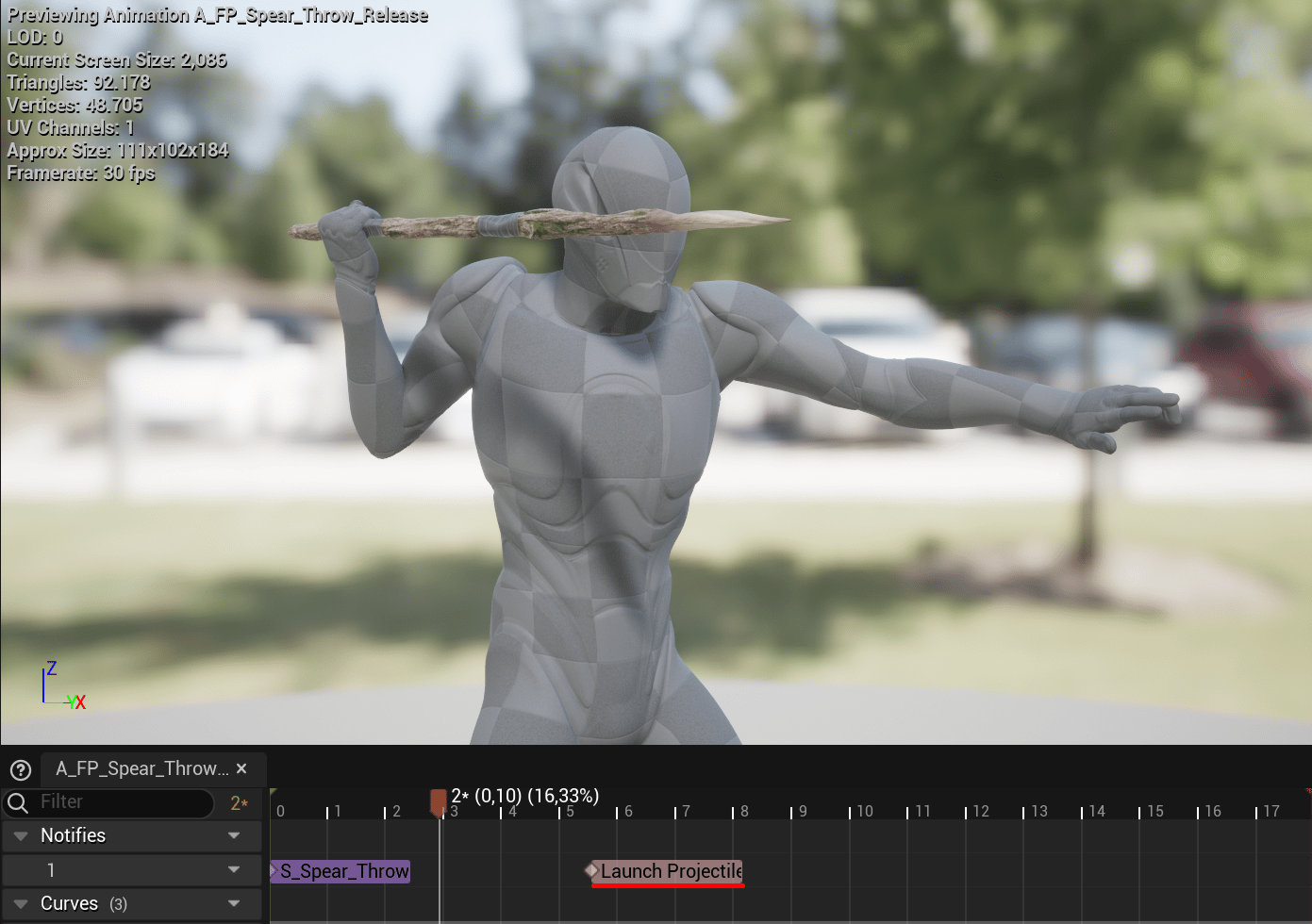
The spear release sequence places Launch Projectile on the character animation's Notifies track.
What it runs
The notify’sReceived_Notify function:
- Gets the owner of
MeshComp, the mesh playing the animation. - Calls
GetEquippedItemthroughBPI_Gameplay_Character. - Sends
OnThrowItemto that item throughBPI_Survival_Ranged. - Returns
true.
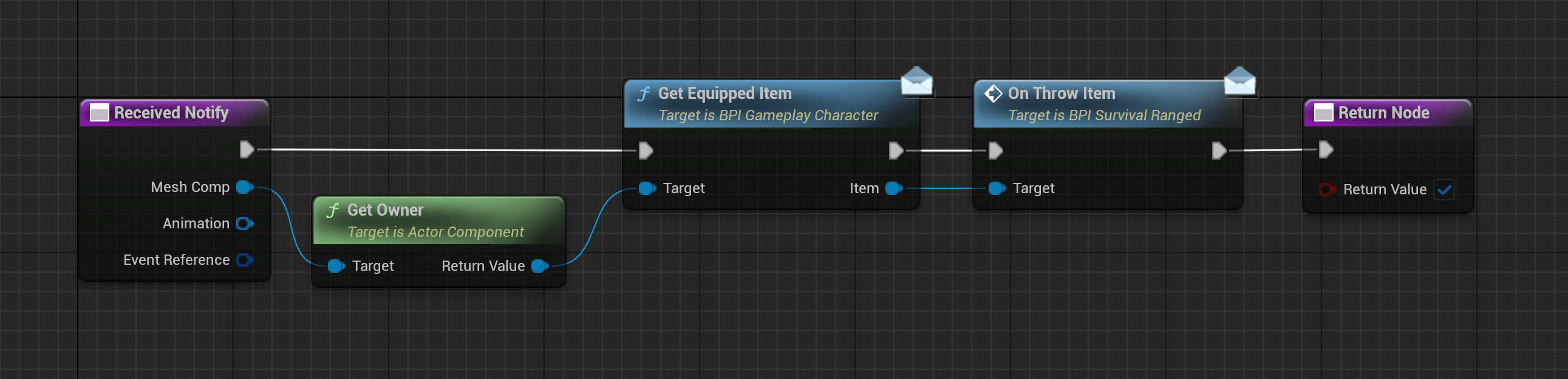
The notify finds the character's equipped item and sends OnThrowItem to it.
Spear and bow examples
BP_Spear.OnThrowItem hides the held StaticItemMesh, spawns BP_Survival_Projectile_Spear at the item’s transform, and assigns the mesh selected by AC_Survival_RangedWeapon. It then calls the spawned actor’s LaunchProjectile function.
BP_HX2.OnThrowItem spawns BP_Survival_Projectile_Arrow at ArrowProjectileSocket on ItemMesh. It assigns the selected arrow mesh and launches it along the socket’s right vector.
These are values on the example items’ launch calls. Change them in your copied item Blueprint when you need different flight behavior.
BP_Flare uses the same notify and ranged interface to release BP_Survival_Flare. See Tools for activation and held effects.
Check a replacement animation
Test that one release creates one projectile and that the held model disappears at the correct moment. If nothing launches, check the notify’s mesh owner, the equipped item, and itsBPI_Survival_Ranged implementation. If two projectiles appear, check for duplicate notifies or an additional spawn call in the item.
See Create an item to adapt the spear or bow setup.