
BP_AnimNotify_Survival_UseConsumable sends a use event to the character’s active consumable. Place it at the moment you want to change the item or apply its gameplay effect.
You can find the notify in Survival_FPS_Pack/Blueprints/Notifies.
Place the notify
- Open the character’s eating, drinking, or healing animation. The bread example uses
A_FP_Bread_Eat. - Scrub to the bite, sip, or application moment.
- Right-click a Notifies track and add
BP_AnimNotify_Survival_UseConsumable. It appears as Use Consumable. - Save the animation and select that consumable in Play mode.
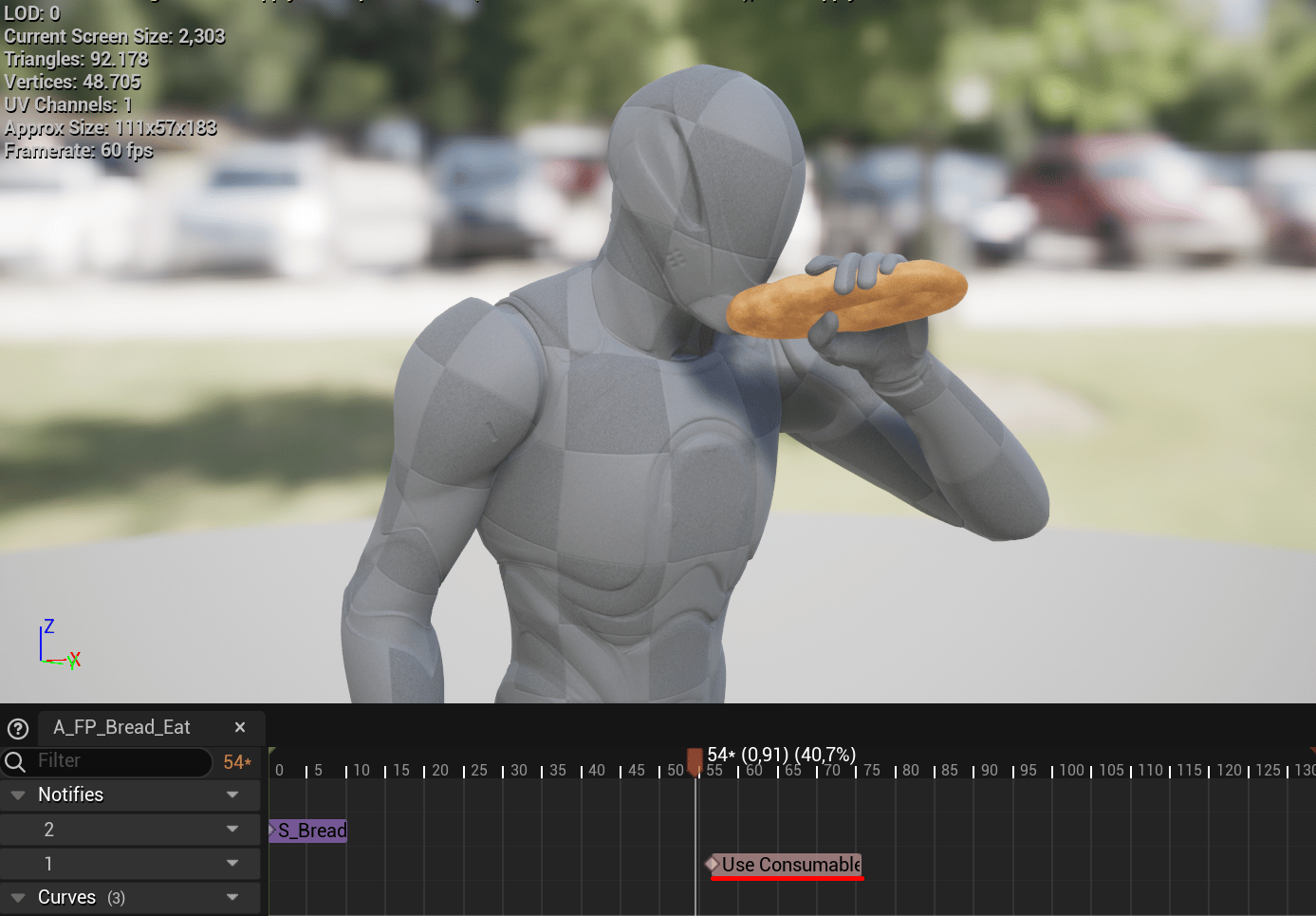
A_FP_Bread_Eat places Use Consumable at the bite, when the bread should change appearance.
What it runs
The notify’sReceived_Notify function:
- Gets the owner of
MeshComp. - Calls
GetConsumableItemthroughBPI_Survival_Character. - Checks that the returned item is valid.
- Calls
UseConsumablethroughBPI_Survival_ConsumableItemand returnstrue. If the item is invalid, it returnsfalse.
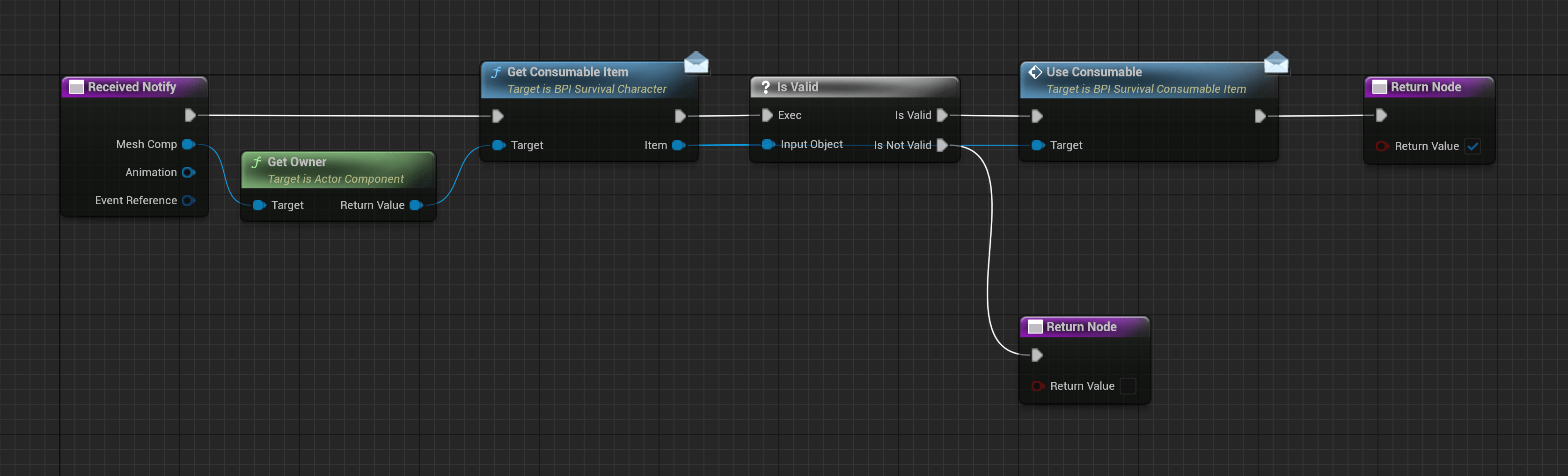
Use Consumable checks the active consumable before sending the interface event.
BPI_Survival_Character, and the selected consumable must implement BPI_Survival_ConsumableItem.
Bread example
BP_Survival_Bread implements UseConsumable by calling UpdateBreadVisibility. That function selects a mesh from BreadMeshes and updates the ConsumableMesh position. The bread changes as the eating animation reaches each use event.
To add hunger, thirst, or healing, extend UseConsumable on your consumable Blueprint. For a child of an existing consumable, keep its inherited visual changes when adding your effect.
Repeated use
AC_Survival_ConsumableView starts its use animation when equipped and repeats it according to MaxUseTimes. Its timer starts the next animation; this notify marks the use moment within each playback.
A notify in a repeated animation runs on every playback that reaches it. Decide whether your gameplay effect should apply at every bite or once for the whole item, and handle that in UseConsumable. Adding another notify also adds another use event.
Test the complete sequence: selection, drawing the item, each use event, putting it away, and returning to the previous item. See Consumables for the view’s timing and settings.