
Choose the consumables
Open your copy ofBP_Survival_Character and set Consumable Classes in Class Defaults. Use this list for food and medicine. The water bottle stays in the regular Item Classes list.
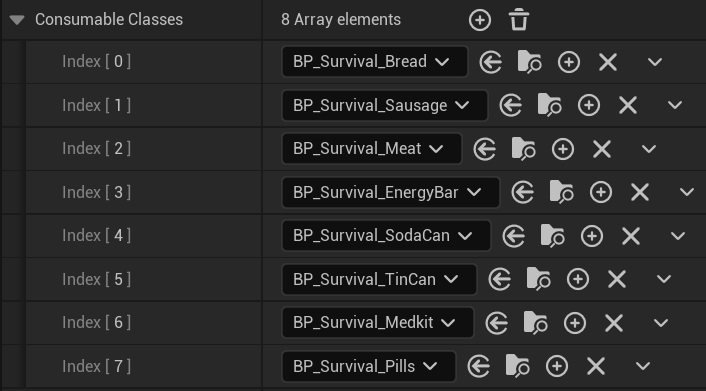
The Unreal character's Consumable Classes list selects food and medicine independently from regular equipment.
InitializeConsumableItems spawns each class with the character as its owner, attaches it to VB ik_hand_gun on the character mesh, and hides it. The character keeps these actors in Consumables and tracks the selected one in ActiveConsumable. See Character for the selection controls.
Food and medicine assets
OpenSurvival_FPS_Pack/Blueprints/Items/Consumables to find the food and medicine Blueprints.
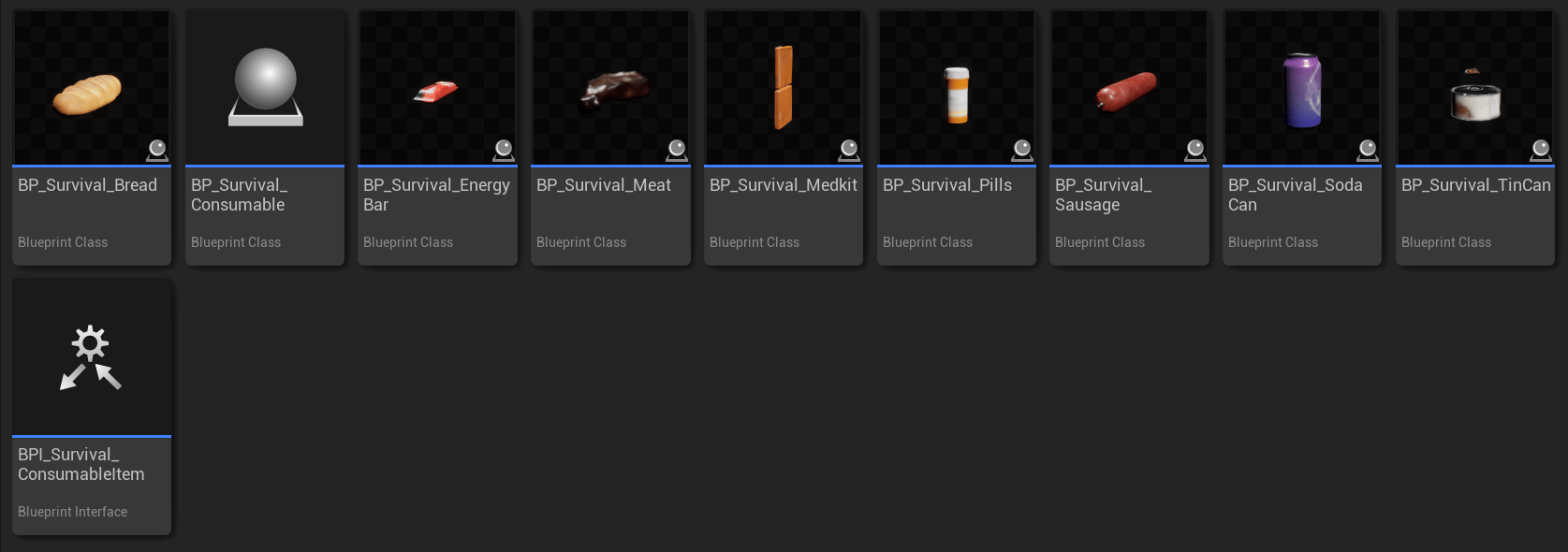
Food and medicine derive from the shared Survival consumable Blueprint and use its consumable interface.
Blueprints/Items/Views and a DA_ asset in Blueprints/Items/Settings. The view plays its actions; the settings control how the character holds it.
Consumable views and animation
BP_Survival_Consumable is the base item Blueprint for food and medicine. It calls the view’s OnEquip, stores the returned duration in UnEquipDelay, and uses that duration for the action. Its UnEquipItem calls the view’s OnUnEquip and returns the holster duration to the character.
AC_Survival_ConsumableView handles the use animation. Child views assign the montage pair for each food or medicine item. Character animations are in Animations/Character/UE5 and UE4; matching item animations are in Animations/Items.
For example, bread’s character actions are in Bread, while the tin can has separate item opening and use animations under Animations/Items/TinCan. Pills use the item Animation Blueprint Animations/Items/Pills/ABP_W_PillBottle.
Keep both sides of a pair assigned when the item has moving parts. Use the child view’s existing animation and visibility changes as the starting point for a replacement model. Change the DA_ asset for holding pose and procedural motion.
Repeated use
The view’sOnEquip first calls its parent to apply the item’s settings and equip animation. It resets UseTimes to MaxUseTimes, calls OnUseConsumable, and returns the character use montage’s length multiplied by MaxUseTimes.
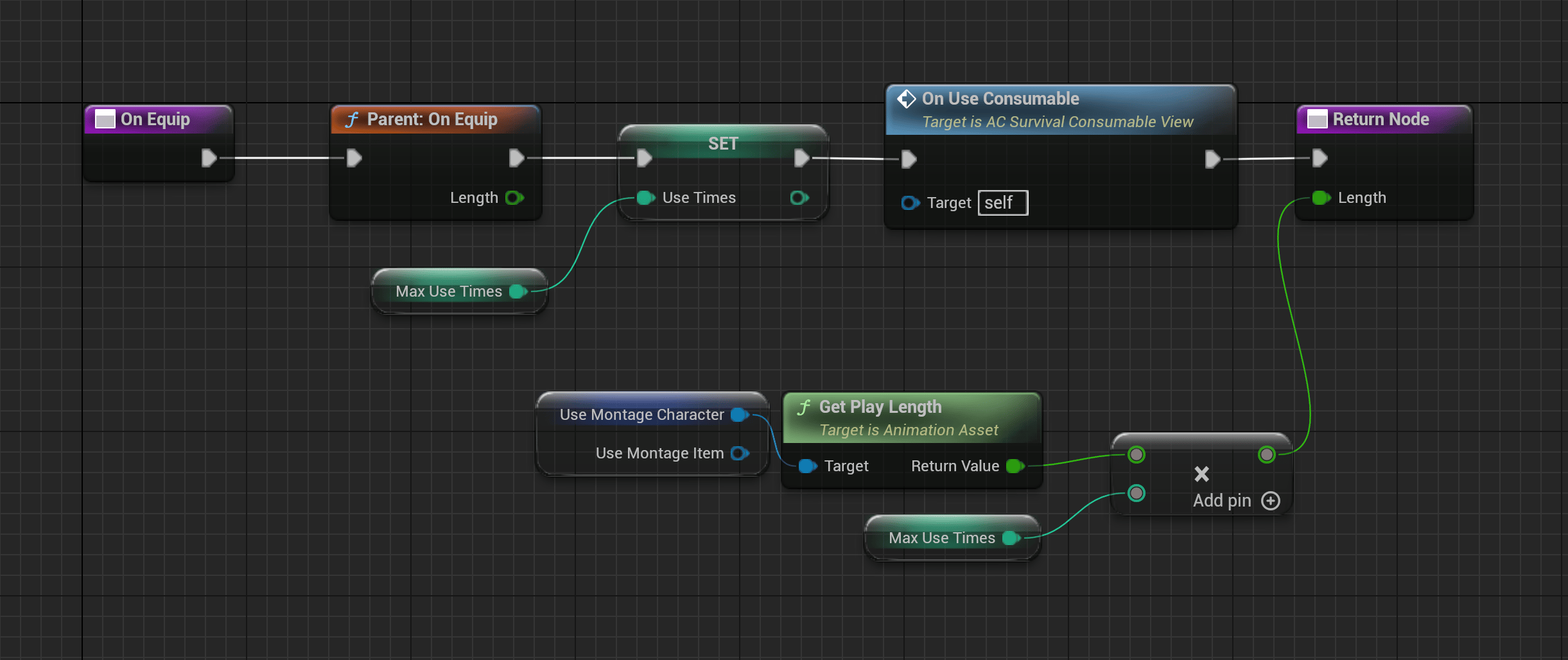
OnEquip resets the use counter and starts the consumable's use sequence.
OnUseConsumable checks whether UseTimes is greater than zero. If it is, the view plays UseMontage, decrements the counter, and schedules another call after 0.6 × the returned playback length. This is a one-shot timer that repeats the event until no uses remain.
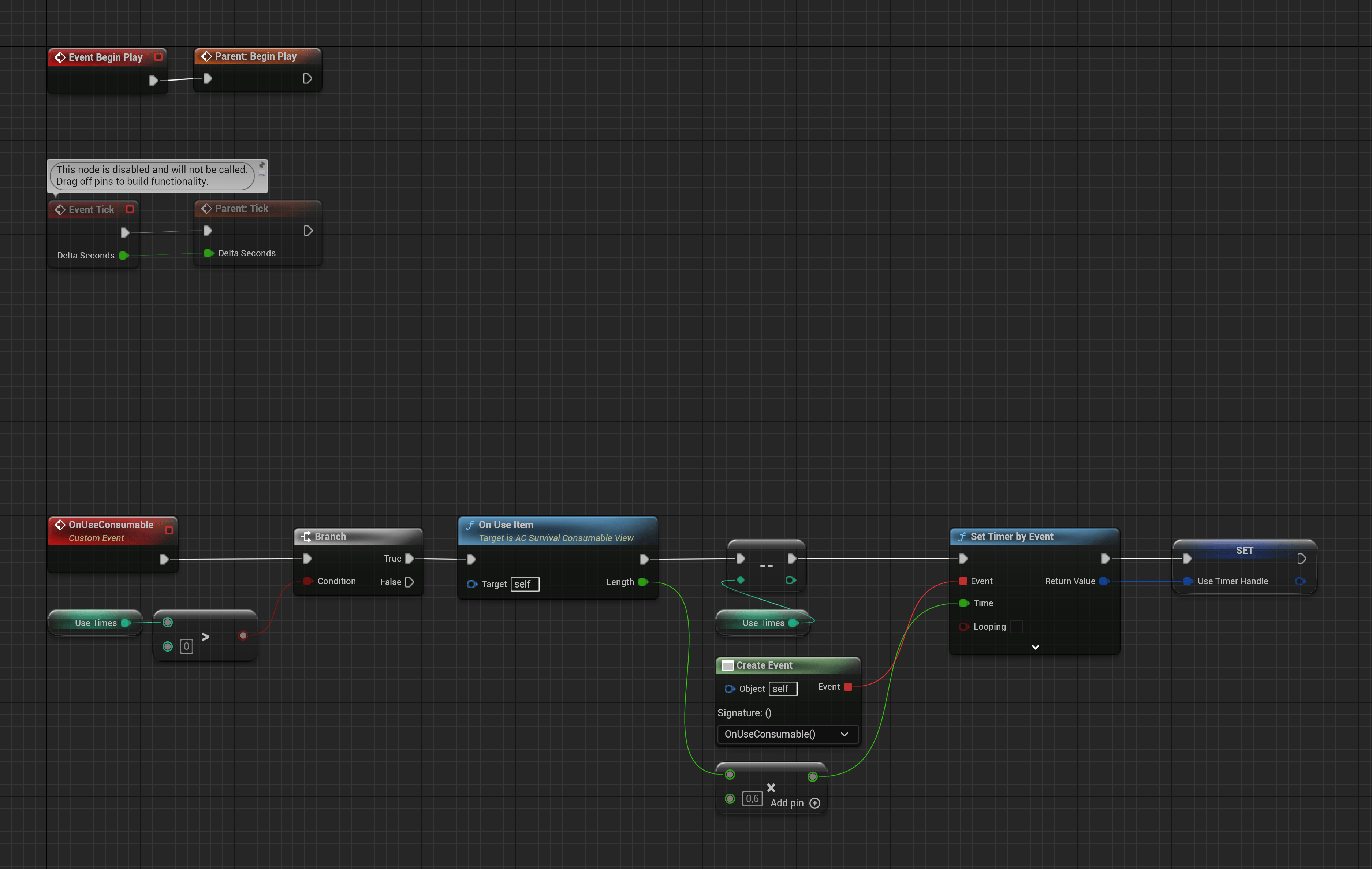
The use event plays a montage pair and schedules the next repetition from its playback length.
When replacing a use montage, check the whole sequence. The repeat timer and total use duration use different calculations, so changing the animation length or the repeat interval affects when the character should put it away.
Consumption event
Use Consumable marks the bite, sip, or healing moment on the character animation. It getsActiveConsumable through BPI_Survival_Character.GetConsumableItem and calls that item’s UseConsumable interface event.
For example, BP_Survival_Bread.UseConsumable calls UpdateBreadVisibility to select the next bread mesh and update its position. Add health, hunger, thirst, or inventory changes to your item’s use event. Decide whether to apply them at each notify or once for the whole item.
The view’s repeat timer starts the animations. The notify triggers the item change within each animation. Keep both when replacing the eating sequence. See Use Consumable for placement and the notify graph.
Water bottle
BP_WaterBottle uses AC_WaterBottleView and DA_WaterBottle. Keep it in Item Classes when you want the bottle to remain equipped between sips.
The item Animation Blueprint is Animations/Items/WaterBottle/ABP_W_WaterBottle. Its item montages include AM_W_WaterBottle_Draw, AM_W_WaterBottle_Sip, and AM_W_WaterBottle_Holster. Keep them paired with the corresponding character montages in the view.
Connect bottle contents and thirst changes through your gameplay code. The pot also has a drinking action and separate lid actions.
Adapt a consumable
Duplicate the closest child ofBP_Survival_Consumable, keep its consumable interface and view, and assign your own animation settings and montage pairs. Add the child class to Consumable Classes on your character.
Test selection, equip, every use event, visible changes, and return to the previous item. Follow Create an item for the copying and assignment steps.