Overview
An Animator Layer is a procedural animation feature, which modifies your character pose in realtime. All layers in the framework has a similar structure, let’s take a look at it: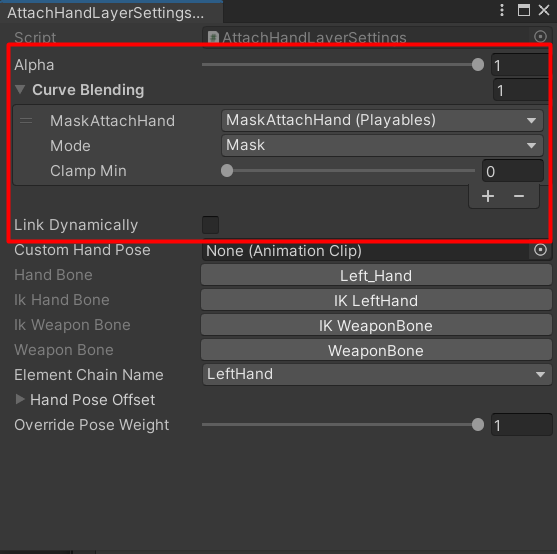
AttachHandLayer Example.
- Alpha: controls the influence of the layer; if set to 1 - the layer will be fully applied, and if set to 0 - it will be disabled.
- Link Dynamically - defines if this layer will need to be cached when a new profile is linked. If set to true, there will be no smooth blending, but instead the settings will be updated.
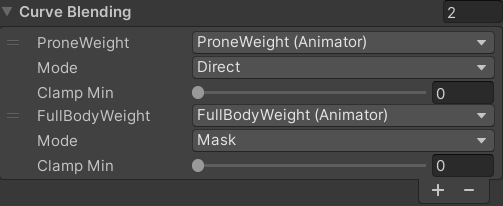
Curve Blending
Curve Blending is a crucial part of controlling animation features in realtime. You can select a parameter which will control the layer, so far the system supports these parameter types:- Animator Controller float parameters.
- Playables curves.
- Input Config variables.
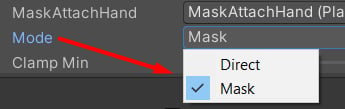
Mode options.
- Mask means that the value will be applied in reversed mode, computed via: result = 1f - value. For example, if the parameter value is 1, the final value will be 0.
- Direct mode is going to use the parameter value as is. If the value is 1, the final result will be 1.