
Animation Asset
The FPS Animation Framework uses Animation Assets to play custom animations on your character from code. To create a new asset, right-click and go to Create/KINEMATION/FPS Animator General/Animation Asset: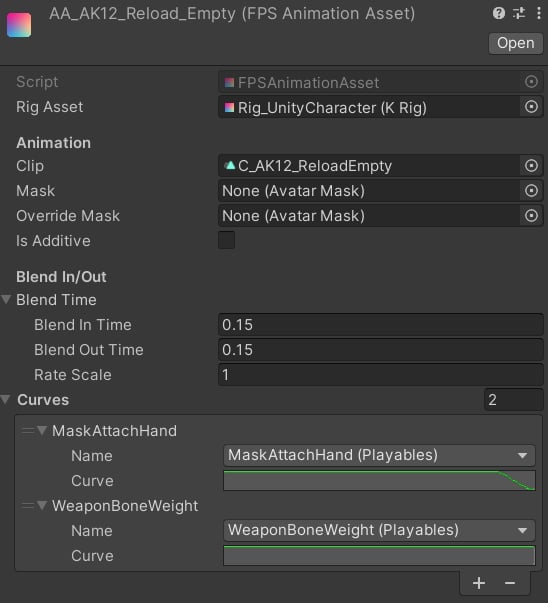
- Mask property is optional, but you can use it if you need to affect a specific part of the body.
- Override Mask and Is Additive are used for shared animations, like emotes, grenade throws, etc. The Override Mask will make the left arm use absolute animation, while the right arm will only use additive motion.
- Blend Time controls the transition for your animation. The Rate Scale is a playback speed multiplier.
- The Curves list defines custom curves, which will be used in this animation. This is an extremely useful feature when you want custom animations to control animation features.
Code
To play an Animation Asset from code, you need to call the PlayAnimation method on the IPlayablesController:In the next section, we will learn how to create custom animation features.