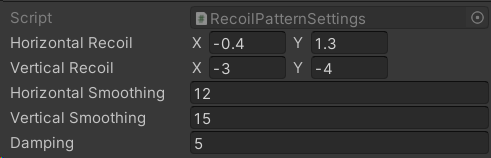
Recoil Pattern represents the controller recoil, which is added to the character and camera rotation. This type of recoil is controller by the player, so it has a practical purpose.The recoil is generated in a standalone component, make sure to add it to your character:Recoil Settings define the actual recoil properties, such as damping, randomized targets for vertical/horizontal recoil, etc.Delta Look Input Property represents the delta input value, which is related to the User Input Controller component we added previously in Componentssection.Let’s take a look at the Recoil Settings:Horizontal/Vertical Recoil defines the randomized range.Horizontal/Vertical Smoothing define the interpolation speed.Damping defines how fast we should return to the initial screen position.
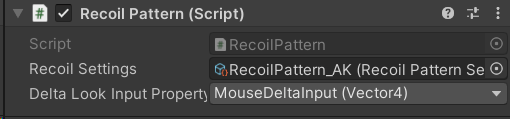
To add the recoil to your controller, make sure to grab a reference to the Recoil Pattern component first.Then, make sure to access the component and add the recoil to the player inut:Then, call the Init method when a gun is equipped:Finally, call the OnFireStart and OnFireStop methods:
⌘I
Assistant
Responses are generated using AI and may contain mistakes.