
Overview
The FPS Animation Framework introduces a standalone input property system. The idea is that you can define custom properties in the Input Config asset and then use them in runtime: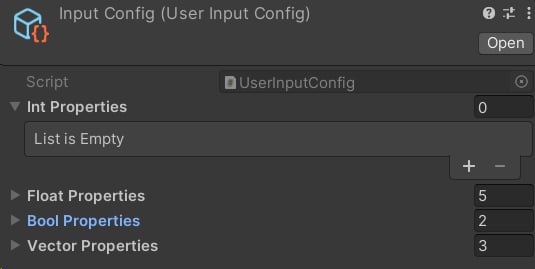
Example input config asset.
- Int
- Float
- Bool
- Vector4
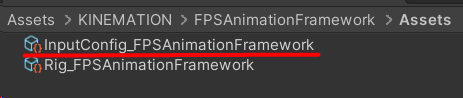
Default asset.
Default Properties
Float properties
- PlayablesWeight - controls the weight of the custom animations.
- StabilizationWeight - controls the stability of the upper body. If set to 1 - fully stabilized, if 0 - overidden locally, stability is not guaranteed.
- LeanInput - defines the lean angle. Used in the Look Layer.
- Aiming Weight - controls the weight of the ADS. It is modified in the Ads Layer, and used in the View Layer.
- TurnOffset - controls the character rotation offset to counter player rotation (it is used sed for turning in place).
Bool properties
- IsAiming - defines the current state of aiming.
- UseFreeAim - whether we use the dead-zone mechanic or not. Only used in the Sway Layer.-
Vector4 properties
- MouseInput - defines accumulative mouse look input. X is the yaw rotation, while Y is the pitch rotation. Z and W components are not used. Primarily used by the Look Layer.
- MouseDeltaInput - defines the delta mouse look input. X is the yaw delta rotation, while Y is the pitch delta rotation. Only used by the Sway Layer.
- MoveInput - defines the current movement input. X represents the horizontal movement, and Y - is horizontal. Used by the Sway Layer.