
Tactical View Settings
This data asset is covered in detail here: Procedural Animation Settings. To update the current settings, it’s necessary to directly update the reference: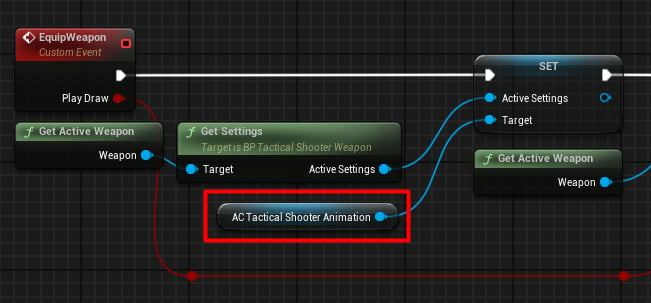
Updating settings when equipping a new weapon.
Inputs
This component also stores player input information, specifically:Leaning Input
Controls how much the player can rotate left and right to peek around corners: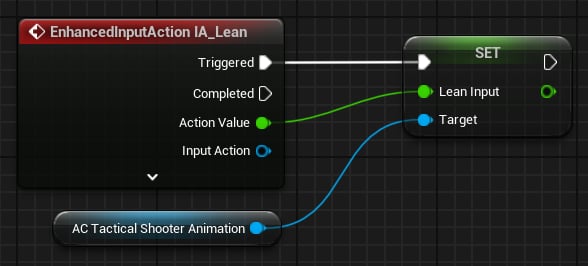
Updating leaning angle.
Gait
Represents the current movement state in the range [0–2], where:- 0 stands for idle
- 1 stands for walk
- 2 stands for sprint
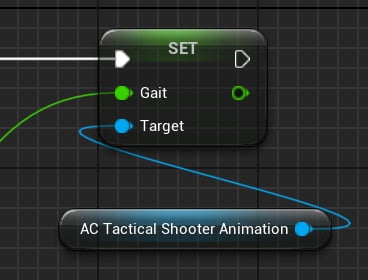
Updating movement gait.
Is Aiming
Used to control procedural aiming: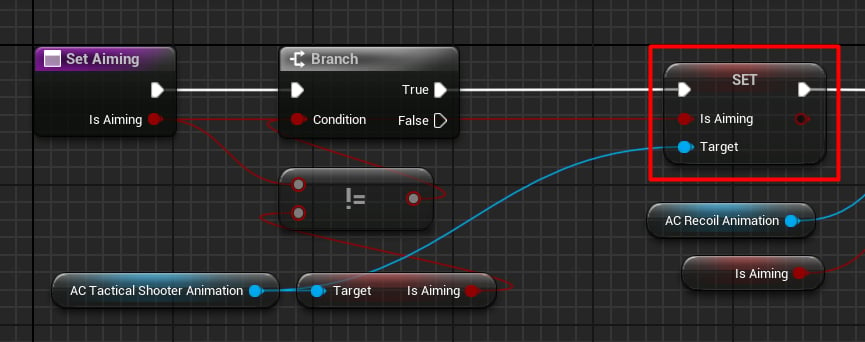
Updating aiming.
Is Firing
This flag has two applications in Animation Blueprints:- Rotating the right index finger to press the trigger.
- Controlling the idle sway intensity when firing.
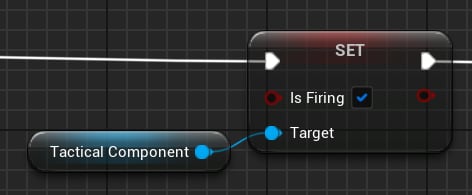
Whether firing is active or not.