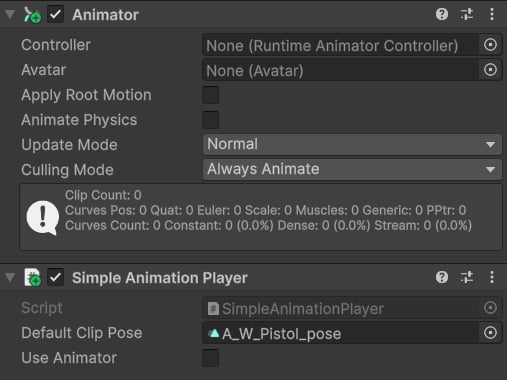
The SimpleAnimationPlayer component lets you drive animations on a GameObject entirely from code, without needing to author an Animator Controller. It is designed primarily for animated props such as weapons, tools, and items — objects that need a small set of clips triggered on demand rather than a full state machine. Add it to the same GameObject as the Animator component, configure a default pose, and call its API methods whenever you want to play a clip.

Component Properties

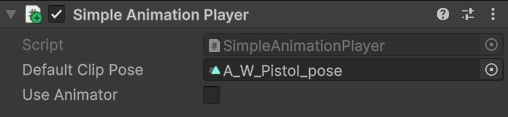
The following two properties appear in the Inspector when SimpleAnimationPlayer is added to a GameObject.
bool
When enabled, animations played by SimpleAnimationPlayer are layered on top of an existing Animator Controller. The Animator continues to run its state machine, and the clip played by SimpleAnimationPlayer blends over it. When disabled, no Animator Controller is needed — the Default Clip Pose is used as the base pose instead.
AnimationClip
The animation clip that plays as the resting pose when Use Animator is false. Assign your weapon’s idle or held pose here. This clip loops continuously as the base layer until another clip is triggered via PlayAnimation.
SimpleAnimationPlayer must be placed on the same GameObject as the Animator component. It hooks into the Playables API underneath and requires the Animator to be present to function.

Use Cases

SimpleAnimationPlayer is the recommended approach for animated props and weapons. Rather than creating and maintaining a separate Animator Controller for every item in your game, you keep animation logic in code and simply call PlayAnimation or PlayBasePlayable when an action occurs. This keeps your asset database clean and makes it easy to add new items without any additional Animator Controller authoring. Typical scenarios include:
  • Playing a weapon idle pose on equip.
  • Triggering a reload animation when the player reloads.
  • Playing an inspect or interact animation on demand.
  • Driving secondary prop animations (torch flicker, barrel sway) from gameplay events.

API Reference

PlayAnimation

Plays an AnimationAsset on the component. AnimationAsset is a CAS ScriptableObject that wraps an AnimationClip and adds per-asset control over playback speed and blend settings. Returns true if the animation started successfully, or false if the asset was null or playback failed.
Use AnimationAsset (rather than a raw AnimationClip) when you need per-instance control over playback speed, blend-in duration, or blend-out duration. You can create Animation Assets via right-click ▸ Create ▸ KINEMATION ▸ Animation Asset in the Project window.

PlayBasePlayable

Sets a raw AnimationClip as the base pose and starts playing it immediately. Use this to establish the looping idle pose for a prop or weapon on equip, before any action animations are triggered.

Code Example

The following script demonstrates a complete weapon animation setup using SimpleAnimationPlayer. On Start, it establishes the weapon’s idle pose; a separate method triggers the reload animation when called by gameplay logic.
After the reload animation finishes, SimpleAnimationPlayer automatically blends back to the base pose clip you set with PlayBasePlayable. You do not need to manually restore the idle state.