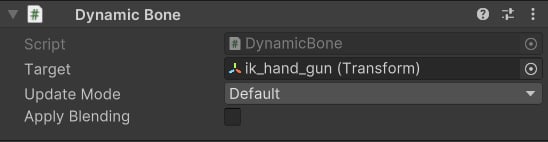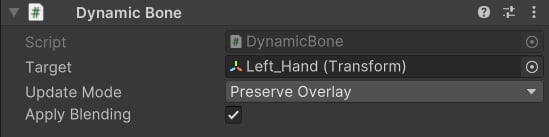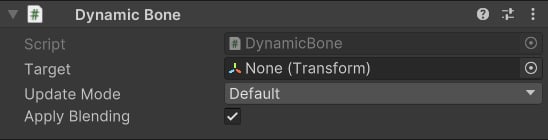
A Dynamic Bone is a GameObject or bone that takes its animated transform from one location in the skeleton hierarchy and applies it as if it lived in a completely different parent space. You add the Dynamic Bone component to an object, point its Target at the source bone whose animation you want to borrow, and then parent the Dynamic Bone under any other bone in the hierarchy. At runtime the Dynamic Bone moves and rotates exactly like its target — but relative to whatever parent it is attached to.

Properties

Transform
The bone or GameObject whose animated transform will be used as the source. The Dynamic Bone mirrors this transform every frame, re-expressed in the Dynamic Bone’s own parent space.
enum
Controls when the Dynamic Bone’s transform is updated in the CAS Playable Graph:
  • Default — updated after the Overlay Animation Slot. Use this in the vast majority of cases.
  • Preserve Overlay — updated after the Overlay Pose but before the Overlay Animation Slot. Use this only when you need the Dynamic Bone’s transform to remain at its original animated pose and not be overridden by later overlay slots.
bool
default:"true"
When enabled, this bone participates in the normal CAS animation blending pipeline. Disable it if you want the Dynamic Bone’s transform to remain constant during profile blends.

How It Works

A Dynamic Bone bridges two spaces. It reads the world-space transform of its Target bone each frame and writes that transform back relative to its own parent. The result is that the Dynamic Bone looks like it is animating in sync with the Target — but through the lens of a different parent bone. This is most easily understood through two canonical examples:

Example 1: Weapon Bone Not Parented to the Hand

Suppose your character skeleton has a weapon bone (ik_hand_gun) that sits at the root of the hierarchy — it is not a child of the right hand. Normally the weapon would not follow the hand’s animation. To fix this without reparenting the skeleton:
  1. Create an empty GameObject and add the Dynamic Bone component to it.
  2. Set Target to ik_hand_gun.
  3. Parent the Dynamic Bone under hand_r.
At runtime the Dynamic Bone will move and rotate exactly as ik_hand_gun dictates — but as if it were a child of the right hand. Your weapon GameObject attached to this Dynamic Bone will therefore always be positioned correctly relative to the hand pose.

Example 2: Left-Hand IK via Dynamic Bone

Two-handed weapons require the left hand to grip the weapon regardless of how the right hand moves. A common approach:
  1. Create a Dynamic Bone parented under hand_r.
  2. Set Target to the left-hand IK target bone (e.g., IK hand_l).
  3. Use this Dynamic Bone as the Target for a Two Bone IK modifier on the left arm.
The Dynamic Bone takes the left-hand IK target’s transform, but expresses it in the right hand’s space. The left hand will track the right hand’s position as if it were physically attached to it — exactly what you need for a two-handed weapon grip.

Update Mode in Practice

The Default update mode is correct for almost every use case. Choose Preserve Overlay only when a later overlay animation slot would otherwise overwrite the pose you want the Dynamic Bone to preserve. In practice this means: if you have an overlay slot playing on top of the base animation and you want the Dynamic Bone to reflect the state before that overlay, use Preserve Overlay.
If you are unsure which mode to use, start with Default. Only switch to Preserve Overlay if you notice that an overlay animation is incorrectly overriding the Dynamic Bone’s expected pose.

Summary of Use Cases