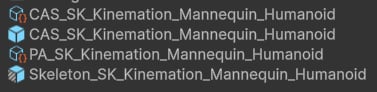
When you apply the FPS preset, CAS creates a Skeleton_ prefab that is a variant of your original character model. This prefab contains the runtime components CAS needs plus a set of IK GameObjects that serve as targets and intermediaries for procedural animation. Understanding what each of these objects does makes it much easier to debug animation issues and to extend the rig with custom modifiers or weapon attachments.

Core components on the Skeleton_ prefab

The Skeleton_ prefab root carries four components that work together at runtime:
Component
The central manager component. It coordinates the other three components and acts as the entry point for per-weapon CAS settings asset assignment.
Component
Blends the base Animator output with weapon Overlay animations. The Overlay layer drives the weapon idle, aim, and rest poses while the base layer handles locomotion and full-body actions.
Component
Evaluates the ordered modifier list inside the PA_ ScriptableObject each frame, applying all FPS features — copy bones, offsets, ADS, sway, recoil, IK motions, and final IK solving.
Component
Caches skeleton information at startup for fast bone lookups at runtime. The FPS preset populates this automatically from the bone assignments you made in the wizard.

Foot IK targets

IK foot_r and IK foot_l are parented to the topmost bone in the skeleton hierarchy (typically the root, armature, or skeleton node). These GameObjects serve as IK targets for the Two Bone IK or Full Body IK modifiers that solve the character’s leg poses. The Copy Right Foot IK and Copy Left Foot IK modifiers read the foot bone positions from the Animator output and write them into these targets at the start of each frame so foot placement stays grounded.

Weapon bone and hand IK targets

The weapon and hand IK bones form a tightly coupled group that keeps the gun locked to the character’s grip regardless of what procedural effects are applied.
GameObject — parented to head
Represents the final animated weapon position. This is the GameObject you parent weapon prefabs to. It is parented to the head bone so that any look rotation applied by the Look Modifier or the camera is automatically inherited by the weapon.
GameObject — parented to IK weapon_bone
IK target for the character’s right arm. Because it is parented to IK weapon_bone, the right hand follows the weapon automatically when sway, recoil, or ADS moves the weapon bone.
GameObject — parented to IK weapon_bone
IK target for the character’s left arm. Parented to IK weapon_bone for the same reason as IK hand_r. Its final position is further refined by the Attach Left Hand modifier using grip attachment data from the weapon prefab.
GameObject — with Dynamic Bone
Stores the weapon’s default idle pose and acts as the reference position for the ADS Modifier when computing the aim-down-sights offset. This GameObject has a Dynamic Bone component attached with Update Mode set to Preserve Overlay, which ensures it only ever reflects the base idle pose from the Overlay Animator — not the runtime-modified pose. The Dynamic Bone tracks ik_hand_gun (the assigned weapon bone from the preset wizard) and preserves the weapon’s animated transform relative to the head bone.
Parenting both the weapon bone and hand IK targets to the head bone is the key design decision of the FPS rig. It means any procedural motion applied to the weapon (recoil, sway, ADS) automatically carries the hands with it, and any camera-driven head rotation is inherited by both the gun and the hands simultaneously.

IK weapon_bone_r — the right-hand dynamic bone

The preset also creates a secondary weapon bone outside the head hierarchy:
GameObject — Dynamic Bone, parented to right hand
A Dynamic Bone that stores the weapon’s animated pose relative to the right hand bone. This is what the FPS Copy Bones modifier reads as its Source Weapon Bone. After copying, the data is written into IK weapon_bone (parented to the head), effectively converting the right-hand-relative animation space into head-relative space and inheriting any spine or neck rotation along the way.
This two-step relay — animate relative to the right hand, copy into the head-space weapon bone — lets CAS preserve the original animation data while still compositing the head’s look rotation on top of it. Without this intermediate bone, looking up and down would not correctly pivot the weapon.

IK hand_l_r — the left-hand dynamic bone

GameObject — Dynamic Bone, parented to right hand
Stores the left hand’s animated pose relative to the right hand. The Attach Left Hand modifier reads this bone as its Default Hand Bone when no explicit grip attachment transform is provided by the weapon. This ensures the left hand returns to a sensible default position — driven by the original animation — whenever a weapon does not define a custom grip.
The full data flow for the left hand is:
  1. IK hand_l_r captures the left-hand pose relative to the right hand from the Animator.
  2. Attach Left Hand checks the active weapon for a custom Attach Transform and Hand Pose animation clip.
  3. If a custom grip is present it overrides the default pose; otherwise IK hand_l_r is used as the fallback.
  4. The result is written into IK hand_l, which the arm IK solver then uses to position the left forearm.