
Overview
After applying the preset, you’ll see these ScriptableObjects and prefabs created in the current folder: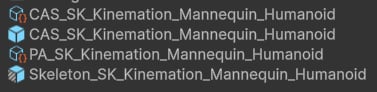
Assets after the setup.
Character Animation Settings
CAS_SK_Kinemation_Mannequin_HumanoidThis is the main CAS data asset. It defines which Overlay and Procedural Animation settings to use:
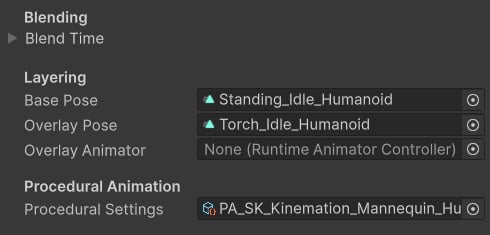
Character Animation Settings.
Tip: Keep the character model separate from the main prefab. For example, a pistol overlay can consist of these states:
- Idle Aim
- Idle Rest
- Tactical sprint (holding it with the right hand).
Procedural Settings
This data asset contains procedural animation modifiers that will be enabled for this character: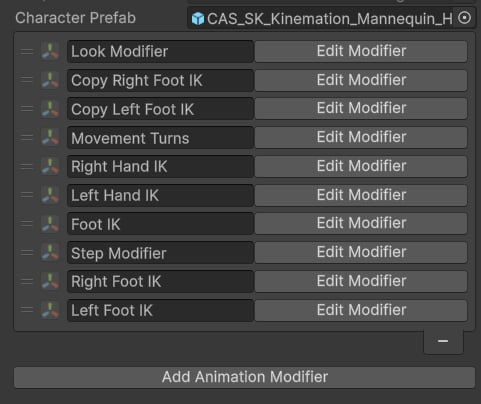
Procedural Animation Settings example.
🔸 Animation Modifiers
Character Skeleton Prefab
This prefab works as a variant of your character model. It is recommended to keep character model separated from the main prefab to ensure the skeleton data is always up-to-date. CAS relies on Character Skeleton component to get the information about character bones. It’s added to the top bone in the hierarchy (root, armature, skeleton):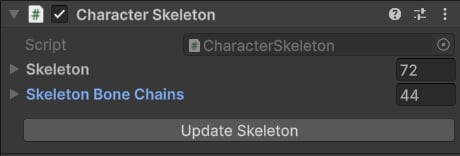
Skeleton component.

CAS components.
Character Animation Component

CAS component.
- Updating current Character Animation Settings.
- Controlling Layered Blending and Procedural Animation components.
- Playing animations from code.
- Full-body pose blending.
🔸 Character Animation Component
Procedural Animation Component
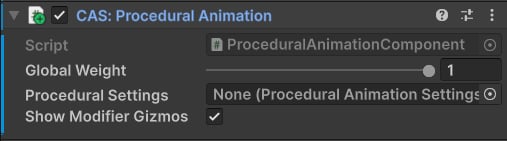
Procedural Animation component.
🔸 Procedural Animation
Layered Blending
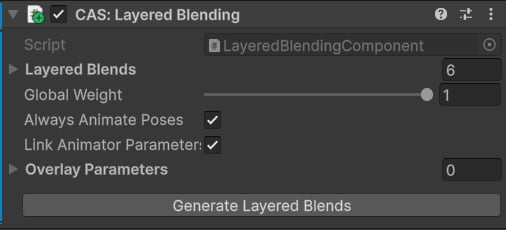
Layered Blending component.
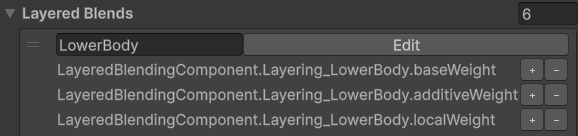
Layered Blend and curve properties
- In the editor: Properties are added to the Animation Clip using Curve Property Editor.
-
At runtime:
- Animation Clips update their curve values.
- Layered Blending Component uses those values for blending.
🔸 Layered Blending
Player Controller Prefab
This prefab includes the Skeleton prefab, and the Character Example Controller: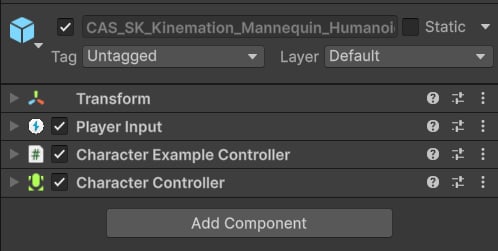
Character prefab.
- Movement.
- Actions and inputs.
- Props (items like torch, axe, barrel and gun).
🔹 Example Content
The next page explains how to work with animations in CAS.