
Weapon Component
Cas FPS Weapon (FPS Pack Weapon) is the base class component for all weapons in this integration package.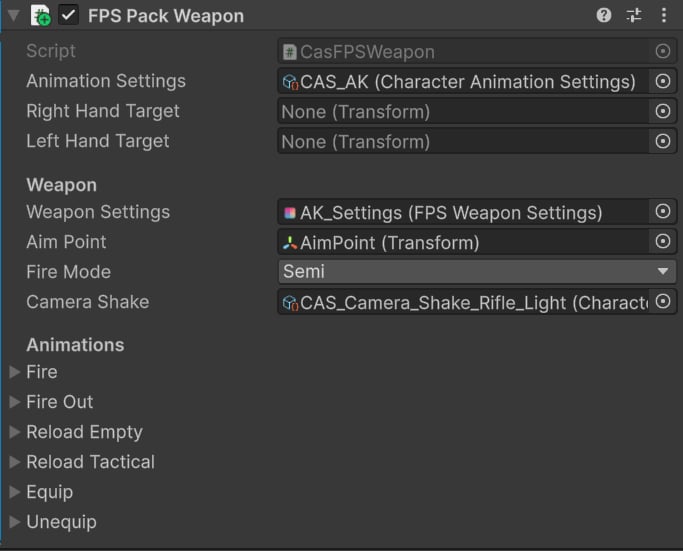
CasFPSWeapon
Animation Settings
Every weapon has unique Character Animation Settings. This asset contains the overlay pose and procedural animation settings. You can treat this asset as a unique animation profile for a weapon.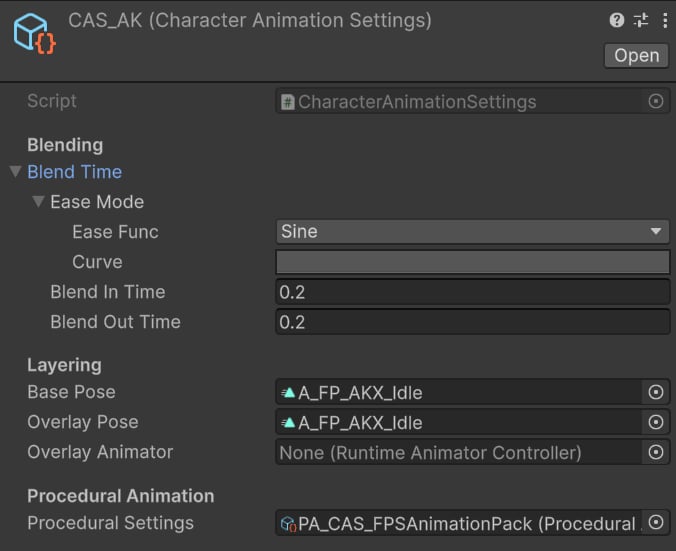
Example CAS asset.
- Blend In/Out Time is set to 0.2s to ensure a smooth transition when switching weapons.
- Base and Overlay Pose are set to the default weapon idle pose, applied on the character’s upper body.
-
Procedural Settings are set to
PA_CAS_FPSAnimationPack, which contains procedural features used across all weapons (e.g., sway, ADS, recoil, etc.).
Weapon
- Weapon Settings are a data asset from the FPS Animation Pack used to play sound effects, position arms, and define basic weapon data.
- Aim Point is the default aiming point that will be aligned with the camera.
- Fire Mode defines the default fire mode.
- Camera Shake is a recoil camera effect.
Animations
All animations are defined as character-weapon clip pairs:
Example character-weapon animation pair.
- Equip.
- Unequip.
- Reload.
- Fire (for some weapons).
Tip: All Animation Assets can be found at “KINEMATION\CharacterAnimationSystem\Integrations\FPSAnimationPack\Animations”.
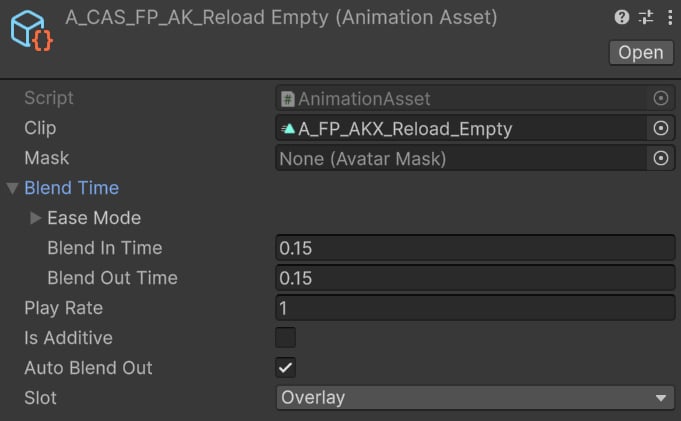
Character animation example.
- Blend In/Out time ensures smooth transition when playing an animation.
- Auto Blend Out makes the animation blend out automatically upon completion.
- Overlay slot will correctly animate arms and weapon.
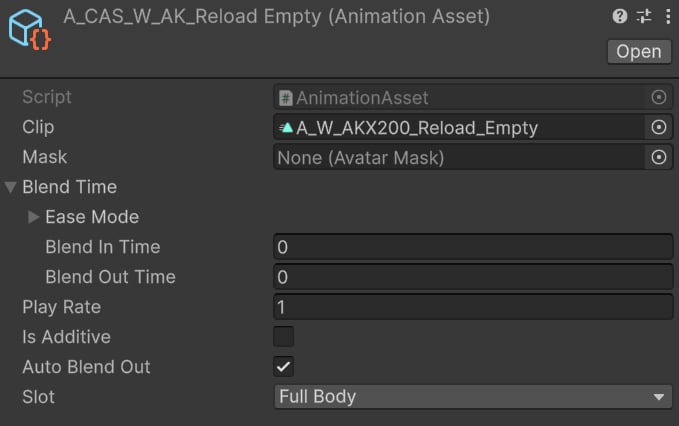
Weapon animation example.
- Blend In/Out time is set to zero to avoid strange blending of gun parts.
Tip: Weapons ignore the “Slot” property, so it can be set to any value.