
Animation Assets
Animation Assets are used to dynamically play all weapon-specific actions, including:- Equip.
- Unequip.
- Reload.
- Fire (for some weapons).
Tip: All Animation Assets can be found at “KINEMATION\CharacterAnimationSystem\Integrations\FPSAnimationPack\Animations”.
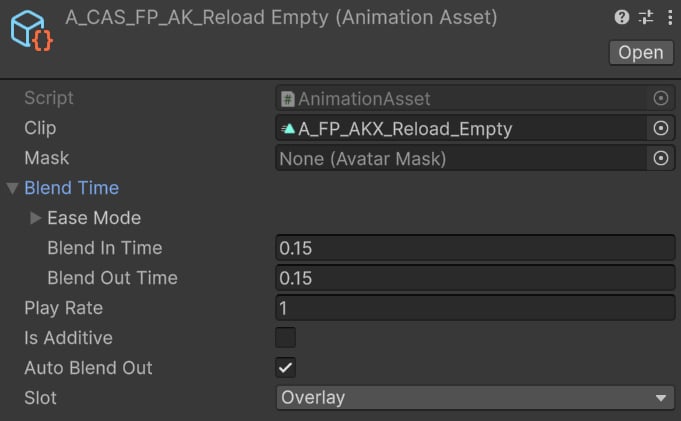
Character animation example.
- Blend In/Out time ensures smooth transition when playing an animation.
- Auto Blend Out makes the animation blend out automatically upon completion.
- Overlay slot will correctly animate arms and weapon.
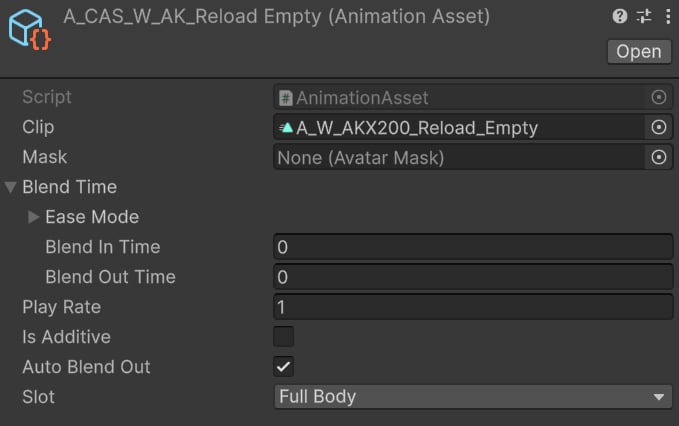
Weapon animation example.
- Blend In/Out time is set to zero to avoid strange blending of gun parts.
Tip: Weapons ignore the “Slot” property, so it can be set to any value.
In code
Character and weapon animations are assigned directly in the weapon prefab:
Reload empty example.
CasFPSWeapon.cs